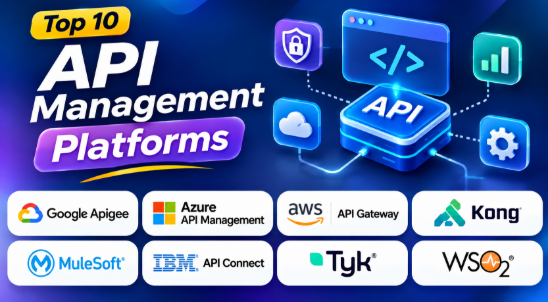
API management platforms play an important role in modern software development. They help businesses control how applications communicate with services, databases, cloud systems, and external partners.
As companies build more applications, the number of APIs also increases. Managing these APIs without proper tools can create security risks, performance problems, and operational challenges.
API management platforms help solve these problems. They provide tools for API security, traffic control, monitoring, documentation, developer access, and lifecycle management.
Some platforms focus on cloud environments. Others support enterprise integration, hybrid infrastructure, open-source deployment, or advanced API governance.
Choosing the right API management platform depends on your technical environment, business needs, budget, security requirements, and development workflow.
This guide explores the top 10 API management platforms. It explains their features, benefits, pros, cons, use cases, and best applications.
What Is an API Management Platform?
An API management platform is software used to create, publish, secure, monitor, and manage APIs.
An API allows two software systems to communicate. For example, an online shopping application may use an API to retrieve product details, process payments, or check customer information.
API management platforms provide a central system for controlling these connections.
They help organizations manage API traffic and protect backend services. They also make APIs easier for developers to discover and use.
Common Uses of API Management Platforms
- API security and authentication
- API traffic routing
- Rate limiting and request control
- API documentation
- Developer portals
- API analytics
- API version management
- Access control
- API monitoring
- API lifecycle management
- Enterprise integration
- Cloud and hybrid API deployment
API management is especially important for organizations that operate many APIs or expose services to external developers, partners, and customers.
Top 10 API Management Platforms
1. Google Apigee
Short Description:
Google Apigee is an enterprise API management platform developed by Google Cloud. It helps organizations design, secure, publish, monitor, and manage APIs across their business systems.
Apigee is useful for companies that treat APIs as products. It provides tools for managing API traffic, developer access, analytics, security policies, and API lifecycle activities.
Organizations can use Apigee to expose backend services to developers, partners, customers, and internal applications. Its analytics capabilities help teams understand API usage and performance.
Apigee is particularly suitable for large organizations that need centralized API governance and detailed monitoring.
Key Features
– API Gateway: Apigee provides an API gateway that controls requests between API consumers and backend services. Teams can apply policies to manage traffic and access.
– API Security: The platform supports security policies and access management. These controls help protect APIs from unauthorized requests.
– API Analytics: Analytics tools help organizations understand API usage, traffic patterns, errors, and performance.
– Developer Portal: Developers can discover APIs, read documentation, and learn how to access services.
– API Lifecycle Management: Teams can manage APIs through different stages of development, publishing, and maintenance.
– Traffic Management: Policies can help control API requests and manage traffic behavior.
– API Monetization: Organizations can develop business models around API access and usage.
– Hybrid Deployment: Apigee supports deployment approaches for organizations with cloud and hybrid requirements.
Benefits
- Helps manage large API portfolios.
- Provides centralized API governance.
- Supports API security and traffic management.
- Offers useful analytics and monitoring.
- Helps organizations develop API products.
- Supports external developer access.
- Provides enterprise API management capabilities.
Pros
- Strong enterprise API management features.
- Useful analytics and reporting.
- Supports API product management.
- Provides security policy capabilities.
- Suitable for large organizations.
- Supports developer portals.
- Helps manage APIs across business teams.
Cons
- Enterprise pricing can be expensive.
- Advanced features may require technical expertise.
- Implementation can require planning.
- Smaller organizations may not need every capability.
- Cloud and hybrid deployments may introduce operational complexity.
Use Cases
- Enterprise API Management: Managing APIs across large organizations.
- Partner API Programs: Providing secure API access to external partners.
- Digital Business Platforms: Connecting applications and backend services.
- API Monetization: Creating commercial API products.
- Cloud Integration: Managing APIs connected to cloud applications.
- API Analytics: Understanding traffic and API usage patterns.
Best For
- Large enterprises.
- Digital businesses.
- API product teams.
- Organizations using Google Cloud.
- Companies with complex API governance needs.
- Businesses managing large API portfolios.
2. Microsoft Azure API Management
Short Description:
Microsoft Azure API Management is a managed API management service from Microsoft Azure. It helps businesses publish, secure, monitor, and manage APIs.
The platform works well with Azure services, Microsoft Entra ID, Azure Functions, and other cloud applications. It provides an API gateway that sits between API consumers and backend services.
Azure API Management helps organizations control API access and manage traffic through policies. These policies can support authentication, request transformation, rate limiting, caching, and other API operations.
It is a practical choice for businesses that already use Microsoft cloud services.
Key Features
– API Gateway: Routes API requests to backend services and provides a central control point.
– Security Policies: Supports authentication, authorization, and other API security controls.
– Developer Portal: Allows developers to discover APIs and access documentation.
– API Analytics: Provides information about API traffic, errors, and usage.
– Policy Management: Helps teams control API behavior using configurable policies.
– Azure Integration: Connects APIs with Azure services and cloud applications.
– API Versioning: Helps manage different versions of APIs.
– Managed Infrastructure: Microsoft manages many underlying service operations.
Benefits
- Helps secure APIs.
- Provides centralized API management.
- Integrates with Azure services.
- Supports developer access.
- Helps monitor API traffic.
- Reduces infrastructure management work.
- Supports enterprise API governance.
Pros
- Strong Azure integration.
- Managed cloud service.
- Useful API security controls.
- Supports API documentation.
- Provides analytics.
- Suitable for enterprise applications.
- Helps manage API versions.
Cons
- Works best within the Azure ecosystem.
- Pricing can become complex.
- Advanced policies require technical knowledge.
- Some deployment options have different capabilities.
- Organizations may need to evaluate cloud dependency.
Use Cases
- Azure Applications: Managing APIs connected to Azure services.
- Enterprise Applications: Controlling API access across business systems.
- Microservices: Managing communication between backend services.
- Partner APIs: Publishing APIs for external developers.
- API Security: Applying centralized security policies.
- Cloud Modernization: Connecting older systems with modern applications.
Best For
- Microsoft Azure users.
- Enterprise development teams.
- Organizations using Microsoft technologies.
- Cloud-based application developers.
- Businesses requiring managed API infrastructure.
3. Amazon API Gateway
Short Description:
Amazon API Gateway is a managed API gateway service from Amazon Web Services. It helps developers create, publish, secure, monitor, and manage APIs.
It is commonly used with AWS Lambda and other AWS services. Developers can use it to create API endpoints for serverless applications.
Amazon API Gateway helps manage requests without requiring teams to operate their own API gateway servers.
It is especially useful for applications that already run on AWS.
Key Features
– API Gateway Management: Creates and manages API endpoints.
– AWS Lambda Integration: Connects APIs with serverless functions.
– Request Routing: Sends API requests to appropriate backend services.
– Authentication: Supports different methods for controlling API access.
– Traffic Management: Helps control request volume and API usage.
– Monitoring: Integrates with AWS monitoring services.
– API Deployment: Supports deployment stages and API configuration.
– Usage Management: Provides controls for API usage and traffic.
Benefits
- Reduces API infrastructure management.
- Integrates with AWS services.
- Supports serverless applications.
- Helps secure API endpoints.
- Provides managed infrastructure.
- Supports scalable cloud applications.
- Connects APIs with backend services.
Pros
- Strong AWS integration.
- Managed gateway infrastructure.
- Useful for serverless development.
- Supports authentication and traffic controls.
- Integrates with AWS monitoring.
- Suitable for cloud-native applications.
Cons
- Best suited to AWS environments.
- Pricing depends on usage and other services.
- Advanced API management may require additional tools.
- Multi-cloud management may need a separate platform.
- AWS-specific workflows can increase vendor dependency.
Use Cases
- Serverless Applications: Connecting applications with Lambda functions.
- Mobile Applications: Providing APIs for mobile app backends.
- Cloud Services: Connecting AWS services through API endpoints.
- Microservices: Routing requests to backend services.
- Web Applications: Providing secure API access.
- Event-Driven Applications: Connecting API requests with cloud workflows.
Best For
- AWS developers.
- Serverless teams.
- Cloud-native startups.
- Backend developers.
- Organizations running applications on AWS.
4. Kong
Short Description:
Kong is an API management platform known for its flexible gateway architecture and plugin ecosystem.
It is widely used in cloud-native environments. Developers can use Kong to manage API traffic, apply security policies, connect services, and monitor application requests.
Kong offers an open-source gateway and commercial management solutions. This gives organizations different options based on their infrastructure and business needs.
Kong is particularly useful for Kubernetes, microservices, and distributed applications.
Key Features
– API Gateway: Controls and routes API requests between consumers and backend services.
– Plugin Ecosystem: Plugins extend gateway functionality for authentication, security, monitoring, and traffic management.
– Kubernetes Support: Supports cloud-native environments and container-based infrastructure.
– Authentication: Provides authentication-related plugins and integrations.
– Traffic Management: Helps manage API requests and traffic behavior.
– Monitoring: Supports integrations with monitoring and observability tools.
– Service Connectivity: Helps manage communication between different services.
– Extensibility: Developers can extend gateway functionality using supported technologies.
Benefits
- Flexible API gateway architecture.
- Supports cloud-native applications.
- Provides extensible plugins.
- Helps manage microservices.
- Supports Kubernetes environments.
- Offers open-source options.
- Can fit different deployment requirements.
Pros
- Flexible architecture.
- Strong plugin ecosystem.
- Useful for Kubernetes.
- Supports cloud-native applications.
- Open-source gateway availability.
- Suitable for microservices.
- Provides extensibility.
Cons
- Advanced management features may require commercial plans.
- Plugin configuration requires technical knowledge.
- Self-hosted deployments require maintenance.
- Enterprise features may increase cost.
- Complex environments require careful planning.
Use Cases
- Microservices Management: Controlling communication between services.
- Kubernetes Applications: Managing API traffic in container environments.
- Cloud-Native Development: Supporting modern cloud architectures.
- API Security: Applying authentication and traffic policies.
- Service Connectivity: Connecting distributed backend systems.
- Gateway Customization: Extending API gateway functionality.
Best For
- Cloud-native developers.
- Kubernetes teams.
- Microservices architects.
- DevOps engineers.
- Organizations seeking flexible gateway architecture.
5. MuleSoft Anypoint Platform
Short Description:
MuleSoft Anypoint Platform is an enterprise integration and API management platform.
It helps organizations connect applications, data sources, systems, and business processes. The platform combines API management with integration capabilities.
MuleSoft is useful for businesses that need to connect modern cloud applications with existing enterprise systems.
Its broader integration capabilities make it different from platforms focused mainly on API gateway functionality.
Key Features
– API Management: Supports API creation, publishing, security, and monitoring.
– Integration Tools: Helps connect applications, databases, and enterprise systems.
– API Gateway: Controls traffic between API consumers and backend services.
– Developer Portal: Provides API documentation and access for developers.
– API Analytics: Helps monitor API usage and performance.
– Integration Workflows: Supports business and application integration.
– Data Connectivity: Helps connect different data sources.
– Enterprise Governance: Provides tools for managing API policies and access.
Benefits
- Combines API management and integration.
- Helps connect different applications.
- Supports enterprise systems.
- Provides API lifecycle management.
- Helps manage business workflows.
- Supports cloud and hybrid environments.
- Reduces integration complexity.
Pros
- Strong enterprise integration capabilities.
- Combines APIs and application integration.
- Useful for complex business systems.
- Supports API governance.
- Provides developer tools.
- Suitable for large organizations.
Cons
- Can be expensive.
- Implementation may require specialist skills.
- Platform complexity can be high.
- Smaller companies may not need all capabilities.
- Licensing and integration costs require planning.
Use Cases
- Enterprise Integration: Connecting business applications.
- Legacy Modernization: Connecting older systems with modern applications.
- Data Integration: Sharing data between different systems.
- Business Automation: Connecting application workflows.
- API Product Management: Publishing APIs for developers.
- Cloud Migration: Connecting cloud applications with existing systems.
Best For
- Large enterprises.
- Integration teams.
- Salesforce ecosystem users.
- Organizations with complex application environments.
- Businesses modernizing legacy systems.
6. IBM API Connect
Short Description:
IBM API Connect is an enterprise API management platform designed to help organizations create, secure, manage, and monitor APIs.
It supports API gateway capabilities, developer portals, analytics, and API lifecycle management.
IBM API Connect is particularly relevant for enterprises that need strong governance and integration with existing IBM infrastructure.
Organizations can use it to manage APIs across cloud, hybrid, and enterprise environments.
Key Features
– API Gateway: Controls API traffic and access.
– API Security: Supports security policies and access management.
– Developer Portal: Provides API documentation and developer access.
– API Analytics: Helps monitor API traffic and performance.
– API Lifecycle Management: Supports API development and publishing workflows.
– Enterprise Governance: Helps organizations apply consistent API policies.
– Hybrid Deployment: Supports different enterprise deployment requirements.
– Integration: Works with enterprise systems and IBM technologies.
Benefits
- Supports enterprise API management.
- Helps centralize API governance.
- Provides API security controls.
- Supports hybrid infrastructure.
- Helps monitor API performance.
- Provides developer access tools.
- Useful for complex business environments.
Pros
- Strong enterprise capabilities.
- Useful governance tools.
- Supports hybrid deployments.
- Provides API analytics.
- Suitable for regulated organizations.
- Supports enterprise integration.
Cons
- Enterprise licensing may be expensive.
- Implementation can require planning.
- Advanced features may need training.
- Smaller teams may find it complex.
- Deployment requirements can vary.
Use Cases
- Enterprise API Governance: Managing APIs across departments.
- Hybrid Cloud: Managing APIs across cloud and on-premises systems.
- Financial Services: Supporting enterprise API environments.
- Partner Integration: Providing controlled access to APIs.
- Legacy Integration: Connecting enterprise systems.
- Digital Transformation: Modernizing application connectivity.
Best For
- Large enterprises.
- IBM ecosystem users.
- Financial and regulated organizations.
- Enterprise architects.
- Hybrid infrastructure teams.
7. Tyk
Short Description:
Tyk is an API management platform that provides gateway, management, analytics, and developer portal capabilities.
Tyk offers an open-source gateway along with commercial API management products. This allows organizations to select a deployment approach based on their infrastructure and requirements.
Tyk is useful for companies that need flexible API management. It supports cloud, hybrid, and self-managed environments.
The platform is particularly relevant for teams that want control over gateway deployment.
Key Features
– API Gateway: Manages API requests and connects consumers with backend services.
– API Security: Provides authentication and access control capabilities.
– API Analytics: Helps teams understand API traffic and usage.
– Developer Portal: Allows developers to discover and access APIs.
– API Lifecycle Management: Supports API publishing and management.
– Traffic Management: Helps control API traffic.
– Open-Source Gateway: Provides an open-source gateway option.
– Flexible Deployment: Supports different infrastructure requirements.
Benefits
- Provides flexible deployment options.
- Supports API gateway management.
- Offers open-source capabilities.
- Helps secure APIs.
- Provides monitoring and analytics.
- Supports enterprise API management.
- Helps manage API traffic.
Pros
- Open-source gateway option.
- Flexible deployment.
- Supports cloud and hybrid environments.
- Provides API management features.
- Useful for enterprise applications.
- Supports developer portal workflows.
Cons
- Advanced management capabilities may require paid products.
- Self-hosted deployment requires maintenance.
- Technical configuration may be necessary.
- Enterprise features can increase costs.
- Complex API environments require planning.
Use Cases
- API Gateway Management: Controlling API traffic.
- Microservices: Managing service communication.
- Cloud Applications: Supporting cloud-based APIs.
- Hybrid Infrastructure: Managing APIs across environments.
- API Security: Applying authentication and access policies.
- Enterprise API Programs: Managing multiple APIs.
Best For
- Cloud-native teams.
- Organizations seeking flexible deployment.
- Open-source-focused businesses.
- Enterprise API teams.
- DevOps engineers.
8. Gravitee
Short Description:
Gravitee provides API management capabilities for modern application architectures.
The platform supports API gateways, management, security, developer portals, and analytics. It also offers capabilities related to event-driven architectures.
Gravitee is useful for organizations that work with traditional APIs and asynchronous communication.
Its approach can be helpful when companies need to manage different types of API traffic.
Key Features
– API Gateway: Controls API requests and traffic.
– API Management: Supports API publishing and lifecycle management.
– Security Policies: Helps manage API access and security.
– Developer Portal: Provides API documentation and discovery.
– Analytics: Helps monitor API usage.
– Event API Support: Supports event-driven API environments.
– API Governance: Helps organizations manage API standards.
– Deployment Flexibility: Supports different infrastructure models.
Benefits
- Supports modern API architectures.
- Provides API management capabilities.
- Helps manage event-driven systems.
- Supports API security.
- Provides developer access.
- Helps monitor API traffic.
- Supports different deployment needs.
Pros
- Useful for event-driven environments.
- Provides API gateway capabilities.
- Supports API lifecycle management.
- Offers flexible deployment.
- Helps manage API security.
- Supports developer portals.
Cons
- Advanced capabilities may require commercial plans.
- Configuration can require technical knowledge.
- Organizations may need training.
- Complex deployments require planning.
- Feature availability can depend on the selected edition.
Use Cases
- Event-Driven Applications: Managing event-based APIs.
- Microservices: Controlling service communication.
- API Security: Applying API access policies.
- Enterprise API Management: Managing APIs across business systems.
- Cloud Applications: Supporting modern cloud architectures.
- Developer Access: Publishing APIs for internal and external developers.
Best For
- Event-driven application teams.
- Cloud-native developers.
- Enterprise API teams.
- Organizations managing different API types.
- Businesses with modern distributed architectures.
9. WSO2 API Manager
Short Description:
WSO2 API Manager is an API management platform that supports API design, publishing, security, monitoring, and governance.
WSO2 offers open-source capabilities and enterprise options. This provides flexibility for organizations that want to manage their own infrastructure.
The platform can support cloud, on-premises, and hybrid environments. This makes it useful for businesses with different deployment requirements.
WSO2 is especially relevant for organizations that need customization and control over API management.
Key Features
– API Gateway: Controls API traffic and access.
– API Lifecycle Management: Helps create, publish, and manage APIs.
– Developer Portal: Provides API discovery and documentation.
– API Security: Supports authentication and authorization policies.
– Analytics: Helps monitor API traffic and usage.
– Open-Source Capabilities: Provides flexibility for self-managed deployments.
– Hybrid Deployment: Supports different infrastructure environments.
– Customization: Allows organizations to adapt API management workflows.
Benefits
- Offers flexible deployment options.
- Supports open-source development.
- Helps manage API security.
- Provides API lifecycle capabilities.
- Supports enterprise governance.
- Allows customization.
- Helps control infrastructure requirements.
Pros
- Open-source options.
- Supports cloud and on-premises deployments.
- Flexible API management.
- Useful customization capabilities.
- Provides developer portal features.
- Suitable for complex API environments.
Cons
- Self-managed deployments require operational skills.
- Configuration may be complex.
- Advanced workflows require training.
- Enterprise support may involve additional costs.
- Organizations need to plan upgrades and maintenance.
Use Cases
- Self-Hosted API Management: Managing APIs on private infrastructure.
- Enterprise API Governance: Controlling APIs across departments.
- Cloud and Hybrid APIs: Managing APIs across different environments.
- Developer Portals: Publishing APIs for developers.
- Custom API Workflows: Adapting API management to business needs.
- Legacy Modernization: Connecting older systems with modern applications.
Best For
- Open-source-focused organizations.
- Enterprise development teams.
- Hybrid infrastructure users.
- Organizations requiring customization.
- Businesses with strong infrastructure teams.
10. Axway Amplify
Short Description:
Axway Amplify is an API management platform designed for organizations managing APIs across different environments and gateways.
It helps businesses discover, govern, secure, and manage APIs across enterprise systems.
Axway Amplify is particularly useful for large organizations that have APIs spread across multiple teams, platforms, or infrastructure environments.
The platform can help provide a more centralized view of APIs.
Key Features
– API Discovery: Helps organizations identify and manage APIs.
– API Governance: Supports policies and API standards.
– API Marketplace: Provides tools for API discovery and access.
– API Security: Helps manage API security and access.
– Analytics: Provides API usage insights.
– Multi-Gateway Management: Supports API management across different gateway environments.
– Developer Access: Helps developers discover APIs.
– Enterprise Integration: Supports complex enterprise API environments.
Benefits
- Helps discover APIs across organizations.
- Supports centralized governance.
- Useful for multi-gateway environments.
- Helps manage enterprise APIs.
- Provides API discovery capabilities.
- Supports developer access.
- Helps improve API visibility.
Pros
- Useful for large API portfolios.
- Supports API governance.
- Helps manage multiple gateways.
- Provides API discovery.
- Supports enterprise environments.
- Helps centralize API information.
Cons
- Enterprise pricing may be expensive.
- Implementation can require planning.
- Advanced governance requires technical expertise.
- Smaller teams may not need its capabilities.
- Complex environments may require additional configuration.
Use Cases
- Enterprise API Discovery: Finding APIs across different systems.
- Multi-Gateway Management: Managing APIs across multiple gateways.
- API Governance: Applying standards across teams.
- Digital Business: Supporting API-driven business services.
- Partner Integration: Helping external partners discover APIs.
- Large API Portfolios: Managing many APIs across organizations.
Best For
- Large enterprises.
- Multi-gateway organizations.
- Enterprise architects.
- API governance teams.
- Businesses managing distributed APIs.
Comparison Table: Top 10 API Management Platforms
| Platform | Best For | Deployment | Standout Feature | Pricing Model |
|---|---|---|---|---|
| Google Apigee | Enterprise API programs | Cloud and hybrid | Analytics and API product management | Subscription and usage-based |
| Azure API Management | Microsoft-based businesses | Azure cloud and supported hybrid options | Azure ecosystem integration | Tier-based and usage-based |
| Amazon API Gateway | AWS applications | AWS cloud | Serverless integration | Usage-based |
| Kong | Cloud-native applications | Cloud and self-managed | Plugin ecosystem | Open-source and commercial |
| MuleSoft Anypoint Platform | Enterprise integration | Cloud and hybrid | API and application integration | Enterprise licensing |
| IBM API Connect | Enterprise governance | Cloud, hybrid, and supported self-managed environments | Enterprise API governance | Commercial licensing |
| Tyk | Flexible API management | Cloud, hybrid, and self-managed | Open-source gateway | Open-source and commercial |
| Gravitee | Event-driven applications | Cloud and self-managed options | API and event management | Open-source and commercial |
| WSO2 API Manager | Custom API environments | Cloud, on-premises, and hybrid | Open-source flexibility | Open-source and commercial |
| Axway Amplify | Multi-gateway enterprises | Cloud and hybrid | API discovery and governance | Enterprise licensing |
Pricing, deployment options, and feature availability can vary by product edition and licensing plan.
How to Choose the Best API Management Platform
Selecting an API management platform requires more than comparing feature lists. You need to understand your infrastructure, API requirements, security needs, and development workflows.
1. Understand Your Existing Cloud Environment
Your current cloud provider can influence your decision.
If your applications run mainly on AWS, Amazon API Gateway may provide a simple integration path.
If your organization uses Microsoft Azure, Azure API Management may fit naturally.
Google Cloud users may consider Apigee.
However, organizations with multi-cloud or on-premises infrastructure may need a platform with broader deployment flexibility.
2. Evaluate API Security
Security should be one of your main selection criteria.
Check whether the platform supports the security controls your APIs require.
Important considerations include:
- Authentication
- Authorization
- Access policies
- Rate limiting
- Traffic filtering
- API abuse protection
- Encryption
- Security monitoring
- Identity integration
Your security requirements may depend on the type of data your APIs handle.
3. Check Developer Portal Capabilities
A developer portal helps API consumers understand and use your APIs.
Look for documentation tools, API discovery, access management, testing support, and developer onboarding features.
A good portal can reduce support requests and improve developer experience.
4. Understand Deployment Requirements
API management platforms may offer different deployment models.
Some are fully managed cloud services. Others support self-hosted or hybrid deployments.
Consider:
- Cloud infrastructure
- On-premises requirements
- Kubernetes environments
- Data residency
- Network restrictions
- Operational responsibilities
5. Compare Analytics and Monitoring
API monitoring helps teams understand how their APIs perform.
Check whether the platform provides information about:
- Request volume
- Response times
- Errors
- Traffic patterns
- API usage
- Consumer activity
- Performance problems
Good analytics can help teams find problems before they affect users.
6. Evaluate Integration Capabilities
Your API management platform should work with your existing systems.
Consider integration with:
- Cloud services
- Identity providers
- Monitoring tools
- CI/CD pipelines
- Developer tools
- Databases
- Microservices
- Enterprise applications
7. Consider Total Cost
API management costs can include more than the platform license.
Consider:
- API request volume
- Gateway infrastructure
- Cloud resources
- Data transfer
- Enterprise licenses
- Support
- Implementation
- Training
- Maintenance
A platform with a lower initial cost may become more expensive as API traffic grows.
Which API Management Platform Is Best for Different Users?
| User Type | Recommended Platform | Why? |
|---|---|---|
| AWS Developers | Amazon API Gateway | Native AWS integration |
| Azure Developers | Azure API Management | Strong Azure ecosystem support |
| Google Cloud Enterprises | Google Apigee | Enterprise API management and analytics |
| Cloud-Native Teams | Kong | Flexible gateway and plugin ecosystem |
| Enterprise Integration Teams | MuleSoft | API management and integration |
| Large IBM Organizations | IBM API Connect | Enterprise governance capabilities |
| Open-Source Teams | WSO2 API Manager | Open-source flexibility |
| Hybrid Infrastructure Teams | Tyk | Flexible deployment options |
| Event-Driven Teams | Gravitee | API and event management capabilities |
| Multi-Gateway Enterprises | Axway Amplify | API discovery and centralized governance |
API Management vs. API Gateway
API management and API gateways are related, but they are not the same.
An API gateway handles API requests. It acts as a central point between API consumers and backend services.
API management includes a wider set of capabilities.
| API Gateway | API Management Platform |
|---|---|
| Routes API requests | Manages the API lifecycle |
| Controls traffic | Provides API governance |
| Supports authentication | Includes developer portals |
| Applies traffic policies | Provides analytics |
| Protects backend services | Supports API publishing |
| Focuses on runtime traffic | Covers broader API operations |
An API gateway is often one component of an API management platform.
Some organizations only need a gateway. Others need a complete platform for API publishing, governance, analytics, documentation, and developer access.
Understanding this difference can help prevent unnecessary software purchases.
Common API Management Mistakes
Choosing a Platform Only Because of Its Features
A platform may offer hundreds of features. But your team may only need a small number.
Focus on your actual requirements rather than the longest feature list.
Ignoring Operational Complexity
Self-hosted platforms provide more control. However, your team must manage infrastructure, upgrades, monitoring, and maintenance.
Consider whether your team has the required skills.
Underestimating API Security
API management is not only about routing requests.
Security policies, authentication, access control, and monitoring are important parts of the implementation.
Ignoring Developer Experience
APIs should be easy to discover and understand.
Poor documentation and difficult onboarding can reduce API adoption.
Failing to Plan for Growth
Your API traffic may increase over time.
Choose a platform that can support your future architecture without creating unnecessary complexity.
Frequently Asked Questions (FAQs)
1. What is an API management platform?
An API management platform helps organizations create, publish, secure, monitor, and manage APIs. It provides tools for API gateways, security, analytics, developer portals, and lifecycle management.
2. What is the best API management platform?
The best platform depends on your requirements. Apigee is suitable for enterprise API programs. Azure API Management works well for Azure users. Amazon API Gateway is useful for AWS applications. Kong, Tyk, and WSO2 are useful for teams seeking flexible deployment options.
3. Is an API gateway the same as API management?
No. An API gateway manages API traffic and routing. API management includes broader capabilities such as documentation, governance, analytics, developer portals, and lifecycle management.
4. Can API management platforms improve security?
Yes. They can provide authentication, authorization, traffic control, security policies, and monitoring. However, API security also depends on correct configuration and application-level security.
5. Are API management platforms useful for microservices?
Yes. API management platforms can help manage communication between microservices. They can also provide centralized traffic control and security policies.
6. Are there open-source API management platforms?
Yes. Platforms such as Kong, Tyk, and WSO2 provide open-source options or open-source components. Their commercial offerings may include additional management, support, and enterprise capabilities.
7. Can API management platforms work with cloud and on-premises systems?
Many platforms support cloud, hybrid, or self-managed deployment models. However, available deployment options depend on the specific product and edition.
8. How much does API management software cost?
Pricing depends on request volume, deployment model, features, support, infrastructure, and licensing. Some cloud services use usage-based pricing, while enterprise platforms may require custom quotes.
9. Why do businesses use API management platforms?
Businesses use them to secure APIs, control traffic, monitor performance, manage developers, improve governance, and simplify integration between applications.
10. How should businesses select an API management platform?
Businesses should evaluate cloud compatibility, security, deployment options, developer portal features, analytics, integrations, scalability, operational complexity, and total cost.
Final Thoughts
API management platforms help organizations control and protect the APIs that connect their applications, services, and business systems.
The right platform can improve API security, simplify traffic management, support developers, and provide better visibility into API usage.
Google Apigee is useful for enterprise API programs. Azure API Management fits Microsoft-based environments. Amazon API Gateway supports AWS applications. Kong provides flexibility for cloud-native architectures.
MuleSoft is useful for complex enterprise integration. IBM API Connect supports enterprise governance. Tyk and WSO2 offer flexible deployment approaches. Gravitee is worth evaluating for event-driven architectures, while Axway Amplify helps organizations manage APIs across different gateways.
Before selecting a platform, understand your current architecture and future needs. Compare deployment options, security controls, developer tools, analytics, integrations, and costs.
The best API management platform is not necessarily the one with the most features. It is the one that helps your team manage APIs securely, efficiently, and reliably without adding unnecessary complexity.










Leave a Reply
You must be logged in to post a comment.