Businesses often use dozens of software applications to manage daily work. Their CRM, accounting software, ecommerce platform, HR system, and customer support tools may all operate separately. This creates data gaps, manual work, and costly mistakes.
Integration Platform as a Service (iPaaS) tools help solve this problem. They connect different applications and automate how information moves between them. Teams can build workflows without creating every integration from scratch.
However, not every iPaaS platform serves the same purpose. Some focus on simple business automation. Others support enterprise APIs, complex data flows, hybrid environments, and large integration projects.
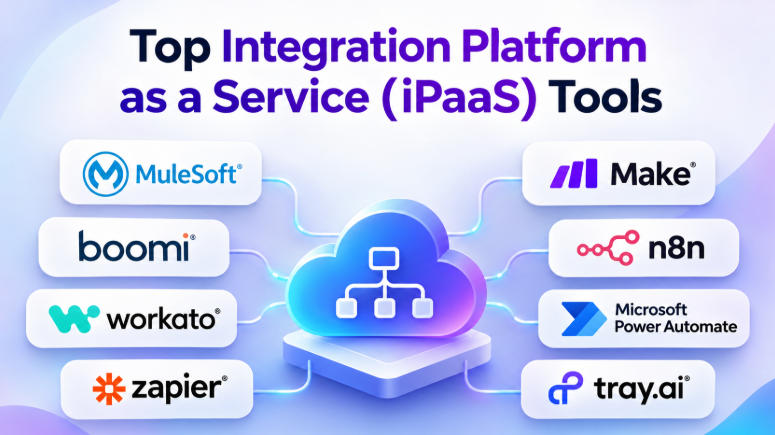
This guide compares 10 popular iPaaS and integration platforms. It explains their features, advantages, disadvantages, comparison points, and best use cases to help businesses choose the right solution.
What Is Integration Platform as a Service (iPaaS)?
Integration Platform as a Service, or iPaaS, is a cloud-based platform that connects applications, databases, APIs, and business systems.
It allows information to move between different software tools through automated workflows. Instead of manually copying information, businesses can create rules that trigger actions when specific events happen.
For example, when a customer places an order:
- The ecommerce platform records the order.
- The CRM receives customer information.
- The inventory system updates stock levels.
- The accounting system creates a financial record.
- The shipping system receives delivery details.
- The customer receives an order confirmation.
An iPaaS platform can manage this entire process.
Common iPaaS capabilities include:
- Prebuilt application connectors
- API integrations
- Workflow automation
- Data transformation and mapping
- Scheduled synchronization
- Event-based triggers
- Webhook support
- Error handling and retries
- Workflow monitoring
- Security and access management
- Custom integration development
The main goal is to connect software systems without requiring businesses to maintain hundreds of separate custom integrations.
How iPaaS Platforms Work
Most integration platforms follow a similar workflow.
1. Connect applications
The platform connects to applications through APIs, connectors, webhooks, databases, or other supported integration methods.
2. Trigger a workflow
A workflow starts when a specific event occurs.
Examples include:
- A new customer signs up.
- An order is placed.
- An invoice is created.
- A support ticket changes status.
- An employee joins the company.
3. Transform the data
Different applications often use different data formats. The integration platform can map fields and transform information to match the receiving system.
For example, one application may use customer_name, while another expects first_name and last_name.
4. Execute actions
The workflow performs actions in connected applications.
These actions may include creating records, updating information, sending notifications, or triggering another process.
5. Monitor and handle errors
A reliable integration should detect failures and provide enough information to investigate them.
Depending on the platform, workflows may support retries, error notifications, logs, and recovery options.
Top 10 iPaaS Tools
The following platforms serve different integration needs. They are organized around their practical strengths rather than an artificial performance ranking.
1. MuleSoft Anypoint Platform
Best for: Large enterprises, API-led integration, and complex application ecosystems
MuleSoft Anypoint Platform is an enterprise integration platform designed to connect applications, data, APIs, and services.
It supports API-led connectivity, which encourages organizations to create reusable integration services instead of building isolated connections for every application.
This approach can help enterprises manage complex systems across cloud environments, on-premises infrastructure, and business applications.
Key Features
- API design and management
- Integration development
- Data transformation through DataWeave
- Reusable integration components
- API monitoring
- Application connectivity
- Hybrid integration support
- Integration asset discovery through Anypoint Exchange
Pros
- Strong capabilities for complex enterprise integration projects
- Supports reusable API and integration architecture
- Useful for organizations with large application ecosystems
- Offers extensive developer and API management capabilities
- Suitable for hybrid integration environments
Cons
- Can require specialized technical knowledge
- Enterprise implementation may involve significant planning
- Licensing and implementation costs may be substantial
- May be excessive for simple SaaS automation
Best Uses
MuleSoft is a strong candidate for enterprises connecting legacy systems, cloud applications, internal APIs, and external services.
It is especially useful when integration architecture needs to support long-term reuse and governance.
2. Boomi
Best for: Enterprise integration, hybrid environments, data connectivity, and business applications
Boomi offers an integration platform that helps organizations connect applications, data, APIs, and business processes.
Its visual development environment supports integration workflows while providing capabilities for more complex enterprise requirements.
Boomi is often considered by organizations that need a broad integration platform rather than a simple application automation tool.
Key Features
- Application integration
- API management capabilities
- Data mapping and transformation
- Integration development
- Hybrid connectivity
- Workflow automation
- Integration monitoring
- Business-to-business integration capabilities
Pros
- Broad integration capabilities
- Supports cloud and hybrid environments
- Visual development approach
- Suitable for enterprise application ecosystems
- Supports data and application integration requirements
Cons
- Complex workflows may require technical expertise
- Enterprise requirements can increase costs
- Platform breadth may create an administrative learning curve
- Pricing should be evaluated against actual usage
Best Uses
Boomi is suitable for businesses that need to connect ERP systems, CRM platforms, databases, cloud applications, and on-premises systems.
It can also be considered when an organization wants a centralized integration platform for multiple business departments.
3. Workato
Best for: Enterprise workflow automation and collaboration between business and IT teams
Workato combines application integration with workflow automation.
Its recipe-based approach allows teams to build automated processes using triggers, actions, conditions, and data transformations.
Workato is particularly relevant for businesses that want business teams to participate in automation while IT maintains governance and control.
Key Features
- Recipe-based automation
- Application connectors
- Data transformation
- Enterprise workflow orchestration
- API connectivity
- Automation monitoring
- Business process automation
- Enterprise governance capabilities
Pros
- Designed for business and technical collaboration
- Supports complex business workflows
- Broad application connectivity
- Suitable for enterprise automation
- Can help automate processes across departments
Cons
- Enterprise pricing may not suit small businesses
- Complex recipes require careful design
- Advanced automation may require technical support
- Cost can depend heavily on usage and requirements
Best Uses
Workato is suitable for businesses automating processes across sales, finance, HR, IT, customer support, and operations.
It is especially useful when business teams need automation capabilities while IT requires centralized oversight.
4. Zapier
Best for: Small businesses, SaaS automation, and simple-to-moderate workflows
Zapier is one of the most accessible automation platforms for connecting cloud applications.
Its workflow model uses triggers and actions. When an event happens in one application, Zapier can perform an action in another.
For example, a new lead from a form can automatically create a CRM record and send a notification to a sales team.
Key Features
- Large application integration catalog
- Trigger-and-action workflows
- Multi-step automation
- Filters and conditions
- Webhooks
- Data formatting tools
- AI-related automation capabilities
- Workflow monitoring
Pros
- Easy to learn for nontechnical users
- Broad application connectivity
- Fast workflow creation
- Useful for repetitive business tasks
- Suitable for small teams
Cons
- Complex workflows can become difficult to manage
- Task-based pricing can increase with automation volume
- Advanced integrations may require API knowledge
- Not always ideal for highly complex enterprise architecture
Best Uses
Zapier is a practical choice for small businesses, marketing teams, sales teams, and operations departments.
It works well when the main requirement is connecting popular SaaS applications without building a complex integration architecture.
5. Make
Best for: Visual automation, multi-step workflows, and flexible business processes
Make provides a visual workflow builder that allows users to design automation scenarios.
Its visual approach makes it easier to understand how data moves through a workflow. Users can connect modules, apply conditions, transform information, and create branching processes.
Make is useful when a workflow requires more logic than a simple trigger-and-action automation.
Key Features
- Visual workflow builder
- Multi-step scenarios
- Conditional routing
- Data transformation
- Iterators and aggregators
- HTTP and API modules
- Webhook support
- Workflow execution monitoring
Pros
- Flexible visual workflow design
- Suitable for complex automation logic
- Supports API-based integrations
- Useful for data transformation
- Offers accessible entry options for smaller teams
Cons
- Complex scenarios can become difficult to maintain
- Users need to understand workflow logic
- Usage-based credits require monitoring
- Debugging large workflows can take time
Best Uses
Make is useful for marketing automation, ecommerce operations, lead management, data synchronization, and business workflows involving multiple applications.
It is a strong option for teams that want visual control without building every integration through code.
6. n8n
Best for: Developers, technical teams, self-hosting, and customizable automation
n8n is a workflow automation platform that gives technical users considerable control over integration workflows.
It combines visual workflow design with code-based customization. Teams can use built-in nodes, HTTP requests, expressions, and programming logic to create integrations.
One of its major differences is its self-hosting option. Organizations can run n8n in their own infrastructure, although this also means they must manage deployment, security, upgrades, backups, and reliability.
Key Features
- Visual workflow builder
- Self-hosted deployment option
- Cloud-hosted option
- API and webhook integration
- JavaScript-based customization
- Data transformation
- AI workflow capabilities
- Custom nodes
Pros
- Flexible workflow development
- Self-hosting option
- Useful for developer-led automation
- Supports custom API integrations
- Can provide greater infrastructure control
Cons
- Self-hosting requires operational responsibility
- Complex workflows may require programming knowledge
- Maintenance and upgrades must be managed
- Security depends partly on deployment practices
Best Uses
n8n is suitable for developers, startups, technical operations teams, and businesses that need custom integrations.
It is especially attractive when infrastructure control or self-hosting is important.
7. Celigo
Best for: NetSuite, ecommerce, ERP integration, and business process automation
Celigo focuses on integration and automation across business applications.
Its platform is particularly associated with ERP, ecommerce, CRM, and operational workflows. Prebuilt integration flows can help organizations connect common business systems.
Celigo can be useful for businesses that want to automate processes without building every integration from scratch.
Key Features
- Application integration
- Prebuilt integration flows
- Data mapping
- API connectivity
- Ecommerce integration
- ERP connectivity
- Workflow automation
- Integration monitoring
Pros
- Useful for ERP and ecommerce integration
- Prebuilt flows can reduce development work
- Supports business process automation
- Suitable for mid-market integration projects
- Can connect multiple operational applications
Cons
- Complex requirements may need customization
- Pricing may require vendor consultation
- Best value depends on the application ecosystem
- Less suitable for highly specialized custom architecture without evaluation
Best Uses
Celigo is worth considering for companies using NetSuite, ecommerce platforms, CRM systems, and other business applications.
It can help automate order management, inventory synchronization, financial workflows, and customer data processes.
8. Microsoft Power Automate
Best for: Microsoft 365 users, business workflows, and departmental automation
Microsoft Power Automate helps organizations automate tasks across Microsoft products and supported third-party applications.
It can connect services such as Microsoft Teams, SharePoint, Excel, Outlook, Dynamics, and other applications.
The platform also supports workflow automation and robotic process automation capabilities for certain processes.
Key Features
- Cloud workflows
- Microsoft application integration
- Desktop automation
- Approval workflows
- Connectors
- Custom connectors
- Business process automation
- Integration with Microsoft Power Platform
Pros
- Strong Microsoft ecosystem integration
- Useful for office and business workflows
- Supports approvals and notifications
- Accessible to many business users
- Can connect with third-party applications
Cons
- Licensing can be difficult to understand
- Premium connectors may add costs
- Complex workflows can require technical skills
- Microsoft-centric workflows may be easier than integrations outside its ecosystem
Best Uses
Power Automate is a strong option for organizations using Microsoft 365, Teams, SharePoint, Dynamics, and related services.
It is particularly useful for approval processes, document workflows, employee operations, and internal automation.
9. SnapLogic
Best for: Enterprise application integration and data pipeline automation
SnapLogic offers an integration platform designed to connect applications, data sources, APIs, and business systems.
Its visual development environment uses reusable integration components called Snaps.
The platform is relevant to organizations that need application integration alongside data movement and transformation workflows.
Key Features
- Application integration
- Data pipeline development
- Visual workflow design
- Reusable integration components
- API connectivity
- Data transformation
- Enterprise integration capabilities
- Monitoring and management tools
Pros
- Combines application and data integration capabilities
- Visual development approach
- Useful for complex enterprise workflows
- Supports reusable integration components
- Can serve multiple integration requirements
Cons
- Enterprise implementation may require specialist knowledge
- Advanced workflows need careful architecture
- Pricing may require a custom quote
- May be excessive for simple automation needs
Best Uses
SnapLogic is suitable for organizations connecting enterprise applications, databases, analytics systems, and cloud services.
It is especially relevant when application integration and data integration must work together.
10. Tray.ai
Best for: Enterprise automation, API integration, and complex workflows
Tray.ai provides a platform for connecting applications and automating workflows.
Its visual workflow builder supports API connectivity, data transformation, conditional logic, and complex business processes.
Tray.ai is particularly relevant for organizations that want flexible automation across multiple applications and APIs.
Key Features
- Visual workflow development
- API connectivity
- Application integration
- Data transformation
- Workflow orchestration
- Custom connectors
- Automation management
- Enterprise integration capabilities
Pros
- Flexible workflow design
- Suitable for complex automation
- Strong API-oriented approach
- Supports business and technical teams
- Useful for enterprise automation requirements
Cons
- Complex workflows can require technical expertise
- Enterprise pricing may not suit small businesses
- Requires careful workflow management
- Some implementations may need significant planning
Best Uses
Tray.ai is suitable for enterprise teams connecting SaaS applications, APIs, internal systems, and business processes.
It can be considered when standard automation tools cannot handle the required workflow complexity.
iPaaS Tools Comparison Table
The following table summarizes the major differences between these platforms.
| Tool | Best For | Main Strength | Deployment Approach | Technical Skill |
|---|---|---|---|---|
| MuleSoft Anypoint Platform | Large enterprises | API-led integration and governance | Cloud and hybrid options | High |
| Boomi | Enterprise integration | Broad application and data connectivity | Cloud and hybrid | Medium to High |
| Workato | Enterprise automation | Business and IT workflow automation | Cloud-based platform | Medium |
| Zapier | Small businesses | Easy application automation | Cloud-based | Low |
| Make | Visual automation | Flexible workflow design | Cloud-based | Low to Medium |
| n8n | Developers and technical teams | Customization and self-hosting | Cloud or self-hosted | Medium to High |
| Celigo | ERP and ecommerce | Business application integration | Cloud-based | Medium |
| Microsoft Power Automate | Microsoft ecosystems | Microsoft workflow automation | Cloud and desktop automation | Low to Medium |
| SnapLogic | Enterprise data and application integration | Application and data pipeline integration | Enterprise platform | Medium to High |
| Tray.ai | Complex enterprise workflows | API-focused automation | Cloud-based platform | Medium to High |
How to Choose the Right iPaaS Platform
The best integration platform depends on your existing software, workflow complexity, team skills, and budget.
1. Check your existing applications
Start by listing the applications that need to communicate.
For example:
- Salesforce
- Microsoft Dynamics
- HubSpot
- Shopify
- NetSuite
- SAP
- Microsoft 365
- Slack
- Google Workspace
- PostgreSQL
- MySQL
Do not choose a platform only because it advertises thousands of connectors. Verify that it supports the applications you actually use.
Also check whether the connector supports the specific operations your workflow needs.
A connector may support reading records but not every update, delete, or advanced operation.
2. Understand your workflow complexity
A simple workflow may require only one trigger and one action.
For example:
New website lead → Create CRM contact
A complex workflow may include:
New order → Check inventory → Calculate shipping → Create invoice → Update CRM → Notify warehouse → Handle payment failure
Simple workflows may work well with Zapier or Make.
Complex enterprise workflows may require Workato, Boomi, MuleSoft, SnapLogic, or Tray.ai.
3. Evaluate data transformation capabilities
Applications often use different data structures.
For example, one system may store a full name in a single field. Another may separate first and last names.
The integration platform must handle these differences.
Check whether the platform supports:
- Field mapping
- Data formatting
- Conditional transformations
- Date and currency conversion
- JSON and XML handling
- Data validation
- Custom logic
- Error handling for invalid records
4. Consider deployment requirements
Some organizations use only cloud applications.
Others need to connect cloud software with databases and applications running inside private networks.
Hybrid environments require special attention.
Check whether the platform supports:
- Cloud applications
- On-premises systems
- Private networks
- VPN connectivity
- Secure agents or runtimes
- Self-hosting
- Hybrid deployment models
5. Review security and governance
Integration workflows often handle sensitive business information.
Before selecting a platform, review its security and administrative capabilities.
Important questions include:
- How are credentials stored?
- Can users have different permissions?
- Can administrators review workflow activity?
- Are logs available?
- Can sensitive data be masked?
- Does the platform support your required security controls?
- Can integrations run in approved network environments?
- Does the vendor support your organization’s compliance requirements?
Do not assume every feature is available in every plan.
6. Understand the pricing model
iPaaS pricing can be based on different factors.
Common pricing models include:
- Tasks
- Workflow executions
- Credits
- Data volume
- Connected applications
- Users
- Integration endpoints
- Enterprise subscriptions
- Custom contracts
A low starting price may not represent the cost of a production workflow.
Before buying, estimate the number of monthly executions and actions.
For example, one workflow may perform five actions for every incoming order. Another may perform twenty actions.
The total usage can grow quickly as business volume increases.
Which iPaaS Platform Is Best for Different Businesses?
Best for small businesses
Zapier and Make are strong starting points for small businesses.
They provide visual workflow tools and connect many popular applications.
Zapier is often easier for straightforward automation. Make offers more visual control for workflows involving conditions, branches, and data transformations.
Best for technical teams
n8n is worth considering when developers need more control.
Its self-hosting option can be useful, but businesses must account for server management, security, backups, and upgrades.
Best for large enterprises
MuleSoft, Boomi, Workato, and SnapLogic deserve consideration for larger integration projects.
The right platform depends on whether the main requirement is API architecture, enterprise application connectivity, business automation, or data integration.
Best for Microsoft users
Microsoft Power Automate is a natural candidate for organizations that already use Microsoft 365 and related services.
It can automate document approvals, notifications, business processes, and workflows across Microsoft applications.
Best for ERP and ecommerce
Celigo is particularly relevant for businesses connecting ERP, ecommerce, CRM, and operational systems.
Its integration approach can help automate processes such as order management, inventory updates, and financial workflows.
Common iPaaS Implementation Mistakes
Choosing a platform is only part of the integration project. Poor workflow design can create problems regardless of the software.
Connecting everything without a plan
Businesses sometimes begin connecting applications without defining which system owns each record.
This can create conflicting updates.
Before building workflows, decide which application is the primary source for each type of information.
Ignoring error handling
A workflow may fail because an API is unavailable, a record contains invalid data, or authentication expires.
A production integration needs a clear error-handling process.
Teams should know how to identify failures, retry operations, and recover incomplete records.
Creating duplicate records
Multiple workflows may create the same customer, order, or employee record.
Use unique identifiers and duplicate detection where appropriate.
Building workflows that nobody maintains
An integration may work perfectly during its initial deployment.
However, applications change their APIs, business rules evolve, and credentials expire.
Assign an owner for every business-critical integration.
Underestimating usage costs
A workflow that runs thousands of times each day may consume more tasks, credits, or executions than expected.
Estimate usage before deployment and monitor it after launch.
Treating every integration as a real-time workflow
Not every process needs immediate synchronization.
Some integrations can run every hour or once per day.
Scheduled workflows may reduce complexity and costs when real-time updates are unnecessary.
Questions to Ask Before Buying an iPaaS Platform
Before committing to a platform, ask vendors these questions:
- Does the platform support all our required applications?
- Can we connect custom APIs?
- How does the platform charge for workflow usage?
- What happens when an integration fails?
- Can workflows automatically retry failed operations?
- Can we monitor integration activity?
- Does it support our cloud and on-premises environments?
- Can we control user permissions?
- How does it store credentials?
- Can we export or migrate our workflows?
- What happens when our data volume increases?
- Are development and production environments available?
- What support options are included?
- Are there additional costs for premium connectors or advanced features?
These questions can help identify hidden limitations before implementation.
Frequently Asked Questions
What is the main purpose of iPaaS?
iPaaS connects different applications, APIs, databases, and business systems. It helps automate data movement and business workflows without requiring separate custom integrations for every connection.
Is iPaaS the same as middleware?
iPaaS is a type of integration platform delivered as a service. Middleware is a broader term for software that connects applications and systems.
Traditional middleware may run on infrastructure managed by the organization. iPaaS platforms commonly provide cloud-based integration services.
Can iPaaS tools integrate applications without coding?
Yes. Many iPaaS platforms offer visual workflow builders and prebuilt connectors.
However, complex integrations may still require API knowledge, custom logic, scripts, or developer assistance.
Is iPaaS suitable for small businesses?
Yes. Small businesses can use iPaaS tools to automate sales, marketing, customer support, ecommerce, and administrative workflows.
Zapier and Make are accessible options. Technical businesses may also consider n8n.
What is the difference between iPaaS and ETL?
ETL focuses on extracting, transforming, and loading data.
iPaaS usually covers a broader range of integration requirements. It can connect applications, synchronize records, automate workflows, and manage API-based processes.
Some platforms support both types of work.
Is iPaaS secure?
Security depends on the platform, configuration, deployment, and organization.
Businesses should evaluate credential management, encryption, access controls, monitoring, network connectivity, and applicable compliance requirements.
Can iPaaS connect legacy applications?
Many enterprise iPaaS platforms support legacy integration through APIs, database connections, agents, adapters, or hybrid deployment options.
However, the specific legacy system must be checked before selecting a platform.
Does iPaaS eliminate the need for developers?
No.
iPaaS reduces the amount of custom integration code that teams need to write. Developers may still be needed for custom connectors, complex transformations, API design, security, and production troubleshooting.
Final Thoughts
Integration Platform as a Service tools help businesses connect software systems and automate repetitive processes. They can reduce manual data entry, improve information consistency, and help teams build more efficient workflows.
However, the best platform depends on the organization’s needs.
Zapier and Make are practical choices for accessible business automation. n8n offers flexibility for technical teams and self-hosted deployments. Power Automate fits naturally into Microsoft environments. Celigo supports ERP and ecommerce integration. Workato, Boomi, SnapLogic, Tray.ai, and MuleSoft address more complex integration requirements.
Before selecting a platform, identify the applications that need to connect, define the workflows, estimate usage, and review security requirements.
A successful iPaaS implementation is not the one with the most connectors. It is the one that reliably moves the right information between the right systems, while remaining manageable as the business grows.










Leave a Reply
You must be logged in to post a comment.