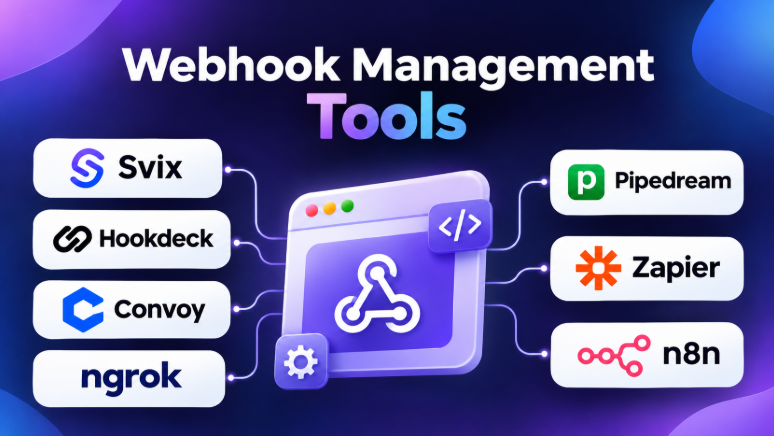
Modern applications depend on data from many services. They need to respond when payments succeed, orders change, users sign up, or cloud events occur. Webhooks help applications share these updates automatically.
However, managing webhooks can become difficult as systems grow. Requests may fail, arrive more than once, or reach an application during downtime. Developers also need ways to inspect requests, test endpoints, retry events, and monitor delivery.
Webhook management tools help solve these problems. They make webhook workflows easier to build, test, monitor, and maintain.
This guide explores ten useful webhook management tools. It compares their features, advantages, limitations, and best use cases. It also explains how to choose the right platform for your project.
What Are Webhook Management Tools?
Webhook management tools help applications exchange information through HTTP events.
A webhook sends data automatically when something happens in another application. For example, an ecommerce platform may send an event when a customer places an order.
A webhook management platform can help developers:
- Receive webhook requests from external services.
- Send events to customers and partner applications.
- Inspect request headers and payloads.
- Retry failed webhook deliveries.
- Replay older events.
- Route events to different destinations.
- Filter and transform webhook data.
- Monitor delivery status.
- Test webhook endpoints.
- Manage event queues and traffic.
These tools can reduce manual work and improve the reliability of application integrations.
However, webhook tools serve different purposes. Some focus on production event delivery. Others support local testing, debugging, or workflow automation.
Top 10 Webhook Management Tools
1. Svix
Svix is a webhook delivery platform designed for applications that send events to customers and external systems.
Many SaaS applications need to notify customers when something changes. For example, a platform may send events when a user creates an account, completes a payment, or generates a report.
Svix helps developers manage these deliveries without building the entire infrastructure themselves.
The platform provides webhook endpoint management, delivery logs, retries, message inspection, and replay capabilities. It also supports customer-facing webhook management experiences.
Key Features
- Reliable webhook delivery infrastructure.
- Automatic retry handling.
- Webhook endpoint management.
- Event delivery logs.
- Message inspection and replay.
- Webhook signing and security features.
- Customer-facing management options.
- Developer APIs and SDKs.
- Self-hosting options.
Pros
- Designed specifically for outbound webhook delivery.
- Helps manage many customer endpoints.
- Provides delivery visibility.
- Reduces the need to build retry infrastructure.
- Offers developer-friendly integration options.
- Supports self-hosted deployment.
Cons
- May be unnecessary for applications with only a few webhook endpoints.
- Advanced functionality may require paid plans.
- Teams must evaluate pricing based on message volume.
Best For: SaaS companies that need to send reliable webhooks to customers.
2. Hookdeck
Hookdeck helps applications receive, manage, and route incoming webhooks.
It works as an event gateway between external services and your application. This approach helps teams manage incoming traffic before requests reach their backend.
For example, a company may receive webhooks from payment providers, ecommerce platforms, CRM systems, and cloud services. Hookdeck can collect these events and route them to the correct application.
Its event management capabilities help developers inspect requests, filter events, control traffic, and replay messages.
Key Features
- Incoming webhook collection.
- Event routing and filtering.
- Event inspection.
- Automatic retries.
- Event replay.
- Payload transformation.
- Queue and traffic management.
- Local webhook development tools.
- Monitoring and troubleshooting.
Pros
- Strong focus on incoming webhook management.
- Helps manage traffic spikes.
- Makes event failures easier to investigate.
- Supports event filtering and routing.
- Useful for applications receiving webhooks from many providers.
- Provides developer tools for local testing.
Cons
- Its advanced event controls may require technical knowledge.
- Teams sending customer-facing webhooks may need a different workflow.
- Pricing can depend on usage and selected features.
Best For: Developers and engineering teams that receive webhooks from multiple external services.
3. Convoy
Convoy is an open-source webhook gateway designed to help applications send and receive webhooks.
It provides infrastructure for managing event delivery. Developers can use it to handle retries, endpoint management, and event monitoring.
Its open-source approach can appeal to teams that want more control over their webhook infrastructure.
Convoy is particularly interesting for organizations that prefer self-hosted systems or want to avoid depending entirely on a managed service.
Key Features
- Webhook sending and receiving.
- Event delivery management.
- Retry handling.
- Endpoint management.
- Event logs.
- Event monitoring.
- Self-hosting support.
- API-based integration.
Pros
- Open-source option.
- Provides greater infrastructure control.
- Supports webhook delivery workflows.
- Can fit custom deployment environments.
- Useful for teams with infrastructure expertise.
Cons
- Self-hosting requires operational responsibility.
- Teams must manage upgrades and infrastructure.
- Maintenance and project activity should be verified before production adoption.
Best For: Engineering teams that want a self-hosted webhook gateway.
4. Webhook Relay
Webhook Relay helps developers forward webhook requests between systems.
It is useful when an application cannot receive requests directly from the internet. For example, a developer may run an application inside a private network and need to receive webhook events from an external service.
Webhook Relay can help connect these systems without exposing the internal application directly.
It also supports webhook forwarding, request inspection, and different routing workflows.
Key Features
- Webhook forwarding.
- Public-to-private connections.
- Request routing.
- Local development support.
- Webhook inspection.
- Multiple destinations.
- API and automation support.
Pros
- Useful for private applications.
- Helps connect external services with internal systems.
- Reduces networking setup complexity.
- Supports developer workflows.
- Can simplify webhook forwarding.
Cons
- It may not replace a complete event-processing system.
- Large production workflows may need additional queueing and monitoring.
- Teams should evaluate destination management and retry capabilities.
Best For: Developers who need to forward webhooks to private systems or local applications.
5. Hook0
Hook0 is an open-source webhook delivery platform.
It helps applications send event notifications to external endpoints. Developers can use it to manage subscriptions, deliver messages, and handle webhook failures.
Hook0 offers a cloud service and self-hosted options. This makes it relevant to teams that want flexibility in deployment.
The platform focuses on webhook delivery rather than general-purpose automation.
Key Features
- Webhook delivery.
- Event subscriptions.
- Retry handling.
- Delivery monitoring.
- Webhook endpoint management.
- Open-source deployment.
- Cloud hosting options.
Pros
- Open-source approach.
- Suitable for webhook delivery workflows.
- Offers self-hosting flexibility.
- Useful for teams that want more deployment control.
- Focuses on a specific webhook use case.
Cons
- Smaller ecosystem than some established platforms.
- Self-hosting requires maintenance.
- Teams should verify current project activity and available features.
Best For: Small teams and developers looking for an open-source webhook delivery platform.
6. ngrok
ngrok is a tunneling platform that allows developers to expose local applications through public URLs.
It is especially useful when testing webhooks during development.
Many webhook providers require a public endpoint. However, a developer may be working on an application running on a laptop.
ngrok creates a tunnel between a public endpoint and the developer’s local application. This allows external services to send requests directly to the local development environment.
Key Features
- Secure tunnels to local applications.
- Public HTTPS endpoints.
- Request inspection.
- Traffic monitoring.
- Local webhook testing.
- Authentication and access controls.
- Developer APIs.
Pros
- Makes local webhook testing easier.
- Reduces networking setup.
- Supports HTTPS endpoints.
- Useful for API development.
- Works with many external webhook providers.
Cons
- It is not a complete production webhook delivery platform.
- Free plans may have limitations.
- Developers must consider endpoint stability and account requirements.
Best For: Developers testing webhooks with local applications.
7. Webhook.site
Webhook.site is a simple tool for inspecting incoming webhook requests.
Developers can create a temporary endpoint and send requests to it. The platform then displays request details.
This helps developers understand what an external application sends before building the receiving logic.
It can show request headers, payloads, query parameters, and other useful information.
Key Features
- Temporary webhook endpoints.
- Request inspection.
- Header and payload viewing.
- API access.
- Request testing.
- Custom response options.
- Webhook debugging.
Pros
- Easy to use.
- Useful for quick testing.
- Requires little setup.
- Helps inspect unknown payload formats.
- Suitable for debugging integrations.
Cons
- Temporary endpoints may not suit production systems.
- Sensitive data should not be sent to public testing endpoints.
- It is not designed to replace production event infrastructure.
Best For: Developers who need to inspect webhook requests quickly.
8. Pipedream
Pipedream is a workflow automation platform for developers.
It allows users to trigger workflows through webhooks and connect applications using APIs, code, and prebuilt integrations.
Developers can receive an HTTP event and then run multiple actions. For example, a webhook may trigger a database update, send a notification, or call another API.
Pipedream combines webhook handling with workflow automation.
Key Features
- HTTP webhook triggers.
- API integrations.
- Workflow automation.
- Code execution.
- Event-based triggers.
- Data transformation.
- Environment variables.
- Developer tools.
Pros
- Connects webhooks with many services.
- Supports code-based workflows.
- Useful for automation.
- Reduces the need to build small integration services.
- Suitable for prototypes and production workflows.
Cons
- Complex workflows can become difficult to maintain.
- Usage-based limits may affect costs.
- It may be excessive for simple webhook forwarding.
Best For: Developers who want to turn webhook events into automated workflows.
9. Zapier Webhooks
Zapier is a no-code automation platform that connects applications through workflows.
Its webhook features allow users to receive webhook events or send requests to external services.
This can help business teams automate processes without building custom backend systems.
For example, a webhook can trigger a workflow that creates a CRM record, sends an email, updates a spreadsheet, or notifies a team.
Key Features
- Webhook triggers.
- HTTP requests.
- Application integrations.
- No-code workflows.
- Data mapping.
- Automated notifications.
- Multi-step workflows.
Pros
- Easy for non-developers.
- Connects many business applications.
- Requires little coding.
- Useful for simple integration workflows.
- Supports multi-step automation.
Cons
- Complex technical workflows may require more control.
- Task-based pricing can become expensive at high volume.
- Not designed as a dedicated event delivery infrastructure platform.
Best For: Business users who want to automate application workflows with webhooks.
10. n8n
n8n is a workflow automation platform that supports webhook-based integrations.
It provides a visual workflow editor. Developers and technical users can connect APIs, transform data, and execute automation steps.
The platform also supports self-hosting, which makes it attractive to organizations that want greater control over their workflow infrastructure.
A webhook can trigger an n8n workflow that performs several tasks. These tasks may include data processing, API calls, notifications, and database operations.
Key Features
- Webhook triggers.
- Visual workflow builder.
- API integrations.
- Data transformation.
- Custom code support.
- Self-hosting.
- Workflow execution monitoring.
- Automation scheduling.
Pros
- Supports self-hosted deployments.
- Combines webhooks with automation.
- Offers visual workflow design.
- Provides custom coding options.
- Useful for technical teams.
Cons
- Large workflows may become complex.
- Self-hosting requires maintenance.
- It is a workflow platform rather than a dedicated webhook delivery service.
Best For: Technical teams that want to build webhook-triggered workflows and control their automation infrastructure.
Comparison Table of Webhook Management Tools
| Tool | Primary Purpose | Main Strength | Best For |
|---|---|---|---|
| Svix | Outbound webhook delivery | Reliable delivery and endpoint management | SaaS platforms |
| Hookdeck | Inbound webhook management | Routing, filtering, replay, and monitoring | Backend teams |
| Convoy | Webhook gateway | Open-source infrastructure | Self-hosting teams |
| Webhook Relay | Webhook forwarding | Connecting public and private systems | Developers and IT teams |
| Hook0 | Webhook delivery | Open-source delivery infrastructure | Small technical teams |
| ngrok | Local webhook testing | Public tunnels to local applications | Developers |
| Webhook.site | Request inspection | Fast payload debugging | Testing and troubleshooting |
| Pipedream | Workflow automation | Webhook-triggered integrations | Developers |
| Zapier Webhooks | No-code automation | Business application connections | Non-technical teams |
| n8n | Workflow automation | Visual workflows and self-hosting | Technical automation teams |
How to Choose the Right Webhook Management Tool
The right tool depends on what your application needs to do.
1. Decide Whether You Send or Receive Webhooks
This is the most important decision.
If your application receives events from external services, consider an inbound webhook gateway.
If your application sends events to customers, look for a dedicated delivery platform.
If you only need to inspect requests, a lightweight testing tool may be enough.
2. Check Retry and Replay Support
Webhook delivery can fail for many reasons.
The destination server may be offline. A network connection may break. An application may return an error.
Retry support helps resend failed requests automatically.
Replay support allows developers to send previously captured events again. This is useful when fixing bugs or recovering from temporary failures.
3. Review Event Monitoring
Webhook logs help developers understand what happened.
Look for tools that show:
- Event status.
- Request and response details.
- Failure reasons.
- Delivery attempts.
- Timestamps.
- Destination information.
- Replay options.
Monitoring becomes more important as event volume grows.
4. Consider Security
Webhooks often carry sensitive information.
A platform should support secure communication and appropriate access controls.
Depending on your workflow, consider:
- HTTPS support.
- Webhook signatures.
- Secret management.
- Authentication.
- Access controls.
- Data retention.
- Audit logs.
Do not send private production data to public webhook testing services.
5. Evaluate Deployment Options
Some platforms are managed cloud services. Others support self-hosting.
Managed services reduce infrastructure work. Self-hosted platforms offer more control over deployment and data handling.
However, self-hosting also creates responsibilities. Your team must manage updates, monitoring, scaling, backups, and security.
6. Understand Pricing and Usage Limits
Webhook tools may charge based on:
- Number of events.
- Number of deliveries.
- Data transfer.
- Workflow executions.
- Retention periods.
- Active endpoints.
- Advanced monitoring features.
Calculate expected usage before selecting a plan.
A tool with a low starting price may become expensive when your application processes millions of events.
Common Webhook Management Mistakes
Ignoring Duplicate Events
Webhook providers may send the same event more than once.
Your application should handle duplicate events safely. This is called idempotency.
For example, processing the same payment event twice should not create two payments.
Processing Events Too Slowly
Some webhook providers expect a quick response.
Your receiving endpoint should usually acknowledge the request quickly. It can then process the event asynchronously.
This prevents long-running tasks from causing delivery timeouts.
Forgetting Failed Deliveries
A successful webhook request does not guarantee that your business logic completed correctly.
Teams should monitor failures and create recovery procedures.
Sending Sensitive Data to Testing Tools
Testing tools may store request data.
Avoid sending real customer information unless the tool’s security and retention policies meet your requirements.
Treating Every Tool as a Production Platform
A webhook testing tool is not necessarily suitable for production event delivery.
A local tunnel, request inspector, automation platform, and webhook gateway solve different problems.
Which Webhook Management Tool Should You Choose?
The best choice depends on your main workflow.
- Choose Svix when your SaaS application needs to send webhooks reliably to customers.
- Choose Hookdeck when your application receives events from multiple external services.
- Choose Convoy when you want an open-source webhook gateway and deployment control.
- Choose Webhook Relay when you need to forward webhooks between public and private systems.
- Choose Hook0 when you want an open-source webhook delivery approach.
- Choose ngrok when you need to test webhooks against a local application.
- Choose Webhook.site when you want to inspect request data quickly.
- Choose Pipedream when webhooks should trigger developer-focused workflows.
- Choose Zapier Webhooks when business users need no-code automation.
- Choose n8n when you want visual automation with self-hosting options.
Webhook management is not simply about receiving an HTTP request. Reliable systems must also handle retries, duplicate events, security, monitoring, and recovery.
For simple development tasks, a lightweight testing tool may be enough. For production applications, dedicated webhook infrastructure can save engineering time and reduce operational risks.
The right platform is the one that matches your event workflow without adding unnecessary complexity.










Leave a Reply
You must be logged in to post a comment.