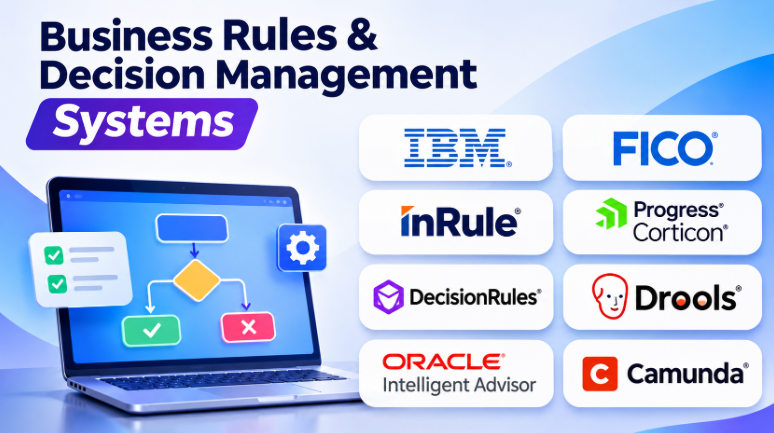
Business decisions often depend on dozens of rules, conditions, and policies. A loan approval may check income, credit history, risk, and eligibility. An insurance claim may depend on coverage, exclusions, documents, and customer details.
When these rules live inside application code, changing them can become slow and risky. Business teams may need developers for every policy update. Different applications may also apply the same rules differently.
Business Rules and Decision Management Systems solve this problem. They help organizations create, test, manage, and execute decision logic separately from their applications.
These systems range from developer-focused rule engines to platforms that let business analysts manage decisions through visual tools. The right choice depends on rule complexity, governance needs, integration requirements, and who must maintain the logic.
This guide explores ten credible systems and explains where each approach makes sense.
What Are Business Rules and Decision Management Systems?
Business Rules Management Systems (BRMS) help organizations define and execute business policies through structured rules.
A business rule describes how an organization should respond when certain conditions exist.
For example:
- Approve a loan when the applicant meets defined eligibility criteria.
- Apply a discount when a customer qualifies for a promotion.
- Route an insurance claim when it requires additional review.
- Block a transaction when it matches a fraud-risk condition.
- Assign a shipping method based on product size and destination.
A decision management system may go beyond simple rules. It can combine rules, decision tables, decision trees, predictive models, optimization, and other decision technologies.
The central idea is to separate decision logic from application code.
This separation helps organizations change policies without rebuilding every application that uses them.
Business Rules Engine vs Decision Management System
These categories overlap, but they are not identical.
| Technology | Main Purpose | Typical Example |
|---|---|---|
| Business Rules Engine | Evaluate predefined rules | Check customer eligibility |
| BRMS | Manage, test, version, and execute business rules | Maintain credit policies |
| Decision Management System | Coordinate rules, models, analytics, and decisions | Approve, price, or route a transaction |
| Decision Intelligence Platform | Support broader decision modeling and optimization | Select the best action under constraints |
| Workflow Engine | Manage the sequence of business activities | Route an approval request |
A rules engine answers a specific question based on defined logic.
A decision management platform may combine several decision methods to reach a more complex outcome.
For example, a credit decision may use:
- Business eligibility rules
- A credit score
- Fraud-risk checks
- Loan pricing logic
- Regulatory restrictions
- A final approval decision
The rules engine may handle several of these steps. A broader decision platform may coordinate all of them.
Top 10 Business Rules and Decision Management Systems
1. IBM Operational Decision Manager
enterprise business rules management platform.
It helps organizations create, manage, test, and execute rules-based decisions. The platform separates decision logic from application code, allowing business policies to change without modifying every connected application.
IBM ODM is designed for organizations with complex decision requirements. It supports decision services, rule authoring, governance, testing, and integration with enterprise systems.
Key Features
- Business rule authoring
- Decision services
- Rule testing and validation
- Governance and version management
- Enterprise application integration
- Decision execution environments
- Support for complex business policies
Pros
- Strong enterprise decision management capabilities
- Supports complex business rules
- Helps separate business logic from application code
- Useful for regulated business processes
- Provides governance and controlled rule changes
Cons
- Implementation can require experienced technical teams
- Enterprise deployment may be complex
- Licensing and infrastructure costs need careful evaluation
- Learning the platform may take time
Best Uses: Banking, insurance, financial services, enterprise pricing, eligibility decisions, risk management, and large-scale business policy automation.
2. FICO Blaze Advisor
business rules management system designed for automated decisions.
It has a strong connection to financial services and decision-intensive operations. Organizations can use it to manage rules for credit decisions, customer eligibility, pricing, fraud checks, and other operational decisions.
Blaze Advisor allows decision logic to be managed separately from applications. Business users can participate in rule changes while IT teams control deployment and integration.
Key Features
- Business rules management
- Decision rule authoring
- Rule testing and simulation
- Decision governance
- Enterprise integration
- High-volume decision execution
- Support for complex decision applications
Pros
- Strong reputation in financial decisioning
- Suitable for complex rule sets
- Supports enterprise integration
- Helps manage frequently changing policies
- Designed for operational decision automation
Cons
- Enterprise licensing may be expensive
- Implementation requires specialist knowledge
- Technical architecture can be complex
- Smaller organizations may find the platform excessive
Best Uses: Credit scoring workflows, banking decisions, insurance, fraud management, customer eligibility, pricing, and financial decision automation.
3. InRule
provides a governed decision management platform for organizations that need to manage complex business logic.
Its approach focuses on the complete decision lifecycle. Teams can model decisions, test changes, deploy decision services, and connect decision logic with applications.
InRule is especially relevant when organizations need strong control over changing policies and decision rules.
Key Features
- Visual decision modeling
- Business rules management
- Decision services
- Rule testing and simulation
- Version control and governance
- Integration tools
- Deterministic decision execution
Pros
- Supports complex decision logic
- Strong focus on governance
- Useful for business and technical teams
- Helps test policy changes before deployment
- Suitable for regulated environments
Cons
- Advanced capabilities require training
- Enterprise implementations may need planning
- Licensing requires commercial evaluation
- Integration architecture can affect implementation effort
Best Uses: Insurance, healthcare, banking, government, regulatory decisions, complex eligibility rules, and enterprise policy automation.
4. Progress Corticon
decision automation platform designed to help business experts model and manage complex rules.
It focuses on visual rule modeling, testing, decision traceability, and deployment. Business analysts can create decision logic while technical teams manage integration and execution.
Corticon is useful when organizations need clear, structured rules that can change frequently.
Key Features
- Visual rule modeling
- Decision tables
- Rule testing and simulation
- Decision traceability
- Decision services
- Enterprise integration
- Flexible deployment options
Pros
- Designed for complex decision logic
- Helps business experts manage rules
- Supports testing before deployment
- Provides decision traceability
- Useful for enterprise-scale decision automation
Cons
- Complex rule models can require training
- Implementation may need technical expertise
- Organizations should evaluate deployment requirements
- Commercial costs require direct assessment
Best Uses: Insurance, financial services, healthcare administration, pricing, eligibility, claims processing, and regulatory policy management.
5. DecisionRules
modern business rules engine that focuses on API-based decision automation.
It allows teams to create rules using decision tables, decision trees, and decision flows. Applications can then call these rules through APIs.
Its design is useful when organizations want business teams to maintain rules while developers keep control of the surrounding software architecture.
Key Features
- Visual decision tables
- Decision trees
- Decision flows
- REST API integration
- Rule testing
- Version management
- Cloud and self-hosted deployment options
Pros
- Business-friendly visual rule authoring
- API-first architecture
- Supports several decision modeling approaches
- Helps separate rules from application code
- Useful for dynamic pricing and eligibility decisions
Cons
- Complex enterprise use cases still require technical design
- Integration quality depends on the connected architecture
- Organizations should review deployment and governance requirements
- Advanced features may require training
Best Uses: Dynamic pricing, insurance rules, credit decisions, fraud checks, product eligibility, data validation, and API-driven applications.
6. Drools
open-source rules engine used by developers to implement business logic.
It is particularly suitable for Java-based applications. Developers can define rules and allow the engine to evaluate them against application data.
Drools provides significant flexibility, but it is more developer-focused than many commercial visual decision platforms.
Key Features
- Rule engine
- Decision tables
- Rule language
- Java integration
- Rule execution
- Event processing capabilities
- Developer-focused customization
Pros
- Open-source technology
- No traditional commercial license required for the community project
- Highly flexible
- Suitable for Java applications
- Offers strong control over implementation
Cons
- Business users may need developer support
- Governance must be designed carefully
- Testing and deployment workflows require planning
- Support arrangements differ from commercial products
Best Uses: Java applications, custom decision services, developer-led automation, rule-heavy software, and organizations that want architectural control.
7. OpenRules
focuses on decision modeling and business rules automation.
It allows business experts to define decision logic using familiar formats such as spreadsheets. Developers can then integrate these models into applications and decision services.
OpenRules is interesting for organizations that want business experts to participate directly in rule authoring without learning a proprietary programming language.
Key Features
- Decision tables
- Spreadsheet-based rule authoring
- Decision modeling
- Rule testing
- Decision debugging
- Decision services
- Optimization capabilities
Pros
- Familiar spreadsheet-based authoring
- Supports business and technical collaboration
- Flexible decision modeling
- Useful for complex decision services
- Offers evaluation options
Cons
- Advanced implementation may require development skills
- Organizations must design governance processes
- Spreadsheet-based models need careful management
- Integration requirements can vary
Best Uses: Business policy automation, pricing, eligibility, planning, optimization, and organizations that prefer spreadsheet-based decision modeling.
8. Oracle Intelligent Advisor
designed to automate policy-based decisions and provide consistent advice.
It allows organizations to capture business rules using natural-language-style rule authoring. These rules can support decision services, customer interviews, and guided experiences.
The platform is particularly useful when decisions need to be explained to customers, employees, or service agents.
Key Features
- Natural-language rule authoring
- Decision services
- Policy modeling
- Guided customer interviews
- Decision explanations
- Rule testing
- Integration with Oracle applications
Pros
- Makes policy logic easier to understand
- Supports customer-facing decision experiences
- Can explain how decisions were reached
- Useful for eligibility and entitlement decisions
- Strong fit for Oracle environments
Cons
- Oracle ecosystem integration may influence the buying decision
- Complex models require planning
- Organizations should evaluate their preferred deployment model
- Not designed to solve every optimization problem
Best Uses: Benefits eligibility, insurance, government services, HR policies, customer guidance, entitlements, and Oracle-based business environments.
9. Camunda DMN
provides decision modeling capabilities through Decision Model and Notation (DMN).
DMN is a standard used to represent business decisions and their logic. Camunda can execute decision models as part of larger application and process orchestration architectures.
It is especially useful for organizations that want decisions and workflows to work together.
For example, a process may call a decision model to determine whether a customer qualifies for a service. The workflow then routes the customer to the correct next step.
Key Features
- DMN decision modeling
- Decision tables
- Decision execution
- Workflow integration
- Developer tooling
- Process orchestration
- API-based architecture
Pros
- Uses a recognized decision modeling standard
- Works well with process orchestration
- Suitable for developer-led systems
- Helps separate decisions from workflow logic
- Supports structured decision models
Cons
- Technical teams may be required
- Not a complete business-user BRMS in every implementation
- Complex deployment architecture requires planning
- Organizations need DMN modeling skills
Best Uses: Microservices, process automation, application workflows, developer-led decision services, and organizations using BPMN and DMN.
10. Decisions Platform
combines business rules, workflow automation, application development, and integrations.
Its approach places rules at the center of automated processes. Teams can create visual logic, test decisions, and connect rules with workflows and applications.
This makes Decisions useful for organizations that want both decision management and process automation within one platform.
Key Features
- Visual business rules engine
- Decision tables
- Rule sets
- Workflow automation
- Application development
- Integration tools
- Rule testing and auditing
Pros
- Combines rules and workflows
- Visual development approach
- Supports business and technical users
- Useful for complex operational automation
- Helps centralize business logic
Cons
- Broad platform capabilities require planning
- Advanced workflows may need training
- Organizations should evaluate architecture and licensing
- Implementation complexity depends on the use case
Best Uses: Financial services, insurance, operational automation, enterprise workflows, business applications, and complex decision processes.
Comparison Table of Business Rules & Decision Management Systems
| System | Main Strength | Best For | Technical Level |
|---|---|---|---|
| IBM Operational Decision Manager | Enterprise decision governance | Large organizations | Advanced |
| FICO Blaze Advisor | Financial decision automation | Banking and financial services | Advanced |
| InRule | Governed complex decisions | Regulated industries | Intermediate to Advanced |
| Progress Corticon | Visual rule modeling | Policy-driven decisions | Intermediate |
| DecisionRules | API-first business rules | Modern applications | Intermediate |
| Drools | Open-source rule engine | Java developers | Advanced |
| OpenRules | Spreadsheet-based decision modeling | Business and technical teams | Intermediate |
| Oracle Intelligent Advisor | Policy-based advice and decisions | Oracle environments | Intermediate |
| Camunda DMN | Standard decision modeling | Developer-led orchestration | Advanced |
| Decisions Platform | Rules and workflows together | Enterprise automation | Intermediate to Advanced |
How Business Rules Systems Work
A business rules system usually follows a decision lifecycle.
1. Define the Business Decision
First, identify the decision that needs automation.
For example, a company may need to determine whether a customer qualifies for a discount.
The decision may depend on:
- Customer type
- Purchase amount
- Product category
- Payment history
- Promotional conditions
- Geographic location
2. Create the Rules
Business analysts or developers define the conditions and outcomes.
A simple rule might look like this:
IF customer_type = "Premium"
AND purchase_amount > 1000
THEN discount = 10%
A more complex system may use decision tables, decision trees, rule sets, or decision models.
3. Test the Decision Logic
Rules should be tested before deployment.
Testing helps identify missing conditions, conflicting rules, unexpected outcomes, and incorrect calculations.
Teams should test both normal situations and unusual cases.
4. Deploy the Decision Service
The rules are deployed so applications can use them.
An application may send customer information to the decision service and receive a result.
For example:
Customer Data
      ↓
Decision Service
      ↓
Eligibility Rules
      ↓
Approval / Rejection / Review
5. Monitor and Update Rules
Business rules change over time.
Companies may update policies because of new regulations, pricing changes, business strategies, or customer requirements.
A good decision management system should help teams manage these changes safely.
Business Rules Management Systems vs AI Decision Systems
Traditional business rules and AI decision systems have different strengths.
| Business Rules Systems | AI Decision Systems |
|---|---|
| Use explicit conditions and policies | Learn patterns from data |
| Produce predictable outcomes | May produce probabilistic results |
| Easier to explain rule logic | Explanations may require additional methods |
| Suitable for policy enforcement | Suitable for prediction and pattern recognition |
| Rules require manual updates | Models may require retraining |
| Strong for compliance logic | Strong for complex data-driven predictions |
Many organizations use both approaches.
For example, a machine learning model may estimate fraud risk. A business rules engine may then apply policy requirements to decide whether to approve, reject, or review the transaction.
This combination can provide predictive intelligence while maintaining clear business controls.
Important Features to Evaluate Before Choosing a System
Rule Authoring
Check how rules are created.
Some platforms use visual decision tables. Others use spreadsheets, natural-language rules, or programming languages.
Choose a method that matches the people responsible for maintaining the logic.
Testing and Simulation
Rule testing is essential.
Look for tools that can test sample cases, compare rule versions, identify unexpected outcomes, and validate changes before production.
Version Control
Business policies change frequently.
The system should help teams track rule changes, compare versions, and restore previous logic when necessary.
Governance and Approvals
Not every rule change should go directly into production.
Organizations may need approval workflows, access controls, audit records, and separate development and production environments.
Integration Capabilities
The decision system must connect with the applications that need its results.
Check API support, authentication, data formats, integration tools, and performance requirements.
Explainability
Organizations should understand why a decision occurred.
This is particularly important for financial decisions, insurance claims, eligibility checks, and regulatory processes.
Deployment Flexibility
Some organizations prefer cloud services.
Others require private cloud, on-premises infrastructure, or self-hosted deployment.
Deployment options can affect security, cost, governance, and operational responsibilities.
Common Business Rules Use Cases
Credit and Loan Decisions
Rules can evaluate loan eligibility, application requirements, credit limits, and approval conditions.
Insurance Claims
Rules can check coverage, policy conditions, claim limits, and additional review requirements.
Pricing and Discounts
Companies can automate prices based on customer types, products, quantities, promotions, and business policies.
Fraud Detection
Rules can flag suspicious transactions or send certain cases for additional review.
Customer Eligibility
Organizations can determine whether customers qualify for products, benefits, services, or promotions.
Regulatory Compliance
Rules can help organizations apply policies consistently and maintain records of important decisions.
Employee Policies
Businesses can automate leave eligibility, benefits calculations, reimbursement approvals, and employee requests.
Business Rules Software vs BPM Software
Business rules systems and BPM suites often work together.
| Business Rules System | BPM Suite |
|---|---|
| Determines what should happen | Manages how work moves |
| Evaluates conditions | Coordinates tasks and people |
| Produces decisions | Executes process steps |
| Handles eligibility, pricing, and policies | Handles approvals and workflows |
| Focuses on decision logic | Focuses on process orchestration |
For example, an insurance workflow may use a BPM platform to manage a claim.
The BPM platform receives the claim, assigns tasks, and manages the process.
A business rules engine checks coverage, eligibility, and claim conditions.
Together, they can automate the complete operation.
Common Mistakes When Implementing Decision Management Software
Keeping Rules Inside Application Code
When business logic remains scattered across applications, policy changes become difficult.
Externalizing important rules can make them easier to maintain.
Choosing a Platform Without Considering Rule Owners
Some platforms are developer-focused.
Others allow business analysts to manage rules directly.
The organization should decide who will own, review, test, and approve changes.
Ignoring Rule Conflicts
Two rules may produce conflicting outcomes.
Teams need clear execution priorities and conflict-resolution methods.
Automating Decisions Without Testing
A small rule change can affect thousands of transactions.
Testing should include normal cases, edge cases, exceptions, and historical examples.
Forgetting Governance
Rule management requires more than a visual editor.
Organizations need access control, versioning, approvals, audit trails, and rollback procedures.
Overusing Decision Engines
Not every application needs an external rules engine.
Simple validation logic may remain easier to maintain inside the application.
A decision management system becomes valuable when logic is complex, frequently changing, shared across systems, or important to governance.
Which Business Rules System Should You Choose?
The best system depends on your decision architecture.
- IBM Operational Decision Manager: Consider it for large enterprise decision systems with strong governance requirements.
- FICO Blaze Advisor: Evaluate it for financial and high-volume operational decisioning.
- InRule: Consider it for complex decisions that require controlled changes and testing.
- Progress Corticon: Explore it when visual rule modeling and decision traceability matter.
- DecisionRules: Consider it for API-first applications and business teams that need visual rule management.
- Drools: Choose it when developers want an open-source rules engine and architectural control.
- OpenRules: Evaluate it when business experts prefer spreadsheet-based decision modeling.
- Oracle Intelligent Advisor: Consider it for policy-based decisions, customer guidance, and Oracle environments.
- Camunda DMN: Choose it when decisions must work closely with process orchestration.
- Decisions Platform: Explore it when business rules, workflows, applications, and integrations should operate together.
Final Thoughts
Business Rules and Decision Management Systems help organizations control the logic behind important business decisions.
They can reduce dependence on application code, improve consistency, and make policy changes easier to manage. However, the platform itself does not guarantee better decisions.
Organizations must still define clear rules, test outcomes, manage changes, and assign responsibility for decision logic.
Before choosing a system, identify your most important decisions. Document their inputs, conditions, outcomes, exceptions, and owners.
Then test a small but realistic decision model using shortlisted platforms.
A successful decision management implementation should make business logic easier to understand, safer to change, and more consistent across applications.










Leave a Reply
You must be logged in to post a comment.