Introduction
Landing pages play an important role in digital marketing. They help businesses turn website visitors into leads, customers, and subscribers. A good landing page focuses on one clear goal. It guides visitors toward a specific action.
Businesses use landing pages for advertising campaigns, product launches, email marketing, lead generation, webinars, and online sales. These pages can help improve marketing results when they provide clear information and a simple user experience.
Creating landing pages manually can take time. Businesses need to design layouts, add forms, create buttons, optimize mobile displays, and connect marketing tools. Landing page builders make this process easier.
Modern landing page builders provide drag-and-drop editors, ready-made templates, forms, analytics, testing tools, and marketing integrations. Some platforms focus on conversion optimization. Others support website design, sales funnels, CRM integration, and email marketing.
Choosing the right landing page builder is important. Each platform has different strengths, features, pricing, and limitations. A small business may need a simple page builder. A marketing agency may require advanced testing and campaign management features.
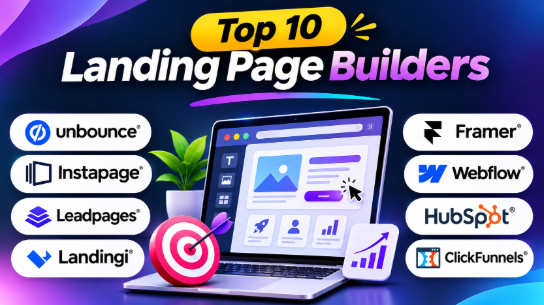
This blog explores the Top 10 Landing Page Builders. It explains their features, benefits, pros, cons, use cases, and best applications. You will also find comparison tables, selection guidance, and frequently asked questions.
What Are Landing Page Builders?
Landing page builders are software platforms that help users create web pages for specific marketing goals. These pages usually focus on one action, such as collecting email addresses, generating leads, promoting products, or registering visitors for events.
Unlike traditional websites, landing pages often contain limited navigation. This helps visitors focus on the main offer.
For example, a company running a Google Ads campaign can create a landing page for one product. The page may include a headline, product details, customer benefits, testimonials, and a contact form.
Most landing page builders use visual editors. Users can add and arrange text, images, buttons, forms, videos, and other page elements.
Common capabilities include:
- Drag-and-drop page editing
- Ready-made landing page templates
- Mobile-responsive designs
- Lead capture forms
- A/B testing
- Conversion tracking
- Analytics and reporting
- Marketing integrations
- CRM connections
- Custom domains
- Popups and sticky bars
- AI-assisted page creation
Landing page builders are useful for marketers, freelancers, startups, agencies, small businesses, and large companies.
Top 10 Landing Page Builders
1. Unbounce
Short Description:
Unbounce is a dedicated landing page builder designed for marketers who want to create and optimize campaign pages. It provides tools for building landing pages, testing different versions, and improving visitor conversion rates.
Unbounce is widely used by businesses running paid advertising campaigns. Marketers can create separate landing pages for different products, audiences, and advertising campaigns.
The platform combines visual page building with conversion optimization features. Users can create pages without writing complex code.
Unbounce also provides optimization tools that help marketers understand how visitors interact with different page versions. This makes it useful for businesses that regularly test and improve their marketing campaigns.
Key Features
Drag-and-Drop Builder: Users can create landing pages by adding and arranging page elements. This makes page creation easier for marketers without technical skills.
Landing Page Templates: Unbounce provides templates for lead generation, product promotion, events, and other marketing goals.
A/B Testing: Marketers can create different versions of a landing page. They can compare performance and identify which version works better.
Smart Traffic: Smart Traffic can direct visitors toward page variations based on available conversion information. This supports campaign optimization.
Popups and Sticky Bars: Users can create additional marketing elements to capture leads and promote offers.
Marketing Integrations: Unbounce can connect with supported marketing and analytics tools.
Conversion Tracking: Businesses can measure landing page performance and understand campaign results.
Benefits
- Helps businesses improve landing page conversions.
- Supports advertising campaign optimization.
- Makes testing different page versions easier.
- Provides flexible visual editing.
- Helps create pages for different audiences.
- Supports lead generation campaigns.
- Reduces the need for custom page development.
Pros
- Strong conversion optimization capabilities.
- Suitable for paid advertising campaigns.
- Supports A/B testing.
- Provides flexible landing page editing.
- Includes useful marketing features.
- Helps marketers create multiple campaign pages.
Cons
- Advanced features may require higher plans.
- Pricing may be expensive for smaller businesses.
- Traffic limits may affect growing campaigns.
- Beginners may need time to understand optimization features.
- Some workflows may require additional integrations.
Use Cases
- Google Ads landing pages.
- Facebook and Instagram advertising.
- Lead generation campaigns.
- Product promotion pages.
- Webinar registration.
- Marketing campaign testing.
- Customer acquisition campaigns.
Best For
- Digital marketing teams.
- Paid advertising marketers.
- Lead generation businesses.
- SaaS companies.
- Marketing agencies.
- Businesses focused on conversion optimization.
2. Instapage
Short Description:
Instapage is a landing page platform designed for advertising campaigns and marketing teams. It helps businesses create landing pages that match their advertising messages and target audiences.
The platform focuses on campaign personalization, page creation, collaboration, and optimization. It can help marketers create different landing page experiences for different advertisements.
For example, a company promoting several products can create separate pages for each campaign. Visitors can receive information that matches the advertisement they clicked.
Instapage also supports collaboration. Teams can review designs, share feedback, and manage campaign workflows.
Key Features
Visual Landing Page Editor: Users can design pages using visual editing tools.
Landing Page Templates: Instapage provides templates for marketing campaigns and lead generation.
Personalization: Businesses can create different page experiences for selected audiences.
AdMap: AdMap helps marketers connect advertising campaigns with relevant landing pages.
A/B Testing: Teams can compare different page versions to evaluate campaign performance.
Collaboration Tools: Marketing teams can review pages and share feedback.
Analytics: Businesses can track landing page performance and campaign results.
Benefits
- Helps connect advertisements with landing pages.
- Supports campaign personalization.
- Makes team collaboration easier.
- Helps manage multiple advertising campaigns.
- Supports conversion testing.
- Reduces repetitive campaign work.
Pros
- Useful for advertising campaigns.
- Supports personalization.
- Provides collaboration tools.
- Helps organize campaign workflows.
- Supports landing page testing.
- Suitable for marketing teams.
Cons
- Can be expensive for smaller businesses.
- Advanced features may require specific plans.
- May be excessive for simple landing pages.
- Requires a clear advertising strategy.
- Users may need time to learn its advanced features.
Use Cases
- Paid advertising campaigns.
- Personalized marketing pages.
- Enterprise marketing.
- Product promotion.
- Lead generation.
- Advertising campaign management.
- Agency workflows.
Best For
- Advertising teams.
- Marketing agencies.
- Enterprise businesses.
- Companies running multiple campaigns.
- Businesses using personalized marketing.
- Teams managing large advertising budgets.
3. Leadpages
Short Description:
Leadpages is a landing page builder designed for small businesses, freelancers, and marketers. It helps users create marketing pages without advanced coding skills.
The platform provides templates and visual editing tools. Users can create pages for products, services, email signups, events, and other marketing activities.
Leadpages focuses on making page creation simple. Businesses can build pages quickly and connect them with their marketing workflows.
It is useful for companies that want professional landing pages without hiring developers for every campaign.
Key Features
Drag-and-Drop Editor: Users can add and arrange page elements visually.
Landing Page Templates: Templates support lead generation, product promotion, events, and other marketing goals.
Lead Capture Forms: Businesses can collect visitor information through signup and contact forms.
Popups: Users can create popups to promote offers and capture leads.
Marketing Integrations: Leadpages supports connections with selected marketing tools.
Mobile-Responsive Pages: Landing pages can adapt to different screen sizes.
Conversion Tools: Available features can help businesses improve landing page performance.
Benefits
- Makes landing page creation easier.
- Helps beginners launch marketing campaigns.
- Provides ready-made designs.
- Supports lead generation.
- Reduces the need for technical development.
- Helps small businesses create professional pages.
Pros
- Easy to use.
- Suitable for beginners.
- Provides ready-made templates.
- Supports lead capture.
- Useful for small businesses.
- Helps launch campaigns quickly.
Cons
- Advanced design control may be limited.
- Some features depend on the selected plan.
- Not designed for complex website development.
- Advanced analytics may require additional tools.
- Businesses may outgrow its simpler workflows.
Use Cases
- Small business marketing.
- Email signup pages.
- Lead generation.
- Product promotion.
- Webinar registration.
- Service promotion.
- Local business campaigns.
Best For
- Small business owners.
- Freelancers.
- Consultants.
- Coaches.
- Entrepreneurs.
- Local service providers.
- Beginner marketers.
4. Landingi
Short Description:
Landingi is a landing page builder designed for marketers and businesses that create multiple campaign pages. It provides visual editing tools, templates, forms, and optimization capabilities.
The platform helps businesses manage landing pages for different products, audiences, and campaigns.
Landingi also provides reusable sections. Teams can use these sections across multiple pages. This can reduce repetitive work and help maintain consistent designs.
Its features make it useful for marketing agencies and businesses with regular campaign requirements.
Key Features
Drag-and-Drop Editor: Users can create pages by arranging visual elements.
Landing Page Templates: Landingi provides templates for different marketing campaigns.
Reusable Sections: Users can reuse selected page sections across multiple landing pages.
A/B Testing: Businesses can test different page versions.
Forms: Landing pages can include lead capture forms.
Analytics: Users can review campaign and page performance.
AI-Assisted Tools: Available AI features can support page creation and content workflows.
Marketing Integrations: The platform supports connections with selected marketing tools.
Benefits
- Helps manage multiple landing pages.
- Reduces repetitive design work.
- Supports marketing campaigns.
- Provides reusable page elements.
- Helps businesses create pages faster.
- Supports page testing and optimization.
Pros
- Useful for multiple campaign pages.
- Provides reusable sections.
- Offers template-based page creation.
- Supports testing.
- Suitable for agencies.
- Helps improve marketing workflows.
Cons
- Advanced features may require paid plans.
- Businesses should review page and traffic limits.
- Some workflows require learning.
- Not a complete replacement for every website platform.
- Advanced marketing requirements may need integrations.
Use Cases
- Marketing agency campaigns.
- Lead generation.
- Advertising campaigns.
- Product promotion.
- Multiple landing page projects.
- Event registration.
- Campaign testing.
Best For
- Marketing agencies.
- Digital marketers.
- Small and medium businesses.
- Lead generation teams.
- Businesses managing multiple campaigns.
- Companies using reusable page designs.
5. Carrd
Short Description:
Carrd is a simple website builder focused on one-page websites. It helps users create personal pages, portfolios, product announcements, signup pages, and basic landing pages.
The platform focuses on simplicity and speed. Users can create a page without learning complicated website development tools.
Carrd is especially useful for projects that do not require a full website. A freelancer can create a portfolio. A startup can create a waitlist page. A creator can publish a simple profile page.
Its lightweight approach makes it suitable for users who want to create a page quickly.
Key Features
One-Page Website Builder: Users can create websites using a single page.
Visual Editor: Page elements can be added and arranged visually.
Responsive Design: Pages can adapt to different screen sizes.
Templates: Carrd provides templates for portfolios, profiles, and simple business pages.
Forms: Supported forms can help collect visitor information.
Custom Domains: Users can connect custom domains through supported plans.
Embeds: Users can add selected external content and tools.
Simple Publishing: The platform provides a straightforward publishing workflow.
Benefits
- Makes simple website creation easy.
- Requires limited technical knowledge.
- Helps users publish pages quickly.
- Supports personal and business projects.
- Provides a low-cost starting option.
- Reduces website development complexity.
Pros
- Easy to learn.
- Simple interface.
- Suitable for one-page websites.
- Affordable plans.
- Fast page creation.
- Useful for personal projects.
Cons
- Limited to simple page structures.
- Not designed for advanced A/B testing.
- Limited marketing automation.
- Not suitable for complex websites.
- Advanced campaign management may require other tools.
Use Cases
- Personal portfolios.
- Freelancer profiles.
- Product launch pages.
- Waitlist pages.
- Event pages.
- Simple business websites.
- Basic lead capture.
Best For
- Freelancers.
- Creators.
- Students.
- Small projects.
- Startup founders.
- Portfolio owners.
- Users who need simple pages.
6. Framer
Short Description:
Framer is a visual website design and publishing platform. It helps users create modern websites and landing pages with custom layouts, animations, and interactive elements.
Framer is popular with designers, startups, and creative teams. It provides design flexibility without requiring traditional front-end coding for every page.
Users can create landing pages with modern visual styles. They can customize typography, layouts, animations, and other design elements.
Framer also includes AI-assisted tools that can support the initial page creation process.
Key Features
Visual Website Editor: Users can create layouts and customize page elements visually.
AI-Assisted Page Creation: AI features can help users generate initial page layouts.
Animations: Users can create interactive page experiences.
Responsive Design: Pages can adapt to different devices.
CMS: Framer supports content management workflows.
Templates: Users can start from ready-made website designs.
Publishing: Websites can be published through the platform.
Design Customization: Users can adjust colors, typography, spacing, and layouts.
Benefits
- Helps create modern landing pages.
- Supports flexible design.
- Makes visual customization easier.
- Supports interactive experiences.
- Useful for startups and designers.
- Reduces the need for traditional coding.
Pros
- Modern design capabilities.
- Flexible visual editing.
- Supports animations.
- Suitable for startups.
- Provides attractive templates.
- Helps create polished websites.
Cons
- Advanced design work can require experience.
- Not primarily focused on conversion testing.
- Some features may require paid plans.
- Marketing teams may need additional analytics tools.
- Users may need time to learn the editor.
Use Cases
- Startup landing pages.
- SaaS product launches.
- Product announcements.
- Creative portfolios.
- Modern business websites.
- Design agency projects.
- Marketing pages.
Best For
- Designers.
- Startups.
- SaaS companies.
- Creative agencies.
- Product teams.
- Freelancers.
- Design-focused businesses.
7. Webflow
Short Description:
Webflow is a visual website development platform that provides detailed design control. It helps users create professional websites and landing pages without writing code for every element.
Webflow is different from simple landing page builders. It supports complete websites, content management, responsive layouts, and custom design workflows.
Designers can control spacing, typography, colors, layouts, animations, and responsive behavior.
Businesses can create landing pages as part of their main website. This makes Webflow useful for companies that need marketing pages, blogs, service pages, and product pages.
Key Features
Visual Website Designer: Users can build layouts using visual controls.
Responsive Design: Pages can be adjusted for different screen sizes.
CMS: The content management system supports structured website content.
Custom Layouts: Designers can create unique page structures.
Animations: Webflow supports interactive design features.
Forms: Users can add forms to collect visitor information.
SEO Settings: Pages can include search-related settings.
Website Publishing: Websites can be published through the platform.
Benefits
- Provides detailed design control.
- Supports complete websites.
- Helps create custom brand experiences.
- Supports responsive layouts.
- Provides CMS capabilities.
- Useful for professional marketing teams.
Pros
- Strong design flexibility.
- Suitable for complete websites.
- Supports responsive controls.
- Provides CMS functionality.
- Useful for custom marketing pages.
- Supports professional website workflows.
Cons
- Learning curve can be steep.
- Advanced design requires experience.
- Conversion testing may require additional tools.
- More complex than simple landing page builders.
- Some workflows may require technical knowledge.
Use Cases
- SaaS websites.
- Professional marketing websites.
- Custom landing pages.
- Product websites.
- Agency projects.
- Content-driven websites.
- Business websites.
Best For
- Web designers.
- Design agencies.
- SaaS companies.
- Marketing teams.
- Professional website developers.
- Businesses requiring custom layouts.
8. HubSpot Landing Pages
Short Description:
HubSpot provides landing page creation as part of its marketing and CRM platform. It helps businesses create marketing pages and manage leads through connected marketing workflows.
The platform connects landing pages with customer information. When visitors submit forms, businesses can manage their information through the CRM.
HubSpot is useful for companies that want landing pages, email marketing, lead management, and marketing automation within one ecosystem.
Businesses can create landing pages for campaigns and connect them with follow-up activities. This can help marketing and sales teams manage leads more effectively.
Key Features
Landing Page Editor: Users can create pages using visual editing tools.
Marketing Forms: Forms help businesses collect visitor information.
CRM Integration: Form submissions can connect with customer records.
Email Marketing: Businesses can use collected leads for email campaigns.
Marketing Automation: Supported workflows can automate follow-up tasks.
Analytics: Users can review campaign and landing page performance.
Campaign Tracking: Businesses can track marketing activities.
Lead Management: HubSpot helps organize contacts and leads.
Benefits
- Connects landing pages with customer information.
- Helps manage marketing leads.
- Supports email marketing.
- Provides marketing automation.
- Reduces manual lead management.
- Supports connected marketing workflows.
Pros
- Strong CRM integration.
- Useful for B2B businesses.
- Supports marketing automation.
- Helps manage leads.
- Provides connected marketing tools.
- Suitable for complete marketing workflows.
Cons
- Advanced features may require paid plans.
- The platform can be excessive for simple pages.
- Costs can increase as businesses grow.
- Users may need time to understand the ecosystem.
- Some businesses may not need all available features.
Use Cases
- B2B lead generation.
- Marketing campaigns.
- Webinar registration.
- Email marketing.
- Customer nurturing.
- Sales lead management.
- CRM-connected campaigns.
Best For
- B2B companies.
- Marketing teams.
- Sales teams.
- Lead generation businesses.
- Companies using CRM workflows.
- Businesses managing customer journeys.
9. ClickFunnels
Short Description:
ClickFunnels is a sales funnel builder designed to help businesses create complete customer journeys.
A sales funnel may contain several pages. Visitors can move from a landing page to a product page, checkout page, upsell page, and confirmation page.
ClickFunnels focuses on online sales and marketing workflows. It provides tools for creating landing pages, sales pages, checkout experiences, and funnel steps.
This makes it useful for businesses that sell products, digital services, courses, memberships, or other online offers.
Key Features
Funnel Builder: Users can create multiple connected pages.
Landing Page Editor: Businesses can create campaign pages.
Sales Pages: Product information can be presented through dedicated pages.
Checkout Pages: Supported workflows allow businesses to create purchase experiences.
Upsell and Downsell Pages: Businesses can offer additional products during the customer journey.
Forms: Users can collect visitor information.
Email Marketing: Supported marketing features can help businesses communicate with customers.
Funnel Analytics: Businesses can review funnel performance.
Benefits
- Supports complete sales funnels.
- Helps organize customer journeys.
- Combines several marketing workflows.
- Supports online product sales.
- Helps create upsell campaigns.
- Reduces the need for separate funnel tools.
Pros
- Complete funnel-building workflow.
- Useful for online sales.
- Supports checkout and upsells.
- Helps create multi-step customer journeys.
- Provides sales-focused tools.
- Suitable for digital products.
Cons
- Can be expensive for small businesses.
- May be excessive for simple landing pages.
- Users need to understand funnel design.
- Some businesses may prefer separate tools.
- Advanced workflows require planning.
Use Cases
- Online product sales.
- Digital products.
- Online courses.
- Membership businesses.
- Ecommerce promotions.
- Lead generation funnels.
- Upsell campaigns.
Best For
- Online entrepreneurs.
- Course creators.
- Digital product sellers.
- Ecommerce businesses.
- Marketing teams.
- Businesses using sales funnels.
10. Zoho LandingPage
Short Description:
Zoho LandingPage is a landing page builder designed to help businesses create marketing pages and manage campaign performance.
The platform provides visual editing tools, templates, forms, analytics, and testing features.
Its connection with the Zoho ecosystem can help businesses that already use Zoho CRM and other Zoho applications.
Companies can create landing pages for lead generation, events, products, and advertising campaigns.
Key Features
Landing Page Editor: Users can create pages using visual tools.
Templates: Ready-made designs help users create pages faster.
Forms: Businesses can collect visitor information.
Analytics: Users can track landing page performance.
A/B Testing: Supported testing features can help compare page versions.
CRM Integration: Landing pages can connect with supported Zoho applications.
Marketing Integrations: Users can connect selected tools.
Conversion Tracking: Businesses can measure campaign results.
Benefits
- Helps businesses create marketing pages.
- Supports campaign analytics.
- Provides lead capture forms.
- Connects with Zoho applications.
- Supports testing and optimization.
- Helps manage marketing campaigns.
Pros
- Useful for Zoho users.
- Supports landing page testing.
- Provides campaign analytics.
- Helps manage leads.
- Offers marketing integrations.
- Suitable for small and medium businesses.
Cons
- Some features depend on subscription plans.
- The interface may require learning.
- Businesses outside the Zoho ecosystem may need extra integrations.
- Advanced campaigns may require more planning.
- Users should check feature availability before purchasing.
Use Cases
- Lead generation.
- Product launches.
- Event registration.
- Marketing campaigns.
- Zoho CRM workflows.
- Advertising campaigns.
- Business promotions.
Best For
- Zoho users.
- Small and medium businesses.
- Marketing teams.
- Lead generation businesses.
- Companies using Zoho CRM.
- Businesses managing digital campaigns.
Landing Page Builders Comparison Table
| Software | Main Strength | Key Features | Pros | Cons |
|---|---|---|---|---|
| Unbounce | Conversion optimization | A/B testing, Smart Traffic, templates | Strong optimization tools | Can become expensive |
| Instapage | Advertising campaigns | Personalization, AdMap, collaboration | Campaign-focused workflow | Higher cost |
| Leadpages | Simple page creation | Templates, forms, lead generation | Easy for beginners | Limited advanced design control |
| Landingi | Multiple landing pages | Reusable sections, templates, testing | Useful for agencies | Plan limits require checking |
| Carrd | Simple one-page websites | Responsive pages, forms, templates | Simple and affordable | Limited advanced marketing features |
| Framer | Modern visual design | Visual editing, animations, AI tools | Flexible design | Limited conversion optimization |
| Webflow | Custom website design | CMS, visual editor, responsive controls | High design control | Learning curve |
| HubSpot | CRM-connected marketing | Forms, CRM, automation | Connected marketing workflow | Can become expensive |
| ClickFunnels | Sales funnels | Funnel pages, checkout, upsells | Complete sales workflow | Excessive for simple pages |
| Zoho LandingPage | Zoho ecosystem | Analytics, testing, forms | Connected Zoho tools | Best value within its ecosystem |
Best Landing Page Builders for Different Users
| User Type | Recommended Tool | Reason |
|---|---|---|
| Paid advertising marketers | Unbounce | Conversion-focused optimization |
| Enterprise marketing teams | Instapage | Campaign personalization and collaboration |
| Small businesses | Leadpages | Simple page creation |
| Marketing agencies | Landingi | Multiple campaign pages |
| Freelancers | Carrd | Simple and affordable pages |
| Designers | Framer | Modern visual design |
| Web designers | Webflow | Detailed design control |
| B2B marketing teams | HubSpot | CRM and automation |
| Online sellers | ClickFunnels | Sales funnels and upsells |
| Zoho users | Zoho LandingPage | Connected Zoho workflow |
How to Choose the Right Landing Page Builder
Choosing the right landing page builder depends on your business goals, technical skills, marketing needs, and budget.
1. Define Your Marketing Goal
Start by identifying what your landing page should achieve.
Your goal may include:
- Collecting email addresses
- Generating business leads
- Selling products
- Promoting services
- Registering event attendees
- Booking appointments
- Downloading resources
A clear goal helps you choose the right platform.
For example, a signup page may need only a form and a simple design. An online sales campaign may need checkout pages and upsell features.
2. Evaluate Design Requirements
Some businesses need simple pages. Others require custom layouts and branding.
Carrd and Leadpages can help users create simple pages quickly.
Framer and Webflow provide greater design flexibility.
Choose a platform that matches your design requirements and skills.
3. Check Marketing Integrations
Your landing page should connect with your existing marketing tools.
Check whether the platform supports:
- Email marketing software
- CRM systems
- Analytics tools
- Advertising platforms
- Payment systems
- Automation tools
Integrations can reduce manual work and improve lead management.
4. Review Conversion Optimization Features
Conversion optimization helps businesses improve landing page performance.
Testing can compare different headlines, images, buttons, forms, and page layouts.
Platforms such as Unbounce, Instapage, Landingi, and Zoho LandingPage offer testing-related capabilities.
Choose a platform that supports your testing needs.
5. Check Mobile Responsiveness
Many visitors use smartphones to access landing pages.
Your page should display properly on different screen sizes. Forms should be easy to complete. Buttons should be easy to tap.
Always test your landing page on mobile devices before publishing.
6. Understand Pricing and Limits
The cheapest plan may not provide everything your campaign needs.
Review:
- Number of landing pages
- Monthly visitor limits
- Custom domain support
- Form submission limits
- A/B testing
- Analytics
- Integrations
- Team member access
- Automation features
- Publishing costs
A platform should support your current requirements and future growth.
Common Mistakes When Choosing Landing Page Builders
Choosing a Platform Only Because It Is Cheap
A low-cost platform may not include the features your business needs.
Check the complete workflow before making a purchase. You may need analytics, CRM integration, testing tools, or email marketing features.
Ignoring Mobile Visitors
A landing page that looks good on desktop may not work well on mobile.
Check text size, buttons, forms, images, and page spacing.
Creating Pages Without a Clear Goal
Every landing page should have one primary action.
Too many offers can confuse visitors.
For example, a webinar page should focus on registration. It should not promote unrelated products.
Adding Too Much Content
Landing pages should provide enough information to support the offer.
However, unnecessary content can distract visitors.
Keep every section focused on the main goal.
Using Weak Calls to Action
Buttons should clearly explain what happens next.
Use direct phrases such as:
- Get Started
- Book a Demo
- Download the Guide
- Register Now
- Get Your Free Quote
Clear calls to action can make the next step easier.
Not Testing Landing Pages
A landing page may look professional but still perform poorly.
Test headlines, forms, buttons, images, and offers. Use visitor data to improve the page.
Choosing Too Many Tools
A complicated marketing workflow can create extra work.
Avoid adding tools that do not solve a clear problem.
Frequently Asked Questions
1. What is a landing page builder?
A landing page builder is software that helps users create web pages for specific marketing goals.
These goals may include lead generation, product sales, email signups, event registration, or service promotion.
2. Which landing page builder is best?
The best platform depends on your needs.
Unbounce is useful for conversion optimization. Instapage suits advertising teams. Leadpages works well for small businesses. Framer and Webflow offer strong design flexibility.
3. Are landing page builders suitable for beginners?
Yes. Most landing page builders provide visual editors and templates.
Users can create pages without writing code. Advanced features may require learning.
4. Can I create a landing page without coding?
Yes. Most modern platforms provide drag-and-drop or visual editing tools.
You can add text, images, forms, buttons, videos, and other elements.
5. Are free landing page builders available?
Some platforms offer free plans or free versions.
However, free plans may include limits on domains, features, branding, or publishing options.
6. Do landing page builders support SEO?
Many landing page builders provide basic SEO settings.
Users can often edit page titles, descriptions, URLs, and other settings.
However, landing pages usually focus more on marketing campaigns and conversions than complete SEO strategies.
7. What is the difference between a website builder and a landing page builder?
A website builder creates complete websites with multiple pages.
A landing page builder focuses on individual pages designed for specific marketing goals.
Some platforms support both website creation and landing page creation.
8. Can landing page builders integrate with CRM software?
Yes. Many landing page builders support CRM integrations.
These integrations can send form submissions directly to customer management systems. This helps businesses manage leads and follow up with potential customers.
9. Are landing page builders useful for small businesses?
Yes. Small businesses can use landing page builders to promote services, collect leads, advertise products, and register customers for events.
They can create pages without hiring developers for every campaign.
10. Can I use landing page builders for paid advertising?
Yes. Landing page builders are commonly used for paid advertising campaigns.
Businesses can create dedicated pages for Google Ads, Facebook Ads, Instagram Ads, and other campaigns.
Final Thoughts
Landing page builders help businesses create focused marketing experiences without developing every page from scratch.
They provide templates, visual editors, forms, integrations, analytics, and other tools that simplify campaign creation.
The best platform depends on your goals.
Unbounce and Instapage are suitable for conversion-focused marketing. Leadpages and Landingi help businesses create campaign pages. Carrd works well for simple projects. Framer and Webflow offer stronger design flexibility. HubSpot connects landing pages with customer management. ClickFunnels supports complete sales funnels. Zoho LandingPage is useful for businesses using Zoho tools.
Before selecting a platform, identify your campaign goal, required integrations, design needs, and budget. Then build a test page and review the complete workflow.
A successful landing page does not depend only on the builder. It also depends on the offer, message, audience, design, and user experience.
Choose a platform that helps you improve these elements over time.










Leave a Reply
You must be logged in to post a comment.