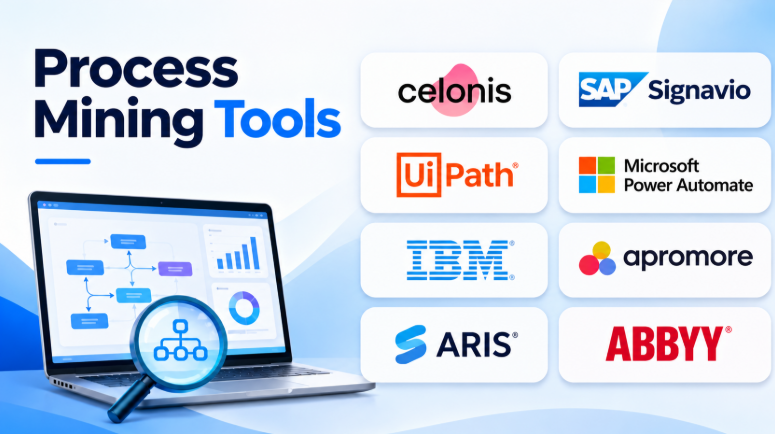
Process mining helps businesses understand how their processes actually work. It uses data from business systems to show workflows, delays, repeated tasks, and process problems.
Many companies create process diagrams to explain how work should happen. But real operations often look different. Employees may skip steps, approvals may take too long, and tasks may move between systems without clear visibility.
Process mining tools help uncover these problems. They turn event data into visual process maps and useful insights. Businesses can use these insights to improve workflows, reduce delays, and make better decisions.
Choosing the right process mining software depends on your business systems, data, process complexity, and improvement goals.
This article compares 10 popular process mining tools. It covers their features, pros, cons, comparison, and best uses.
What Is Process Mining?
Process mining is a technology that analyzes event data from business applications. It helps organizations discover how their processes run in real life.
A business system may record activities such as:
- Purchase order created
- Invoice received
- Invoice approved
- Payment completed
- Customer order submitted
- Product shipped
- Support case opened
- Support case resolved
Process mining software uses these records to reconstruct workflows. It shows how activities connect and how long each step takes.
Businesses can use process mining to:
- Find process bottlenecks
- Identify repeated tasks
- Detect unusual process paths
- Compare actual workflows with expected processes
- Analyze delays and waiting times
- Improve operational efficiency
- Discover automation opportunities
- Monitor process performance
Process mining is especially useful when a company has large amounts of system data but limited visibility into how work moves between departments.
Top 10 Process Mining Tools
The following platforms offer different approaches to process discovery, analysis, automation, and business process improvement.
1. Celonis
Celonis is an enterprise process intelligence platform. It helps organizations analyze business operations using data from different enterprise systems.
The platform can examine processes such as procurement, finance, supply chain, customer service, and order management.
Celonis focuses on connecting process data with business context. This helps teams understand not only where delays happen but also how those delays affect business outcomes.
Features
- Process discovery
- Process visualization
- Process performance analysis
- Root cause investigation
- Process monitoring
- Process intelligence
- Automation opportunity discovery
- Enterprise data integration
Pros
- Supports complex enterprise processes.
- Analyzes data across multiple systems.
- Provides broad process intelligence capabilities.
- Helps organizations identify operational problems.
- Supports business transformation initiatives.
Cons
- Enterprise implementation can require significant planning.
- Data integration may be complex.
- Pricing may not suit smaller organizations.
- Users may need training for advanced capabilities.
Best Uses
Celonis is suitable for large enterprises that want to analyze complex operations across multiple systems.
It can be useful for finance, procurement, supply chain, and enterprise-wide process improvement projects.
2. SAP Signavio Process Intelligence
SAP Signavio Process Intelligence helps organizations understand and improve business processes.
It is especially useful for companies using SAP applications. Businesses can analyze workflows and identify problems within ERP-related operations.
The platform also connects process analysis with business process modeling and transformation activities.
Features
- Process discovery
- Process analysis
- Process comparison
- Process performance insights
- Process transformation support
- Business process modeling integration
- SAP-focused process analysis
- Process improvement workflows
Pros
- Strong fit for SAP environments.
- Helps analyze ERP processes.
- Connects process mining with process transformation.
- Supports business process improvement.
- Provides process modeling capabilities.
Cons
- SAP-focused organizations may benefit most.
- Data preparation requires planning.
- Enterprise deployment may involve several components.
- Integration requirements should be reviewed carefully.
Best Uses
SAP Signavio is suitable for organizations using SAP ERP or planning major SAP transformation projects.
It can help teams analyze procurement, finance, supply chain, and other ERP processes.
3. UiPath Process Mining
UiPath Process Mining helps organizations discover how business processes work and identify automation opportunities.
It can analyze event data and visualize process workflows. Teams can investigate delays, repeated activities, and process variations.
UiPath is particularly useful when process mining is connected with robotic process automation.
Organizations can analyze a process, identify repetitive work, and explore automation opportunities within the broader UiPath ecosystem.
Features
- Process discovery
- Process visualization
- Process performance analysis
- Root cause investigation
- Process monitoring
- Automation opportunity discovery
- Data transformation
- Task mining capabilities within the wider platform
Pros
- Connects process mining with automation.
- Helps identify repetitive business tasks.
- Provides process visualization.
- Supports process analysis and monitoring.
- Fits organizations using UiPath automation.
Cons
- Automation-focused organizations may gain the most value.
- Data preparation can require technical work.
- Advanced analysis may need configuration.
- Platform requirements and licensing should be reviewed.
Best Uses
UiPath Process Mining is suitable for companies that want to analyze workflows and automate repetitive business activities.
It is particularly useful for organizations already using robotic process automation.
4. Microsoft Power Automate Process Mining
Microsoft Power Automate Process Mining helps businesses analyze workflows using event data.
It can create process maps and help teams understand how work moves through business applications.
The platform fits the Microsoft ecosystem. Organizations using Power Automate, Power BI, and Microsoft business applications may find it easier to connect process insights with existing workflows.
Features
- Process discovery
- Process maps
- Process comparison
- Performance analysis
- Root cause investigation
- Process monitoring
- Task mining
- Automation opportunity discovery
Pros
- Fits Microsoft-based environments.
- Connects process analysis with automation.
- Supports process and task mining.
- Helps identify workflow problems.
- Can connect with broader Power Platform workflows.
Cons
- Licensing requirements can be complex.
- Advanced capabilities may require configuration.
- Data preparation remains important.
- Organizations outside the Microsoft ecosystem may prefer alternatives.
Best Uses
Microsoft Power Automate Process Mining is suitable for businesses using Microsoft business applications.
It can help teams analyze processes and discover opportunities for workflow automation.
5. IBM Process Mining
IBM Process Mining helps organizations discover, analyze, and improve business processes.
The platform supports process discovery, analysis, simulation, and operational improvement.
Businesses can use it to understand process performance and investigate activities that cause delays or inefficiencies.
IBM also provides capabilities that support process simulation. Teams can explore potential process changes before applying them to real operations.
Features
- Process discovery
- Process analysis
- Process visualization
- Root cause analysis
- Process simulation
- Compliance analysis
- Process monitoring
- Automation opportunity discovery
Pros
- Supports enterprise process analysis.
- Includes simulation capabilities.
- Helps investigate process problems.
- Supports operational improvement.
- Can connect process analysis with automation.
Cons
- Enterprise implementation requires planning.
- Data preparation may need technical expertise.
- Smaller businesses may find it excessive.
- Pricing and deployment requirements need evaluation.
Best Uses
IBM Process Mining is suitable for large organizations that need process analysis, simulation, and operational improvement.
It can help teams investigate complex business workflows.
6. Apromore
Apromore is a process mining platform with an open-source background.
It provides tools for process discovery, analysis, simulation, and conformance checking.
Organizations can use Apromore to explore event logs and understand how business processes run.
Its community-oriented background can make it attractive to teams that want to explore process mining before investing in a larger enterprise platform.
Features
- Process discovery
- Process visualization
- Process analysis
- Process simulation
- Conformance checking
- Process filtering
- Performance analysis
- Enterprise capabilities
Pros
- Has an open-source background.
- Supports process discovery and analysis.
- Provides simulation capabilities.
- Useful for process mining exploration.
- Offers enterprise-oriented options.
Cons
- Enterprise requirements may need commercial features.
- Data preparation remains necessary.
- Organizations should verify edition differences.
- Integration requirements depend on the environment.
Best Uses
Apromore is suitable for organizations exploring process mining and teams that need process discovery, analysis, and simulation.
It can also be useful for analysts who want to examine event data.
7. ARIS Process Mining
ARIS Process Mining helps organizations understand business processes and compare actual execution with expected workflows.
It connects process mining with business process modeling and governance.
This can help organizations understand how processes work across departments and identify differences between designed workflows and real operations.
Features
- Process discovery
- Process analysis
- Process modeling
- Process governance
- Process performance analysis
- Process comparison
- Conformance analysis
- Enterprise process visibility
Pros
- Connects process mining with process modeling.
- Supports enterprise process governance.
- Helps analyze process deviations.
- Provides broad process visibility.
- Fits established process management practices.
Cons
- May require organizational process maturity.
- Implementation can involve several departments.
- Data preparation remains important.
- Organizations should evaluate its fit with existing modeling tools.
Best Uses
ARIS Process Mining is suitable for enterprises that combine process mining with process modeling and governance.
It can help organizations improve process visibility and maintain consistent workflows.
8. ABBYY Timeline
ABBYY Timeline provides process intelligence and process analysis capabilities.
It can help organizations analyze event data and understand how processes move over time.
The platform also connects process mining with task mining. This can help teams investigate work performed inside desktop applications.
For organizations with manual activities outside their main business systems, this can provide additional visibility.
Features
- Process discovery
- Process analysis
- Task mining
- Process monitoring
- Performance analysis
- Process simulation
- Timeline analysis
- Automation opportunity discovery
Pros
- Combines process mining and task mining.
- Helps analyze desktop activities.
- Supports process performance analysis.
- Can identify automation opportunities.
- Provides timeline-based process insights.
Cons
- Task mining requires careful privacy planning.
- Data preparation can take time.
- Organizations should evaluate employee monitoring policies.
- Implementation needs depend on process complexity.
Best Uses
ABBYY Timeline is suitable for organizations that want to analyze both system processes and desktop activities.
It can help teams identify manual work and investigate automation opportunities.
9. QPR ProcessAnalyzer
QPR ProcessAnalyzer helps organizations discover and analyze business processes.
It provides process visualization and analysis capabilities. Teams can use it to investigate bottlenecks, delays, process variations, and root causes.
QPR also supports data integration approaches that may fit organizations with established data platforms.
Features
- Process discovery
- Process analysis
- Process visualization
- Root cause analysis
- Process monitoring
- Conformance checking
- Process performance analysis
- Data integration
Pros
- Supports enterprise process analysis.
- Helps investigate process deviations.
- Provides process monitoring capabilities.
- Supports data-driven process improvement.
- Can fit enterprise data environments.
Cons
- Data architecture may influence implementation.
- Enterprise use requires technical planning.
- Organizations should evaluate deployment options.
- Licensing and integration requirements need review.
Best Uses
QPR ProcessAnalyzer is suitable for enterprises and process analysts who need process performance analysis and root cause investigation.
It can help organizations identify why processes behave differently.
10. Fluxicon Disco
Fluxicon Disco focuses on process discovery and event log analysis.
It provides a practical way to import event data and explore process workflows.
The software creates visual process maps. Analysts can filter cases, examine process variants, and investigate performance statistics.
Disco is particularly useful for process analysts and consultants who want a focused process mining application.
Features
- Automated process discovery
- Interactive process maps
- Event log analysis
- Process filtering
- Process variant analysis
- Performance statistics
- Process animation
- Event data import
Pros
- Focuses on process discovery.
- Provides interactive process maps.
- Supports fast event log exploration.
- Helps investigate process variants.
- Offers a focused analyst workflow.
Cons
- More specialized than enterprise platforms.
- Organizations may need separate automation tools.
- Enterprise integration needs should be evaluated.
- Teams should verify current platform requirements.
Best Uses
Fluxicon Disco is suitable for process analysts, consultants, and teams that need focused event log analysis.
It is particularly useful for exploring process data and understanding workflow variations.
Process Mining Tools Comparison Table
| Tool | Best For | Main Strength | Key Capabilities |
|---|---|---|---|
| Celonis | Large enterprises | Process intelligence | Discovery, analysis, monitoring |
| SAP Signavio | SAP organizations | ERP process analysis | Discovery, comparison, transformation |
| UiPath Process Mining | Automation teams | Automation connection | Discovery, analysis, automation insights |
| Microsoft Power Automate | Microsoft users | Power Platform integration | Discovery, monitoring, task mining |
| IBM Process Mining | Large organizations | Process simulation | Discovery, analysis, simulation |
| Apromore | Analysts and businesses | Flexible process analysis | Discovery, simulation, conformance |
| ARIS Process Mining | Process governance teams | Mining and modeling | Discovery, modeling, governance |
| ABBYY Timeline | Operations teams | Process and task analysis | Timeline analysis, task mining |
| QPR ProcessAnalyzer | Process analysts | Root cause analysis | Discovery, conformance, monitoring |
| Fluxicon Disco | Analysts and consultants | Event log exploration | Discovery, maps, variant analysis |
How to Choose the Right Process Mining Tool
Choosing process mining software requires more than comparing features.
The most important factors are your business goals, available data, process complexity, and existing technology.
1. Define Your Business Goals
Start with a clear problem.
You may want to:
- Reduce invoice processing delays
- Improve order delivery times
- Reduce customer service backlogs
- Improve procurement workflows
- Find repetitive manual tasks
- Reduce process errors
- Improve compliance
A clear goal makes it easier to select the right platform.
2. Check Your Data Sources
Process mining depends on event data.
Check whether the platform can connect with your ERP, CRM, finance, supply chain, or workflow systems.
Also review how it handles missing timestamps, duplicate events, and incomplete records.
Poor data quality can produce misleading process maps.
3. Review Process Discovery Capabilities
Look for clear and useful process maps.
The software should allow users to explore different process paths and understand how cases move between activities.
4. Check Conformance Analysis
Conformance checking helps compare actual workflows with expected processes.
It can identify skipped activities, unexpected steps, and process deviations.
This capability is especially important for organizations with strict business rules.
5. Evaluate Automation Capabilities
Some platforms connect process mining with automation tools.
This can help organizations identify repetitive work and prioritize automation projects.
However, process mining should not automatically lead to automation. Some problems require workflow redesign instead.
6. Consider Data Security
Process data may contain customer, employee, financial, or operational information.
Review data access controls, storage locations, retention policies, and security documentation.
Task mining may also require additional employee privacy considerations.
7. Calculate the Total Cost
Consider more than the software subscription.
Potential costs include:
- Data extraction
- Data preparation
- Integration
- Implementation
- Training
- Consulting
- Ongoing administration
- Additional licenses
The total cost depends on process complexity and the number of systems involved.
Best Process Mining Tools for Different Users
| User Type | Recommended Tool | Why? |
|---|---|---|
| Large Enterprises | Celonis | Broad enterprise process intelligence |
| SAP Organizations | SAP Signavio | Strong fit for SAP-related processes |
| Automation Teams | UiPath Process Mining | Connects process insights with automation |
| Microsoft Users | Power Automate Process Mining | Fits Microsoft business applications |
| Enterprise Analysts | IBM Process Mining | Supports process analysis and simulation |
| Process Mining Beginners | Apromore | Accessible process mining exploration |
| Process Governance Teams | ARIS Process Mining | Connects mining and process modeling |
| Operations Teams | ABBYY Timeline | Combines process and task analysis |
| Process Analysts | QPR ProcessAnalyzer | Supports process investigation |
| Consultants | Fluxicon Disco | Focused event log exploration |
Process Mining vs. Task Mining
Process mining and task mining are related technologies. However, they examine work at different levels.
| Process Mining | Task Mining |
|---|---|
| Analyzes events recorded by business systems | Analyzes employee interactions with applications |
| Shows complete business workflows | Shows detailed desktop activities |
| Uses event logs | Uses recorded user actions |
| Identifies process bottlenecks | Identifies repetitive manual work |
| Helps improve business processes | Helps discover task automation opportunities |
For example, process mining may show that invoice approval takes five days.
Task mining may reveal that an employee spends time copying invoice details between applications.
Both technologies can help improve operations, but they answer different questions.
Common Process Mining Mistakes
Using Poor-Quality Data
Incomplete event logs can create incorrect process maps.
Organizations should review their data before starting a process mining project.
Trying to Analyze Every Process at Once
Large projects can become difficult to manage.
Start with one important process. Then expand after the first project delivers useful results.
Focusing Only on Process Maps
Visual maps are helpful, but they are not the final goal.
Teams should connect process insights with measurable business improvements.
Ignoring Business Context
A process variation may not always be a problem.
Some cases require special handling. Teams should understand why variations happen before changing workflows.
Automating a Broken Process
Automation may make a bad process faster without fixing its underlying problems.
Review and improve the workflow before automating it.
Which Process Mining Tool Should You Choose?
The best process mining tool depends on your business systems and improvement goals.
Celonis is worth evaluating for large enterprises that need broad process intelligence.
SAP Signavio is a strong option for organizations using SAP systems.
UiPath Process Mining may fit teams that connect process analysis with automation.
Microsoft Power Automate Process Mining can be useful for organizations working within the Microsoft ecosystem.
IBM Process Mining supports enterprise process analysis and simulation.
Apromore offers a useful option for organizations exploring process mining.
ARIS can fit organizations that connect process mining with process modeling and governance.
ABBYY Timeline may suit teams that analyze both system processes and desktop activities.
QPR ProcessAnalyzer supports process performance and root cause analysis.
Fluxicon Disco is a practical option for focused event log exploration.
Before purchasing, test the platform with a real business process. Use actual event data and check whether the software produces insights your team can act on.
Process mining is most valuable when it leads to meaningful changes. The right platform should help your organization understand its workflows, identify problems, and improve the way work gets done.










Leave a Reply
You must be logged in to post a comment.