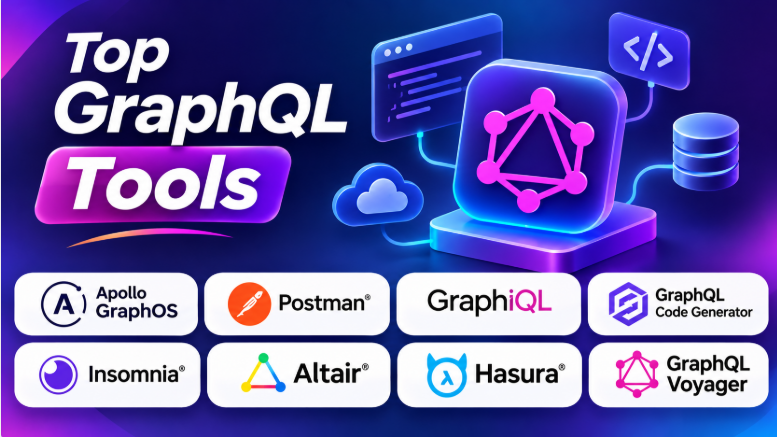
GraphQL helps applications request exactly the data they need. It can reduce unnecessary API requests and make data access easier to manage. But building and maintaining a GraphQL project requires more than writing queries.
Developers need tools to explore schemas, test operations, generate code, inspect data, manage APIs, and find problems. These tools can save time and make GraphQL projects easier to maintain.
Some GraphQL tools focus on API testing. Others help developers build servers, manage schemas, generate TypeScript types, or visualize complex APIs. Choosing the right tools depends on your project and development workflow.
This guide explores ten useful GraphQL tools. It explains their features, benefits, limitations, and best use cases.
What Is GraphQL Tooling?
GraphQL tooling includes software that helps developers build, test, explore, manage, and maintain GraphQL APIs.
These tools support different parts of the development process.
For example, developers may use GraphQL tools to:
- Explore an API schema.
- Write and test GraphQL queries.
- Debug mutations and responses.
- Generate types from schemas.
- Create GraphQL servers.
- Manage API changes.
- Visualize relationships between data.
- Monitor API performance.
- Connect GraphQL with databases and other APIs.
- Improve development workflows.
GraphQL tooling is not one single category of software. It includes API clients, development environments, server frameworks, code generators, schema tools, and API management platforms.
The best combination depends on what you are building.
Why GraphQL Tools Matter
GraphQL provides flexibility, but that flexibility can create challenges.
Developers may need to manage large schemas, complex queries, multiple data sources, and changing API requirements. Without suitable tools, these tasks can become difficult.
Faster API Development
GraphQL tools can help developers write queries and mutations faster. Many tools provide autocomplete, schema documentation, and query validation.
Easier Testing
Developers can test requests without building a complete frontend application. This makes it easier to find errors during development.
Better Type Safety
Code generation tools can create TypeScript types from GraphQL schemas and operations. This helps developers catch errors before running the application.
Improved Schema Management
Schema tools can compare changes and identify updates that may break existing applications.
Better API Understanding
Visual tools can help developers understand large schemas and their relationships.
Top 10 GraphQL Tools
1. Apollo GraphOS
Short Description
Apollo GraphOS is a platform for building, managing, and operating GraphQL APIs. It is especially useful for organizations that manage multiple services or large GraphQL architectures.
The platform supports schema management, API exploration, development workflows, and graph operations.
Key Features
- GraphQL schema management
- API exploration
- Schema checks
- Federation support
- Graph analytics
- API operation monitoring
- Development workflows
- Collaboration tools
Benefits
Apollo GraphOS helps teams manage GraphQL APIs as they grow. Developers can inspect schemas, track changes, and understand how different clients use the graph.
Its federation capabilities can help organizations combine multiple GraphQL services into a larger graph.
Pros
- Strong GraphQL ecosystem
- Useful schema management capabilities
- Supports large GraphQL architectures
- Developer collaboration features
- Schema checks help identify risky changes
- Useful for federated graphs
Cons
- Some advanced features require paid plans
- Can be more than small projects need
- Teams may need time to understand the platform
Use Cases
- Enterprise GraphQL APIs
- Federated GraphQL architectures
- Schema management
- API monitoring
- Multi-team development
Best For
Organizations managing complex GraphQL APIs across multiple teams and services.
2. Postman
Short Description
Postman is an API development and testing platform that supports GraphQL alongside REST and other API technologies.
Developers can send GraphQL queries, test mutations, manage variables, inspect responses, and organize requests into collections.
Key Features
- GraphQL request support
- Query and mutation testing
- Variables and environments
- API collections
- Request automation
- Documentation
- Collaboration
- API testing
Benefits
Postman is useful for teams that work with several API technologies. Developers can manage GraphQL requests alongside REST APIs in one workspace.
It can also help teams organize repeated testing tasks.
Pros
- Supports multiple API types
- Familiar interface for many developers
- Request collections
- Environment management
- Collaboration features
- Useful for API testing
Cons
- Not a GraphQL-specific development environment
- Large workspaces can become difficult to manage
- Some collaboration and automation capabilities depend on plans
Use Cases
- GraphQL API testing
- Backend debugging
- API collaboration
- Automated API workflows
- Mixed REST and GraphQL environments
Best For
Teams that need one API client for GraphQL and other API technologies.
3. GraphiQL
Short Description
GraphiQL is an interactive development environment for GraphQL. It helps developers explore schemas, write queries, and inspect API responses.
It is commonly used during GraphQL development because it provides a focused interface for working with GraphQL.
Key Features
- Interactive query editor
- Schema documentation
- Query autocomplete
- Syntax highlighting
- Response viewer
- Query variables
- Schema exploration
Benefits
GraphiQL helps developers understand an API without reading every schema file manually.
Its documentation explorer can show available fields, types, and arguments.
Pros
- GraphQL-focused interface
- Useful schema exploration
- Query autocomplete
- Easy to use for development
- Open-source project
- Good for learning GraphQL
Cons
- Does not provide full API lifecycle management
- Features depend on the server integration
- Not designed for large automated test suites
Use Cases
- Exploring GraphQL APIs
- Testing queries
- Learning GraphQL
- Debugging API responses
- Development workflows
Best For
Developers who want a simple interactive GraphQL environment.
4. GraphQL Code Generator
Short Description
GraphQL Code Generator creates code from GraphQL schemas and operations.
It is particularly useful for TypeScript projects. Developers can generate types, client helpers, and other code based on their GraphQL API.
Key Features
- TypeScript type generation
- Schema-based code generation
- Query-based generation
- Plugin system
- Custom templates
- Client integration
- CLI workflows
Benefits
Code generation reduces manual work. It also helps maintain consistency between GraphQL operations and application code.
When schemas or queries change, generated code can be updated through the development workflow.
Pros
- Strong TypeScript support
- Flexible plugin system
- Reduces manual type writing
- Supports multiple frameworks
- Works with schema and operation files
- Open-source
Cons
- Configuration can become complex
- Generated files need a clear workflow
- Teams must understand how plugins work
Use Cases
- TypeScript applications
- React applications
- GraphQL client development
- Backend type generation
- Schema-driven development
Best For
Developers who want stronger type safety and less manual code.
5. Insomnia
Short Description
Insomnia is an API client that supports GraphQL, REST, and other API technologies.
It provides a desktop-oriented environment for creating requests, managing environments, and testing APIs.
Key Features
- GraphQL query support
- API request testing
- Environment variables
- Authentication helpers
- Request organization
- Code generation
- API debugging
Benefits
Insomnia can be useful for developers who prefer a focused API client.
It helps manage API requests and test different environments without changing application code.
Pros
- GraphQL and REST support
- Useful request organization
- Environment management
- Authentication support
- Desktop workflow
- API debugging capabilities
Cons
- Not a full GraphQL management platform
- Advanced team features may depend on plans
- Large projects may require additional testing tools
Use Cases
- API testing
- GraphQL debugging
- Development environments
- Authentication testing
- Backend troubleshooting
Best For
Developers who want a focused desktop API client for GraphQL and other APIs.
6. Altair GraphQL Client
Short Description
Altair is a GraphQL client designed specifically for working with GraphQL APIs.
It provides tools for writing queries, exploring schemas, managing variables, and inspecting responses.
Key Features
- GraphQL query editor
- Schema introspection
- Documentation explorer
- Query variables
- Multiple request tabs
- Response inspection
- Environment support
Benefits
Altair focuses on GraphQL workflows rather than supporting many API types.
This can make it useful for developers who regularly work with GraphQL endpoints.
Pros
- GraphQL-focused
- Useful schema exploration
- Multiple query tabs
- Query and response inspection
- Developer-friendly interface
- Available in different deployment formats
Cons
- Limited to GraphQL-focused workflows
- Does not replace API management platforms
- Team collaboration requirements may need other tools
Use Cases
- GraphQL query testing
- Schema exploration
- API debugging
- Development workflows
- Query experimentation
Best For
Developers who want a dedicated GraphQL client.
7. GraphQL Voyager
Short Description
GraphQL Voyager is a visual tool for exploring GraphQL schemas.
It displays schema types and relationships as an interactive graph. This can help developers understand how data connects within an API.
Key Features
- Interactive schema visualization
- Type relationship diagrams
- Schema exploration
- Graph navigation
- API structure inspection
Benefits
Large GraphQL schemas can be difficult to understand through text alone.
Voyager provides a visual representation of the schema. Developers can explore relationships and identify connections between types.
Pros
- Visual schema exploration
- Helps understand complex APIs
- Interactive graph
- Useful for learning
- Open-source project
Cons
- Not designed for API request testing
- Large schemas can become visually complex
- Does not provide API lifecycle management
Use Cases
- Schema documentation
- GraphQL learning
- API architecture exploration
- Understanding data relationships
- Reviewing large schemas
Best For
Developers who need to understand complex GraphQL schemas visually.
8. Hasura
Short Description
Hasura helps developers create GraphQL APIs over supported data sources.
It can automatically expose database data through GraphQL and provide tools for managing permissions and API behavior.
Key Features
- GraphQL API generation
- Database integration
- Query and mutation support
- Permissions
- Event-driven capabilities
- API management
- Developer console
Benefits
Hasura can reduce the amount of backend code needed for data-driven applications.
It is useful when teams want to expose database operations through GraphQL while managing access rules.
Pros
- Rapid API development
- Database integration
- Permission controls
- GraphQL-first workflow
- Useful developer console
- Supports modern application architectures
Cons
- Data-source compatibility affects capabilities
- Complex business logic may need additional services
- Teams must understand permissions and database architecture
Use Cases
- Data-driven applications
- Database-backed APIs
- Rapid application development
- Internal APIs
- Backend services
Best For
Teams that want to create GraphQL APIs quickly from supported data sources.
9. GraphQL Inspector
Short Description
GraphQL Inspector helps developers compare GraphQL schemas and detect changes.
It can identify differences between schemas and help teams understand whether updates may affect existing clients.
Key Features
- Schema comparison
- Breaking-change detection
- Schema validation
- Change analysis
- CI/CD integration
- Schema inspection
Benefits
GraphQL APIs often change as applications grow.
GraphQL Inspector can help teams detect risky changes before they reach production. This makes it useful in development and deployment workflows.
Pros
- Helps identify breaking changes
- Useful for schema reviews
- Supports development workflows
- Can integrate with CI/CD
- Focused on schema quality
Cons
- Does not replace API testing
- Requires integration into development workflows
- Advanced governance may need additional tools
Use Cases
- Schema reviews
- Continuous integration
- API compatibility checks
- GraphQL deployments
- Team collaboration
Best For
Teams that need to check GraphQL schema changes before releasing them.
10. GraphQL Mesh
Short Description
GraphQL Mesh helps developers connect different data sources and API technologies through a GraphQL layer.
It can help unify APIs that use different formats or protocols.
Key Features
- API source integration
- GraphQL schema generation
- API unification
- Data-source connectivity
- Schema transformation
- Configuration-based workflows
Benefits
GraphQL Mesh can help teams expose different services through a common GraphQL interface.
This can simplify data access when applications depend on several APIs.
Pros
- Supports multiple data sources
- Useful for API unification
- Reduces the need for custom integration code
- Flexible architecture
- Helpful for complex backend environments
Cons
- Configuration can require technical knowledge
- Integration complexity depends on data sources
- Not necessary for simple GraphQL projects
Use Cases
- Connecting multiple APIs
- Legacy API integration
- Data aggregation
- Backend modernization
- Unified GraphQL interfaces
Best For
Teams that need to connect different APIs and data sources through GraphQL.
GraphQL Tools Comparison Table
| Tool | Best For | Main Features | Deployment | Standout Advantage |
|---|---|---|---|---|
| Apollo GraphOS | Large GraphQL systems | Schema management, federation, analytics | Cloud platform | Graph operations |
| Postman | API testing | Requests, variables, collections | Desktop and cloud | Multi-API support |
| GraphiQL | Query exploration | Editor, autocomplete, documentation | Web integration | GraphQL-focused IDE |
| GraphQL Code Generator | Type-safe development | Types and code generation | CLI | Automated code generation |
| Insomnia | API debugging | Requests, environments, authentication | Desktop | Focused API client |
| Altair | GraphQL testing | Query editor, schema exploration | Desktop and web | Dedicated GraphQL workflow |
| GraphQL Voyager | Schema visualization | Interactive schema graphs | Web | Visual API understanding |
| Hasura | Database-driven APIs | API generation, permissions | Cloud and self-hosted options | Rapid API development |
| GraphQL Inspector | Schema changes | Schema comparison, validation | CLI and integrations | Breaking-change detection |
| GraphQL Mesh | API integration | Multiple data sources, schema unification | Self-hosted | Unified GraphQL layer |
Which GraphQL Tool Is Right for You?
Best for Enterprise GraphQL Management
Apollo GraphOS is a strong option for organizations managing large GraphQL systems. It helps teams work with schemas, federation, API operations, and graph management.
Best for API Testing
Postman is useful when developers need to test GraphQL alongside REST and other API technologies.
Best for Query Exploration
GraphiQL is a practical choice for developers who want an interactive environment to explore schemas and test queries.
Best for TypeScript Development
GraphQL Code Generator can reduce manual type writing and help keep application code aligned with GraphQL operations.
Best for GraphQL Debugging
Altair and Insomnia provide useful environments for testing requests and inspecting API responses.
Best for Visual Schema Exploration
GraphQL Voyager helps developers understand complex schemas through visual relationships.
Best for Quickly Creating APIs
Hasura is useful when teams want to expose supported data sources through GraphQL with less backend development.
Best for Schema Quality
GraphQL Inspector helps teams review schema changes and identify potential breaking updates.
Best for Connecting Different APIs
GraphQL Mesh can help unify APIs and data sources behind a GraphQL interface.
Best GraphQL Tools for Different Users
| User Type | Recommended Tool | Why |
|---|---|---|
| GraphQL Beginners | GraphiQL | Easy schema exploration |
| API Testers | Postman | Request testing and collections |
| TypeScript Developers | GraphQL Code Generator | Automated type generation |
| Enterprise Teams | Apollo GraphOS | Graph management and federation |
| Backend Developers | Hasura | Rapid GraphQL API creation |
| API Debugging Teams | Altair | GraphQL-focused testing |
| Schema Architects | GraphQL Voyager | Visual schema relationships |
| CI/CD Teams | GraphQL Inspector | Schema validation and change checks |
| Integration Developers | GraphQL Mesh | Connect different data sources |
| API Developers | Insomnia | API testing and debugging |
How to Choose the Right GraphQL Tools
Choosing GraphQL tools is easier when you understand your project’s actual needs.
1. Start With Your Development Workflow
Ask what your team needs most.
Do you need to explore APIs? Test queries? Generate code? Manage schemas? Visualize data relationships? Or build an entire GraphQL backend?
Choose tools based on these tasks.
2. Consider Your Existing Technology Stack
Your programming language and framework may influence your decision.
For example:
- TypeScript teams may benefit from GraphQL Code Generator.
- React teams may use GraphQL clients and code generation.
- Backend teams may use Hasura or GraphQL server frameworks.
- Enterprise teams may use Apollo GraphOS.
- API testing teams may prefer Postman or Insomnia.
3. Check Integration Requirements
GraphQL tools should work with your existing development environment.
Check whether they support:
- Your programming language
- Your frontend framework
- Your backend framework
- Your database
- Your CI/CD pipeline
- Your authentication system
- Your deployment environment
4. Understand the Learning Curve
Some tools are simple API clients. Others manage large GraphQL architectures.
A beginner may not need a complete API management platform.
Start with the tools that solve your immediate problems. Add more capabilities when your project grows.
5. Consider Maintenance
GraphQL schemas change frequently in active projects.
Tools that help validate schemas, generate types, and identify breaking changes can reduce maintenance work.
Common Mistakes When Choosing GraphQL Tools
Using Too Many Tools
A project does not need every GraphQL tool available.
Using several tools for the same task can create unnecessary complexity.
Choose a small set that works well together.
Ignoring Schema Changes
Schema changes can affect frontend applications and other API clients.
Use schema validation and change detection when your API has multiple consumers.
Skipping Type Generation
Manual types can become outdated as schemas change.
Code generation can help keep application types aligned with GraphQL operations.
Choosing a Tool Without Understanding Its Purpose
A GraphQL client is not the same as a server framework.
A schema visualizer does not replace testing.
An API management platform does not automatically solve every backend problem.
Understand each tool’s role before adding it to your stack.
Ignoring Team Requirements
A tool that works well for one developer may not suit a large team.
Consider collaboration, automation, access control, and long-term maintenance.
Frequently Asked Questions
What are GraphQL tools?
GraphQL tools are software applications and libraries that help developers build, test, explore, manage, and maintain GraphQL APIs.
Which GraphQL tool is best for beginners?
GraphiQL is a good starting point because it provides an interactive query editor and schema documentation.
Postman and Altair are also useful for testing GraphQL APIs.
Which GraphQL tool is best for TypeScript?
GraphQL Code Generator is a popular option for generating TypeScript types and other code from GraphQL schemas and operations.
What is the difference between GraphiQL and Postman?
GraphiQL focuses on GraphQL development and schema exploration.
Postman supports multiple API technologies, including GraphQL, REST, and other API workflows.
What is GraphQL Code Generator used for?
GraphQL Code Generator creates code from GraphQL schemas and operations. It can generate types and other code that helps developers work with GraphQL APIs.
What is GraphQL Voyager?
GraphQL Voyager is a visual tool that displays GraphQL schemas as interactive graphs. It helps developers understand relationships between API types.
Can GraphQL tools help with API testing?
Yes. Tools such as Postman, Insomnia, Altair, and GraphiQL can help developers test GraphQL requests and inspect responses.
Do I need multiple GraphQL tools?
Not necessarily.
A small project may need only a GraphQL client and a code generator. Larger projects may benefit from schema management, testing, monitoring, and integration tools.
Final Thoughts
GraphQL tooling can make API development faster, easier, and more reliable. But the best tools depend on what your project needs.
Apollo GraphOS is useful for managing complex GraphQL systems. Postman helps teams test different API types. GraphiQL makes schema exploration simple. GraphQL Code Generator supports type-safe development. Hasura can speed up API creation, while GraphQL Inspector helps teams manage schema changes.
Tools such as Altair, Insomnia, and GraphQL Voyager provide useful development and debugging workflows. GraphQL Mesh can help connect different APIs and data sources.
You do not need to install every tool to build a successful GraphQL project. Start with the tools that solve your biggest development problems. Then expand your toolkit as your API becomes more complex.
A well-chosen GraphQL toolset should make your development process easier, not create another layer of unnecessary complexity.










Leave a Reply
You must be logged in to post a comment.