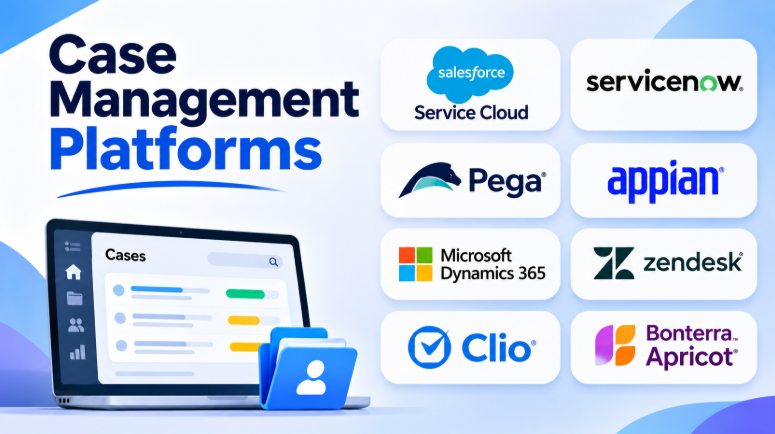
Case management platforms help organizations manage complex work from start to finish. They keep records, tasks, documents, communication, and updates in one place.
Different teams use case management software for different reasons. Customer support teams handle complaints and requests. Legal teams manage matters, documents, and deadlines. Nonprofits track clients, services, and outcomes. Large businesses manage complex workflows across departments.
The right platform can reduce manual work and improve visibility. It can also help teams respond faster and avoid missed tasks.
However, not every case management platform serves the same audience. Some focus on customer service. Others support legal work, social services, healthcare, or enterprise operations.
This article explores 10 case management platforms. It compares their features, strengths, limitations, and best uses.
What Is Case Management Software?
Case management software helps organizations manage cases through a complete workflow.
A case may represent a customer complaint, legal matter, patient support request, social service record, investigation, or business problem.
The software usually helps teams:
- Create and manage case records
- Collect information through forms
- Assign cases to staff
- Track tasks and deadlines
- Store documents and notes
- Send updates and notifications
- Automate routine workflows
- Monitor case progress
- Generate reports
- Record case outcomes
Case management software gives teams a shared view of each case. Staff can see what happened and what needs to happen next.
Top 10 Case Management Platforms
The following platforms serve different industries and workflow needs. This comparison is a practical shortlist rather than a universal ranking.
1. Salesforce Service Cloud
Salesforce Service Cloud provides customer service and case management tools for businesses.
It helps teams manage customer questions, complaints, requests, and service problems. The platform connects case records with customer information and service history.
Businesses can manage cases from different communication channels. They can also automate case assignment and follow-up tasks.
Salesforce is useful when customer service needs to connect with sales, marketing, and other business systems.
Key Features
- Centralized customer and case records
- Case assignment and routing
- Email and digital communication management
- Customer service automation
- Knowledge management
- Service dashboards and reporting
- Integration with Salesforce products
- Workflow customization
Pros
- Connects cases with customer information.
- Supports complex service workflows.
- Offers extensive customization options.
- Provides a large integration ecosystem.
- Supports growing service operations.
Cons
- Setup can require planning and technical skills.
- Advanced capabilities may increase costs.
- Customization can become complex.
- Teams may need training.
Best For: Businesses that manage customer cases and need CRM integration.
2. ServiceNow Customer Service Management
ServiceNow Customer Service Management helps organizations manage customer problems across different departments.
The platform connects customer-facing teams with internal business operations. This allows teams to work together when a case requires technical, operational, or field support.
ServiceNow is particularly useful for organizations with complex service processes.
For example, a customer complaint may require help from support, engineering, billing, and operations teams. ServiceNow can connect these activities through workflows.
Key Features
- Customer case tracking
- Automated case assignment
- Customer self-service portals
- Knowledge management
- Workflow automation
- Cross-department task management
- Reporting and dashboards
- Integration with enterprise systems
Pros
- Supports complex enterprise workflows.
- Connects customer service with internal teams.
- Offers powerful automation tools.
- Helps manage service processes across departments.
- Provides centralized case visibility.
Cons
- Can be complex for small teams.
- Implementation may require specialists.
- Costs can be significant.
- Custom workflows need careful planning.
Best For: Large organizations managing customer cases across multiple departments.
3. Pega Platform
Pega Platform supports complex case management and business process automation.
Organizations can create case types with different stages, tasks, rules, and approval steps. The platform can guide employees through complex business processes.
Pega is useful when cases involve many decisions and exceptions. Financial services, insurance, government, and large enterprises may use it for complex operations.
Its business rules and workflow tools help organizations automate decisions and manage work.
Key Features
- Dynamic case management
- Workflow automation
- Business rules and decision management
- Case routing
- Task assignment
- Process monitoring
- Integration tools
- Low-code application development
Pros
- Handles complex case processes.
- Supports advanced business rules.
- Offers flexible workflow design.
- Helps automate repeated decisions.
- Supports enterprise operations.
Cons
- Learning can take time.
- Implementation may require technical experts.
- Licensing can be expensive.
- Small organizations may find it excessive.
Best For: Large organizations with complex case workflows and business rules.
4. Appian
Appian is a low-code platform for building business applications and automated workflows.
Organizations can use it to create case management applications. These applications can include forms, tasks, approvals, records, and dashboards.
Appian is useful when existing case management software does not match a company’s processes.
Teams can build applications around their own workflows. This flexibility can help organizations manage unique or complex cases.
Key Features
- Low-code application development
- Case management workflows
- Process automation
- Forms and task management
- Data integration
- Reporting and dashboards
- Mobile application support
- Workflow monitoring
Pros
- Supports custom case applications.
- Provides strong workflow automation.
- Connects data from different systems.
- Reduces some traditional development work.
- Supports complex business processes.
Cons
- Custom applications require planning.
- Advanced development may need specialists.
- Platform costs can be significant.
- Poor design can create complex workflows.
Best For: Organizations that need custom case management applications.
5. Microsoft Dynamics 365 Customer Service
Microsoft Dynamics 365 Customer Service helps businesses manage customer support cases.
It connects case records with customer information and business activities. Teams can manage service requests, communication, tasks, and customer history.
The platform can work with Microsoft products such as Teams, Power BI, and Power Automate. This can help organizations that already use Microsoft business tools.
Key Features
- Customer case management
- Customer service records
- Case assignment and routing
- Knowledge management
- Service automation
- Reporting and analytics
- Microsoft ecosystem integration
- Customer communication tools
Pros
- Fits Microsoft-based organizations.
- Connects customer data and service records.
- Supports workflow automation.
- Provides reporting capabilities.
- Offers integration with Microsoft business tools.
Cons
- Configuration can be complex.
- Advanced features may require additional services.
- Licensing needs careful review.
- Customization can require technical expertise.
Best For: Organizations already using Microsoft business applications.
6. Zendesk
Zendesk provides customer support and ticket-based case management.
It helps teams manage customer requests through email, messaging, web forms, and other support channels.
Each customer issue becomes a ticket. Agents can assign tickets, add notes, update status, and communicate with customers.
Zendesk also provides automation tools and reporting features. These help teams manage high volumes of customer requests.
Key Features
- Ticket and case tracking
- Email and messaging support
- Automated ticket routing
- Customer support workspace
- Knowledge base
- Customer communication history
- Service reporting
- Integration marketplace
Pros
- Easy to understand support workflows.
- Helps manage many customer requests.
- Supports multiple communication channels.
- Provides useful automation.
- Offers a large integration ecosystem.
Cons
- Focuses mainly on customer support.
- Complex business cases may need additional tools.
- Advanced features can increase costs.
- Some workflows require configuration.
Best For: Customer support teams managing complaints, questions, and service requests.
7. Clio Manage
Clio Manage is legal practice management software.
It helps law firms manage clients, legal matters, documents, calendars, time entries, billing, and communication.
Legal professionals can connect case information with important deadlines and financial records.
Clio is designed for legal workflows rather than general business support. This makes it more suitable for law firms than ordinary ticketing systems.
Key Features
- Legal matter management
- Client records
- Document management
- Calendar and deadline tracking
- Time tracking
- Billing and invoicing
- Client communication
- Legal workflow management
Pros
- Designed for legal professionals.
- Connects matters with billing and time tracking.
- Helps organize documents and deadlines.
- Supports client communication.
- Provides legal practice management workflows.
Cons
- Focuses on legal work.
- May not fit non-legal organizations.
- Firms should check integrations carefully.
- Advanced workflows may require configuration.
Best For: Law firms and legal professionals managing clients and matters.
8. Casebook
Casebook focuses on human services and social service organizations.
It helps agencies manage client records, assessments, services, referrals, and case plans.
Case workers can use the platform to track client progress. Organizations can also manage information across programs and teams.
Casebook is more specialized than general customer support software. Its focus is on people, services, and outcomes.
Key Features
- Client and case records
- Intake management
- Assessments
- Service planning
- Referral management
- Case notes
- Workflow management
- Reporting and analytics
Pros
- Designed for human services work.
- Helps track clients and services.
- Supports case planning.
- Connects information across programs.
- Provides tools for reporting outcomes.
Cons
- Not designed for legal or customer support cases.
- Organizations should evaluate reporting needs.
- Setup may require workflow configuration.
- Integration requirements need careful review.
Best For: Social service agencies and community organizations.
9. Bonterra Apricot
Bonterra Apricot supports nonprofits and organizations that manage programs and participants.
It helps teams collect participant information, manage program activities, and track outcomes.
Organizations can use forms and records to follow participants through different services. Reporting tools can help teams understand program results.
Apricot is particularly relevant for organizations that need to track outcomes and demonstrate program impact.
Key Features
- Participant records
- Custom forms
- Program management
- Case tracking
- Outcome reporting
- Data collection
- Workflow tools
- Reporting dashboards
Pros
- Supports nonprofit workflows.
- Helps collect program data.
- Provides outcome tracking.
- Supports custom forms.
- Helps organizations report program results.
Cons
- Needs configuration for specific programs.
- Reporting requirements may vary.
- Organizations should review integrations.
- Costs depend on the selected plan and requirements.
Best For: Nonprofits and organizations that track participants and program outcomes.
10. CaseWorthy
CaseWorthy focuses on human services and social service organizations.
It supports client records, assessments, service plans, referrals, case notes, and program tracking.
Organizations can use it to manage different service programs. It can help staff maintain records and monitor client progress.
The platform is useful for organizations that need structured workflows for service delivery.
Key Features
- Client and case management
- Intake and assessments
- Service planning
- Referral tracking
- Case notes
- Program management
- Reporting
- Workflow tools
Pros
- Designed for human services.
- Supports structured client workflows.
- Helps manage program information.
- Provides case tracking capabilities.
- Supports service reporting.
Cons
- Organizations need to evaluate workflow fit.
- Configuration may require planning.
- Not intended for general customer support.
- Integration requirements should be reviewed.
Best For: Human services agencies and organizations managing client programs.
Comparison Table: Top 10 Case Management Platforms
| Platform | Best For | Main Strength | Typical Use |
|---|---|---|---|
| Salesforce Service Cloud | Customer service | CRM-connected case management | Customer complaints and service requests |
| ServiceNow CSM | Enterprise service teams | Cross-department workflows | Complex customer problems |
| Pega Platform | Large enterprises | Complex case automation | Financial, insurance, and government processes |
| Appian | Custom applications | Low-code workflows | Specialized case processes |
| Microsoft Dynamics 365 Customer Service | Microsoft users | Business ecosystem integration | Customer service operations |
| Zendesk | Support teams | Ticket-based case management | Customer questions and complaints |
| Clio Manage | Law firms | Legal matter management | Legal cases, documents, and billing |
| Casebook | Human services | Client-centered case management | Social services and community programs |
| Bonterra Apricot | Nonprofits | Program and outcome tracking | Participant management |
| CaseWorthy | Human services | Structured service workflows | Client services and program management |
How Case Management Platforms Work
Most case management platforms follow a similar process.
1. Case Intake
The organization creates a new case. Information may come from forms, emails, phone calls, portals, or staff members.
2. Case Assignment
The system assigns the case to a person or team. Assignment rules may use case type, priority, location, skills, or workload.
3. Case Planning
Staff create tasks, deadlines, documents, and next steps.
4. Case Work
Employees update records and communicate with customers, clients, patients, or other people involved.
5. Monitoring
Managers review case progress, workload, delays, and important deadlines.
6. Resolution
The team completes the required work and records the outcome.
7. Closure
The case is closed. Its records remain available according to the organization’s retention and access policies.
Benefits of Using Case Management Software
1. Centralized Information
Case information often spreads across emails, spreadsheets, documents, and different applications.
A case management platform brings important information together. Staff can find records without searching several systems.
2. Better Case Tracking
Teams can see open cases, completed cases, pending tasks, and overdue work.
This improves visibility and helps prevent cases from being forgotten.
3. Faster Workflows
Automation can assign cases, create tasks, send alerts, and update records.
These features reduce repetitive work.
4. Better Team Collaboration
Multiple employees can work on the same case. They can share notes, documents, updates, and tasks.
5. Improved Reporting
Managers can review case volumes, completion times, workloads, outcomes, and other useful data.
6. More Consistent Processes
Workflow rules help teams follow the same steps.
This can reduce errors and improve service quality.
Features to Look for in Case Management Software
The right features depend on your industry. However, several capabilities are useful across most case management workflows.
Case Records
The platform should provide clear records for every case. Important information should be easy to find and update.
Workflow Automation
Look for tools that can assign cases, send reminders, create tasks, and trigger actions.
Document Management
Cases often contain important documents. The software should support secure storage and easy retrieval.
Reporting
Reporting tools should help managers understand case volume, workload, progress, and outcomes.
Access Controls
Sensitive cases need controlled access. The platform should allow organizations to manage permissions.
Audit Trails
Important changes should be recorded. This helps organizations understand who changed information and when.
Integrations
The platform may need to connect with CRM systems, email, accounting software, document storage, or other business tools.
Mobile Access
Some teams work outside the office. Mobile access can help them update cases and view information while working remotely.
Common Mistakes When Choosing Case Management Software
Choosing Software Without Defining the Workflow
A platform may offer many features but still fail to support your daily process.
Map your current workflow before choosing software.
Comparing Different Software Categories
Customer support tools and legal case management platforms solve different problems.
Compare products that serve similar needs.
Ignoring Implementation Costs
Software costs may include setup, migration, customization, training, integrations, and ongoing administration.
Review the total cost rather than only the subscription price.
Buying Too Many Features
A large platform may offer more capabilities than your team needs.
Choose software that fits your current workflow and future growth.
Ignoring Data Security
Case records may contain sensitive information.
Review access controls, data protection, audit logs, retention policies, and available security documentation.
Skipping a Practical Demo
A product demo should use realistic cases.
Test intake, assignment, document storage, reporting, and closure.
Which Case Management Platform Should You Choose?
The best choice depends on the type of work your organization manages.
- For customer service: Salesforce Service Cloud, Zendesk, or Microsoft Dynamics 365 Customer Service may fit.
- For enterprise workflows: ServiceNow, Pega, or Appian may be worth evaluating.
- For legal work: Clio Manage provides legal-focused case and matter management.
- For nonprofits: Bonterra Apricot may support program and outcome tracking.
- For human services: Casebook and CaseWorthy are specialized options.
Before making a decision, create a shortlist of two or three platforms. Test them with real workflows and sample cases.
A good case management platform should help your team work more clearly. It should make cases easier to track, reduce manual tasks, and improve the path from intake to resolution.










Leave a Reply
You must be logged in to post a comment.