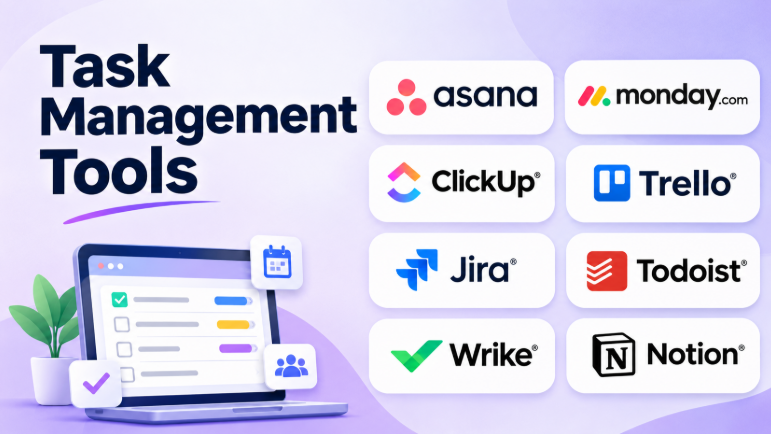
Task management tools help people organize work, set priorities, track progress, and finish tasks on time. They can also help teams share responsibilities and avoid missed deadlines.
However, not every task management tool works the same way. Some focus on simple to-do lists. Others support team workflows, project planning, automation, and reporting.
The right software depends on how you work. A freelancer may need a simple task list. A marketing team may need visual boards. A software team may need backlogs, sprints, and issue tracking.
This guide compares 10 popular task management tools. It explains their features, strengths, limitations, and best uses.
What Is Task Management Software?
Task management software helps users organize work into smaller, manageable actions.
A typical task includes:
- Task name
- Description
- Assigned person
- Due date
- Priority
- Status
- Comments
- Attachments
Users can organize tasks into projects, lists, boards, or folders. They can also track progress and receive reminders.
Task management software can help with personal work, business operations, team projects, content creation, software development, and daily planning.
How to Choose the Right Task Management Tool
Before comparing software, consider what your work requires.
Personal task management
Individuals usually need quick task capture, reminders, priorities, recurring tasks, and simple organization.
Team collaboration
Teams need task ownership, shared boards, comments, deadlines, and clear progress updates.
Project planning
Larger projects may require timelines, dependencies, workload planning, dashboards, and reports.
Workflow automation
Some tools can automatically assign tasks, update statuses, send notifications, or create recurring work.
Integration support
The tool should connect with the applications your team already uses. This may include email, calendars, chat, cloud storage, CRM systems, and development tools.
Top 10 Task Management Tools
1. Asana
Best for: Teams managing work across departments
Asana helps teams organize tasks and connect them with larger projects. It gives users several ways to view work, including lists, boards, calendars, and timelines.
Teams can assign tasks, set deadlines, add comments, and track project progress.
Asana is especially useful when several departments need to coordinate work. Marketing, design, operations, and sales teams can share projects without losing task ownership.
Key Features
- Task assignments and due dates
- Lists, boards, calendars, and timelines
- Project milestones
- Workflow automation
- Task dependencies
- Project reporting
- Team collaboration
Pros
- Clear task ownership
- Multiple project views
- Useful for cross-team collaboration
- Strong project organization
- Automation helps reduce repetitive work
Cons
- Some advanced features require paid plans
- Large projects may need careful setup
- Can feel complex for simple personal tasks
Best Use Cases: Marketing projects, business operations, product launches, team planning, and cross-functional work.
2. monday.com
Best for: Teams that want flexible visual workflows
monday.com uses customizable boards to organize work.
Users can create columns for task names, owners, deadlines, status, priority, and other information. They can also create dashboards to view progress across different projects.
The platform supports different workflows. A marketing team can manage campaigns, while an operations team can track requests and activities.
Key Features
- Customizable task boards
- Status and priority columns
- Multiple views
- Workflow automation
- Dashboards
- Team collaboration
- Templates
Pros
- Highly visual interface
- Flexible workflows
- Easy task status tracking
- Useful automation options
- Suitable for different departments
Cons
- Customization can become complicated
- Advanced features may require higher plans
- Teams need clear rules for board management
Best Use Cases: Marketing teams, operations, sales workflows, campaign management, and business process tracking.
3. ClickUp
Best for: Teams that want tasks, documents, and planning in one workspace
ClickUp combines task management with several other work features.
Users can create tasks, documents, goals, dashboards, and different workspace views. This makes it useful for teams that want to reduce the number of separate applications they use.
ClickUp also offers extensive customization. Teams can create fields, statuses, templates, and workflows based on their needs.
Key Features
- Task lists and boards
- Calendar and timeline views
- Custom fields
- Task dependencies
- Documents
- Goals
- Dashboards
- Automation
Pros
- Many features in one workspace
- Flexible task organization
- Multiple views
- Strong customization
- Useful for teams with different workflows
Cons
- Large feature set can overwhelm new users
- Workspace setup may take time
- Some advanced features depend on plan or add-ons
Best Use Cases: Project teams, agencies, startups, operations teams, and organizations that want a connected workspace.
4. Trello
Best for: Small teams that prefer simple Kanban boards
Trello uses boards, lists, and cards to organize tasks.
Each card represents a task. Lists show the stages of work. Users can move cards between lists as tasks progress.
For example, a content team can create lists such as:
- Ideas
- Research
- Writing
- Review
- Published
This makes progress easy to understand.
Key Features
- Kanban boards
- Task cards
- Checklists
- Labels
- Attachments
- Comments
- Automation
- Power-Ups
Pros
- Easy to learn
- Fast setup
- Clear visual workflow
- Useful for small projects
- Flexible boards
Cons
- Complex projects can become difficult to manage
- Advanced views may require paid plans
- Reporting is less suitable for large project portfolios
Best Use Cases: Content calendars, small projects, personal workflows, event planning, and simple team task tracking.
5. Jira
Best for: Software development and technical teams
Jira is designed for teams that manage software development work.
It supports issues, bugs, feature requests, backlogs, and sprint planning. Teams can create workflows that match their development process.
Developers can connect tasks with code repositories and other technical tools.
Jira is particularly useful when work needs a clear technical history.
Key Features
- Issue tracking
- Backlogs
- Sprint planning
- Agile boards
- Custom workflows
- Bug tracking
- Development integrations
- Reports
Pros
- Strong software development workflows
- Useful backlog management
- Detailed issue tracking
- Supports Agile teams
- Integrates with development tools
Cons
- Can feel complicated for non-technical teams
- Workflow setup requires planning
- Simple task tracking may be easier elsewhere
Best Use Cases: Software development, IT teams, product engineering, bug tracking, and Agile project management.
6. Todoist
Best for: Individuals and small teams managing daily tasks
Todoist focuses on simple and fast task management.
Users can create tasks, organize them into projects, set priorities, and add due dates. Its task entry system can understand common date and time expressions.
This makes it easy to capture tasks without opening several menus.
Key Features
- Quick task capture
- Projects and sections
- Priorities
- Due dates
- Recurring tasks
- Reminders
- Filters
- Collaboration
Pros
- Simple interface
- Fast task entry
- Useful recurring tasks
- Good personal organization
- Works across multiple platforms
Cons
- Limited project planning compared with larger platforms
- Advanced team features may require paid plans
- Not ideal for complex project dependencies
Best Use Cases: Personal productivity, freelancers, students, small teams, and daily task planning.
7. TickTick
Best for: Individuals combining tasks, calendars, and focus tools
TickTick combines task management with personal productivity features.
Users can manage tasks, create recurring schedules, track habits, and use focus tools. Its calendar view helps people understand how tasks fit into their day.
This makes TickTick useful for people who want more than a basic task list.
Key Features
- Task lists
- Calendar
- Recurring tasks
- Habit tracking
- Reminders
- Focus timer
- Priority levels
- Task organization
Pros
- Combines several productivity features
- Useful calendar planning
- Habit tracking
- Recurring tasks
- Good personal organization
Cons
- Team features are not its main focus
- Some features require a paid plan
- May feel unnecessary for users who only need a simple list
Best Use Cases: Students, personal productivity, daily planning, habit tracking, and individual work management.
8. Microsoft Planner
Best for: Organizations already using Microsoft 365
Microsoft Planner helps teams create plans, assign tasks, and track progress.
It connects with the Microsoft ecosystem. This can make it useful for organizations already using Teams, Outlook, and other Microsoft services.
Teams can organize tasks into buckets and view progress through different layouts.
Key Features
- Shared task plans
- Task assignments
- Buckets
- Progress tracking
- Board and grid views
- Microsoft Teams integration
- Microsoft 365 connections
Pros
- Fits Microsoft 365 workflows
- Familiar environment for many businesses
- Shared team plans
- Simple task assignments
- Reduces the need for another application
Cons
- Advanced features depend on licensing
- May not offer enough flexibility for complex workflows
- Some capabilities are split across Microsoft products
Best Use Cases: Microsoft 365 organizations, business teams, office projects, and shared departmental tasks.
9. Wrike
Best for: Teams managing requests, reviews, and structured work
Wrike is a work management platform designed for teams with formal processes.
It supports task tracking, project planning, request forms, approvals, dashboards, and reporting.
Wrike can help organizations manage incoming work. Teams can use request forms to collect information before creating tasks.
This is useful for agencies and departments that receive many requests from different people.
Key Features
- Task management
- Project views
- Request forms
- Custom workflows
- Approvals
- Dashboards
- Workload management
- Reporting
Pros
- Strong workflow controls
- Useful request management
- Good reporting
- Supports larger teams
- Helps organize review processes
Cons
- Can require setup and training
- Advanced features may cost more
- May be excessive for simple task lists
Best Use Cases: Marketing agencies, operations teams, client projects, creative workflows, and enterprise work management.
10. Notion
Best for: Teams connecting tasks with documents and knowledge
Notion is a flexible workspace built around pages and databases.
Users can create task databases and display them as lists, boards, calendars, or other views. Tasks can also connect with project documents, meeting notes, and knowledge pages.
This makes Notion useful when work requires information and context.
Key Features
- Task databases
- Custom views
- Project pages
- Documents
- Wikis
- Templates
- Collaboration
- Database relationships
Pros
- Flexible workspace
- Tasks and documentation together
- Custom database views
- Useful knowledge management
- Good for project information
Cons
- Requires workspace organization
- Task management may need customization
- Complex databases can become difficult to maintain
Best Use Cases: Startups, documentation-heavy teams, content teams, knowledge management, and project planning.
Task Management Tools Comparison
| Tool | Best For | Main Strength | Main Limitation |
|---|---|---|---|
| Asana | Cross-functional teams | Structured task ownership | Can require setup |
| monday.com | Visual workflows | Customizable boards | Can become complex |
| ClickUp | All-in-one workspace | Many connected features | Learning curve |
| Trello | Small teams | Simple Kanban boards | Limited complex planning |
| Jira | Software teams | Development workflows | Not ideal for general tasks |
| Todoist | Individuals | Fast task capture | Limited advanced project planning |
| TickTick | Personal productivity | Tasks and focus tools | Limited team focus |
| Microsoft Planner | Microsoft 365 teams | Microsoft integration | Plan-dependent features |
| Wrike | Structured business workflows | Requests and approvals | More complex setup |
| Notion | Tasks and documentation | Flexible workspace | Requires organization |
Task Management Tools: Pros and Cons
Benefits
Task management software can help users:
- Organize work
- Set priorities
- Track deadlines
- Assign responsibility
- Reduce forgotten tasks
- Share progress
- Improve collaboration
- Create repeatable workflows
- Understand workload
Limitations
Task management software can also create problems.
Teams may spend too much time updating tasks. Complicated workflows can reduce adoption. Notifications may distract users.
Some organizations also create multiple task systems. This can lead to duplicate information and confusion.
The software works best when the team agrees on a simple process.
How to Select the Best Task Management Tool
The best tool depends on your work style and team size.
For individuals
Consider Todoist or TickTick.
Both focus on personal task organization. They can help manage daily tasks, recurring work, and reminders.
For small teams
Consider Trello or monday.com.
Trello offers simple boards. monday.com provides more customization for different workflows.
For growing teams
Consider Asana or ClickUp.
These tools support shared work, project views, automation, and collaboration.
For software development
Consider Jira.
It supports technical workflows, backlogs, sprints, and issue tracking.
For Microsoft 365 organizations
Consider Microsoft Planner.
It may fit naturally into existing Microsoft workflows.
For agencies and operations teams
Consider Wrike.
Its request forms, approvals, and reporting can support more formal work processes.
For documentation-focused teams
Consider Notion.
It can connect tasks with documents, project information, and team knowledge.
Common Mistakes When Choosing Task Management Software
Choosing too many features
A large feature list does not always mean better software.
Choose the features your team will actually use.
Ignoring the learning curve
A complicated tool may slow down adoption.
The team should be able to create, assign, and update tasks without extensive training.
Creating too many workflow stages
Too many statuses can confuse users.
Start with simple stages such as:
- To Do
- In Progress
- Review
- Done
Add more stages only when the workflow needs them.
Forgetting integrations
The tool should connect with the applications your team already uses.
Otherwise, users may need to update the same information in several places.
Ignoring the total cost
Check the cost of users, advanced features, automation, reporting, storage, and additional services.
A free plan may work for a small team. Larger teams may need paid features.
Final Recommendations
Task management software should help users focus on work instead of managing the system.
Todoist is a strong choice for simple personal task management. TickTick adds calendars and focus features. Trello is useful for visual task boards.
Asana works well for teams coordinating projects. monday.com offers flexible workflows. ClickUp combines tasks with many workspace features.
Jira is suited to software development. Microsoft Planner fits Microsoft 365 organizations. Wrike supports formal requests and approvals. Notion connects tasks with documents and knowledge.
Before choosing, test the tool with a real project. Create tasks, assign owners, set deadlines, and track progress.
The best task management tool is the one that makes work clear, keeps people accountable, and helps tasks move forward without unnecessary complexity.










Leave a Reply
You must be logged in to post a comment.