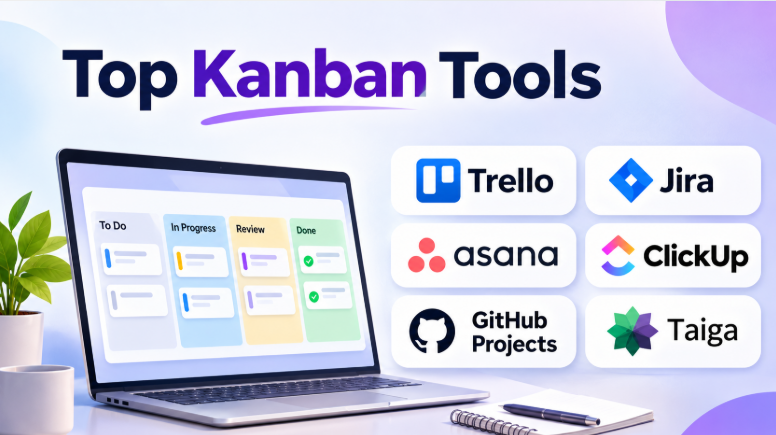
Managing work becomes difficult when teams have too many tasks and unclear priorities. Projects often slow down because people start new tasks before finishing existing ones. Important work gets stuck, and managers struggle to understand what is happening.
Kanban tools help solve these problems by making work visible. They use boards, columns, and cards to show how tasks move through a process. Teams can identify delays, reduce unnecessary work, and focus on completing tasks.
However, not every Kanban tool offers the same capabilities. Some provide simple visual boards. Others include work-in-progress limits, flow analytics, automation, team planning, and enterprise-level workflow management.
This guide explores 10 Kanban tools, their features, advantages, limitations, and best uses. It also explains what separates a basic task board from software that genuinely supports Kanban practices.
What Are Kanban Tools?
Kanban tools are software applications that help teams visualize, organize, and manage work through a defined workflow.
A typical Kanban board contains columns representing stages of work. Cards represent individual tasks, projects, requests, or work items.
For example, a simple board might look like this:
Backlog → Ready → In Progress → Review → Done
As work progresses, team members move cards from one column to another.
Kanban software can help teams:
- Visualize ongoing work
- Identify bottlenecks
- Limit work in progress
- Improve task prioritization
- Track workflow progress
- Reduce unnecessary multitasking
- Improve collaboration
- Monitor delivery speed
- Manage continuous work
- Automate repetitive activities
Kanban is not simply a visual task list. Effective Kanban focuses on improving the flow of work.
A useful Kanban system helps teams understand where work gets stuck and why.
What Makes a Good Kanban Tool?
A basic board is easy to create. But managing work effectively requires more than columns and cards.
The most useful Kanban tools offer several important capabilities.
Visual workflow management
Teams should be able to create columns that match their actual work process.
A software team may use:
- Backlog
- Development
- Code Review
- Testing
- Ready for Release
- Done
A marketing team may use:
- Ideas
- Content Planning
- Writing
- Editing
- Design
- Published
The workflow should reflect how work moves through the organization.
Work-in-progress limits
Work-in-progress limits, often called WIP limits, restrict how many tasks can enter a particular workflow stage.
For example, a team may allow only three tasks in the testing column.
This encourages team members to complete existing work before starting additional tasks.
WIP limits are one of the most important differences between a Kanban system and a simple task board.
Workflow analytics
Some Kanban tools provide metrics that help teams understand their delivery process.
Common metrics include:
- Cycle time
- Lead time
- Throughput
- Cumulative flow
- Work-in-progress trends
These metrics help teams identify bottlenecks and improve their workflow.
Automation
Automation can reduce repetitive administrative work.
For example, a team may automatically assign a task when it enters a particular column. Another rule may notify a reviewer when a card reaches the review stage.
Automation should support the workflow without making it unnecessarily complicated.
Top 10 Kanban Tools
1. Trello
Trello is one of the most recognizable Kanban tools. It uses boards, lists, and cards to help teams organize work visually.
Its simple design makes it easy for individuals and small teams to create workflows without extensive training.
Users can create boards for projects, organize tasks into lists, and move cards as work progresses.
Trello also supports automation and integrations that can extend its basic board functionality.
Key Features
- Visual Kanban boards
- Cards and customizable lists
- Labels and due dates
- Checklists
- Team collaboration
- Automation
- Power-Ups
- Multiple project boards
- Integrations with popular applications
Pros
- Easy to learn and use
- Quick board setup
- Clear visual task management
- Suitable for small teams
- Flexible for different workflows
- Large integration ecosystem
Cons
- Advanced reporting may require additional features
- Complex projects can become difficult to organize
- Native flow analytics are limited compared with specialist Kanban platforms
- Large boards may require careful organization
Best Uses: Small teams, marketing projects, content planning, personal task management, and simple Kanban workflows.
Trello works particularly well when the team needs a clear visual board without complicated project management features.
2. Kanban Tool
Kanban Tool is a dedicated Kanban platform designed to help teams visualize work and improve workflow efficiency.
Unlike basic task boards, it focuses on Kanban practices such as work-in-progress limits, swimlanes, workflow customization, and analytics.
Teams can create boards that reflect their processes. They can also use different limits to control the amount of work entering specific stages.
Key Features
- Custom Kanban boards
- Work-in-progress limits
- Swimlanes
- Workflow customization
- Task estimates
- Analytics
- Cycle-time tracking
- Time tracking
- Board filtering
- Automation
Pros
- Dedicated Kanban functionality
- Supports WIP limits
- Useful workflow analytics
- Customizable boards and swimlanes
- Suitable for business and technical teams
- Offers options for different deployment needs
Cons
- May feel less familiar than general project management tools
- Some advanced features depend on the selected plan
- Teams seeking a broad all-in-one workspace may need other applications
Best Uses: Teams that want to follow Kanban principles more closely, organizations tracking workflow metrics, and teams that need WIP limits and process analytics.
Kanban Tool is particularly useful when the team wants to move beyond simple task boards and begin measuring workflow performance.
3. KanbanFlow
KanbanFlow is a lightweight Kanban platform that combines visual task management with productivity features.
Its board supports customizable columns, WIP limits, subtasks, and swimlanes.
One notable feature is its built-in Pomodoro timer. This helps individuals track focused work sessions directly from their tasks.
KanbanFlow is designed for teams that want a straightforward board without a large project management environment.
Key Features
- Customizable Kanban boards
- WIP limits
- Subtasks
- Swimlanes
- Time tracking
- Pomodoro timer
- Task filtering
- Analytics
- Team collaboration
Pros
- Simple Kanban-focused interface
- WIP limits support workflow management
- Built-in time tracking
- Pomodoro support
- Useful for individuals and teams
- Lightweight compared with enterprise platforms
Cons
- Less suitable for complex portfolio management
- May lack the extensive customization of larger platforms
- Teams needing advanced project dependencies may require another tool
Best Uses: Small teams, freelancers, productivity-focused users, lean workflows, and teams that want time tracking alongside Kanban boards.
KanbanFlow is a good option when the primary goal is managing daily work and improving personal or team focus.
4. Businessmap
Businessmap, formerly known as Kanbanize, is designed for organizations that use Kanban across multiple teams and projects.
It focuses on workflow management, process visualization, automation, and portfolio-level visibility.
Organizations can connect work across boards and manage larger workflows. This makes it useful for teams that need more than a simple task board.
Key Features
- Kanban boards
- Work-in-progress limits
- Workflow automation
- Portfolio management
- Multiple connected boards
- Analytics
- Process visualization
- Team coordination
- Work tracking
- Strategic planning capabilities
Pros
- Designed for larger Kanban environments
- Supports multiple teams and workflows
- Useful for portfolio-level visibility
- Strong focus on workflow management
- Supports process improvement
Cons
- May be excessive for small teams
- Requires more planning during implementation
- Pricing and setup may be less suitable for individuals
- Users may need training for advanced capabilities
Best Uses: Enterprise organizations, Lean teams, multiple departments, portfolio management, and organizations scaling Kanban across several teams.
Businessmap is worth considering when work needs to connect across teams instead of remaining on separate boards.
5. Jira
Jira is widely used by software development and IT teams. It supports Kanban boards, issue tracking, custom workflows, and reporting.
Teams can organize bugs, features, tasks, and other work items.
Jira’s strength lies in its ability to connect work tracking with software development processes.
It also supports complex workflows, automation, and integrations with development tools.
Key Features
- Kanban boards
- Custom workflows
- Issue tracking
- Backlog management
- WIP controls
- Automation
- Reports
- Dashboards
- Development integrations
- Project tracking
Pros
- Strong software development support
- Flexible workflows
- Extensive integrations
- Useful reporting capabilities
- Suitable for complex technical projects
- Can support multiple teams
Cons
- Can become complicated
- Configuration may require administration
- May be excessive for simple Kanban workflows
- Beginners may need time to understand its features
Best Uses: Software development, IT operations, technical teams, product engineering, and organizations managing complex workflows.
Jira is a strong option when Kanban boards need to connect with issue tracking, development work, and technical project management.
6. Taiga
Taiga is an open-source project management platform that supports both Kanban and Scrum.
It provides customizable Kanban boards, work-in-progress limits, swimlanes, filtering, and task management.
Teams can switch between Kanban and Scrum workflows depending on their needs.
Taiga also offers self-hosted deployment options, which can appeal to organizations that want more control over their project data.
Key Features
- Kanban boards
- WIP limits
- Swimlanes
- Custom workflows
- Epics and subtasks
- Filtering and search
- Scrum support
- Issue tracking
- Self-hosting
- Open-source software
Pros
- Open-source platform
- Supports Kanban and Scrum
- Self-hosting options
- Customizable workflows
- Suitable for technical teams
- Useful for organizations seeking control over deployment
Cons
- Self-hosting requires technical resources
- Maintenance and upgrades may become the organization’s responsibility
- Some commercial platforms may provide more extensive support services
Best Uses: Agile development teams, open-source projects, organizations with self-hosting requirements, and teams that use both Kanban and Scrum.
Taiga is a useful choice when the organization wants flexibility without relying entirely on a commercial SaaS platform.
7. WeKan
WeKan is an open-source Kanban application that focuses on visual task management.
It uses boards, lists, and cards to organize work. Users can create multiple boards, add task details, assign work, and move cards through different stages.
Its self-hosted approach gives organizations more control over their environment and data.
Key Features
- Kanban boards
- Lists and cards
- Task descriptions
- Due dates
- Labels
- Checklists
- Comments
- File attachments
- Custom fields
- Self-hosted deployment
Pros
- Open-source
- Self-hosting option
- Simple Kanban workflow
- Flexible board customization
- Useful for privacy-focused organizations
- No dependence on a single commercial SaaS model
Cons
- Requires technical setup when self-hosted
- Infrastructure and maintenance costs still exist
- Commercial support may require separate arrangements
- May not include the advanced analytics of specialist commercial platforms
Best Uses: Organizations seeking open-source Kanban, teams with technical administrators, privacy-focused environments, and users who want control over deployment.
WeKan is especially useful when a simple Kanban system needs to run within an organization’s own infrastructure.
8. GitHub Projects
GitHub Projects provides project management views connected to GitHub issues and pull requests.
Developers can organize work into boards, tables, and other views. This makes it easier to track development tasks without moving work into a completely separate project management application.
Its main strength is its connection to the GitHub development ecosystem.
Key Features
- Project boards
- Issue tracking
- Pull request tracking
- Custom fields
- Multiple views
- Workflow automation
- Development integrations
- Team collaboration
- Project insights
Pros
- Work stays close to code
- Useful for developer teams
- Connects issues and pull requests
- Supports flexible project views
- Convenient for GitHub-based organizations
Cons
- Less suitable for nontechnical teams
- Advanced Kanban metrics may be limited
- Organizations may need separate tools for broader project management
Best Uses: Software developers, open-source projects, engineering teams, and organizations already using GitHub.
GitHub Projects works well when the team wants to organize development work directly within its existing code platform.
9. ClickUp
ClickUp is a broad work management platform that includes Kanban boards, task management, documentation, goals, dashboards, and collaboration.
Teams can create boards with custom statuses and use different views to manage their work.
Its flexibility allows organizations to create workflows for software development, marketing, operations, and other departments.
Key Features
- Kanban boards
- Custom statuses
- Task management
- Multiple views
- Dashboards
- Automation
- Goals
- Documentation
- Task dependencies
- Collaboration
Pros
- Flexible workspace
- Supports many types of work
- Combines project management and documentation
- Customizable boards
- Useful for cross-functional teams
Cons
- Large feature set can become overwhelming
- Workspace configuration requires planning
- Teams may create unnecessary complexity
- Advanced capabilities may depend on paid plans
Best Uses: Cross-functional teams, businesses that want an all-in-one workspace, and organizations managing multiple workflow types.
ClickUp is useful when Kanban boards are only one part of a larger work management system.
10. Asana
Asana is a project management platform that supports Kanban-style workflows.
Teams can organize work through boards, lists, timelines, and calendars. They can assign tasks, define dependencies, set deadlines, and track project progress.
Asana is designed for broader business workflows rather than Kanban alone.
This makes it useful for teams that want visual project tracking alongside general task management.
Key Features
- Kanban boards
- Task assignments
- Project timelines
- Task dependencies
- Workflow automation
- Project dashboards
- Goals
- Team collaboration
- Multiple project views
Pros
- Easy to use for business teams
- Supports different project views
- Useful for cross-functional collaboration
- Helps manage dependencies
- Suitable for marketing and operations
Cons
- Less focused on Kanban-specific metrics
- Advanced features may require higher plans
- Technical teams may prefer specialist development tools
Best Uses: Marketing teams, operations, product teams, business projects, and organizations using Kanban across departments.
Asana works well when teams want a Kanban board but also need broader project planning and coordination features.
Kanban Tools Comparison
| Tool | Best For | Main Strength | WIP Limits | Analytics | Deployment |
|---|---|---|---|---|---|
| Trello | Small teams | Simple visual boards | Limited/native options vary | Basic | Cloud |
| Kanban Tool | Kanban-focused teams | WIP controls and workflow analytics | Yes | Stronger flow analysis | Cloud and other options |
| KanbanFlow | Productivity-focused teams | WIP limits and time tracking | Yes | Productivity analytics | Cloud |
| Businessmap | Enterprise Kanban | Portfolio and workflow management | Yes | Advanced workflow visibility | Commercial |
| Jira | Software teams | Issue tracking and integrations | Workflow-dependent | Agile reports | Cloud and enterprise options |
| Taiga | Agile teams | Open-source Kanban and Scrum | Yes | Project reports | Cloud and self-hosted |
| WeKan | Self-hosted teams | Open-source boards | Workflow-dependent | Limited compared with specialist tools | Self-hosted |
| GitHub Projects | Developers | Code and task connection | Workflow-dependent | Project insights | Cloud |
| ClickUp | Cross-functional teams | All-in-one workspace | Plan and workflow dependent | Dashboards | Cloud |
| Asana | Business teams | Project coordination | Workflow-dependent | Project dashboards | Cloud |
How to Choose the Right Kanban Tool
The best Kanban software depends on what your team needs to improve.
For simple task management
Choose Trello if you need a clear board that people can understand quickly.
It is suitable for content calendars, small projects, personal planning, and team task tracking.
For Kanban process improvement
Choose Kanban Tool if your team needs WIP limits, swimlanes, and workflow analytics.
It is particularly useful when the goal is to improve work flow rather than simply organize tasks.
For time tracking and productivity
Choose KanbanFlow if your team wants a lightweight Kanban board with productivity features.
Its built-in time tracking and Pomodoro timer can help teams manage focused work.
For enterprise Kanban
Choose Businessmap if multiple teams need connected workflows and portfolio visibility.
It is more suitable for organizations that manage Kanban across several departments.
For software development
Choose Jira when the team needs detailed issue tracking and development workflows.
GitHub Projects is a practical alternative when development work already lives in GitHub.
For open-source and self-hosted environments
Choose Taiga or WeKan.
Taiga offers Kanban and Scrum capabilities. WeKan focuses on visual Kanban boards and self-hosting.
For all-in-one project management
Choose ClickUp or Asana if your team needs Kanban boards alongside broader project management capabilities.
These tools may be more useful when different departments share the same workspace.
Important Features to Look for in Kanban Software
Work-in-progress limits
WIP limits help teams control how many tasks they work on simultaneously.
For example, a team may allow only four tasks in the development stage.
When the column reaches its limit, the team should focus on completing existing work rather than starting another task.
This helps reduce multitasking and exposes bottlenecks.
Swimlanes
Swimlanes divide a board into horizontal sections.
Teams can use them to separate:
- Different products
- Different departments
- Priority levels
- Types of work
- Customers
- Projects
Swimlanes help organize large boards without creating many separate workflows.
Workflow customization
The board should match the team’s actual process.
A simple workflow might contain:
To Do → Doing → Review → Done
A more complex process may include:
Requested → Approved → Ready → In Progress → Testing → Waiting → Completed
Avoid creating too many columns. A board should make work easier to understand.
Automation
Automation can handle repetitive activities.
For example:
- Assign a task when it enters a specific column
- Notify a reviewer when work reaches review
- Move completed tasks automatically
- Add labels based on task type
- Send reminders when deadlines approach
Automation should reduce manual work rather than create additional rules to manage.
Flow metrics
Teams that want to improve Kanban should look beyond task completion.
Useful metrics include:
Cycle time
Cycle time measures how long work takes from starting to finishing.
It helps teams understand how quickly tasks move through their workflow.
Lead time
Lead time measures the time between requesting work and delivering it.
It can help teams understand the customer experience.
Throughput
Throughput measures how many work items a team completes during a period.
It provides a view of delivery capacity.
Cumulative flow
A cumulative flow diagram shows how work accumulates across workflow stages.
It can help teams identify bottlenecks and excessive waiting.
Common Mistakes When Using Kanban Tools
Treating the board as a simple task list
A Kanban board should help teams improve work flow.
If the team only moves cards without reviewing delays, the board may provide limited value.
Starting too many tasks
Too many active tasks can reduce focus.
WIP limits help teams finish work before taking on more.
Creating too many columns
A board with many stages can become difficult to understand.
Start with the main workflow stages. Add more only when they represent a meaningful process step.
Ignoring blocked work
Blocked tasks should be visible.
A team should identify why work is blocked and decide who can remove the blocker.
Measuring activity instead of flow
A large number of completed cards does not always mean the team is delivering value.
Teams should consider task size, complexity, waiting time, quality, and customer outcomes.
Choosing software before defining the workflow
Software cannot fix an unclear process.
Before selecting a tool, define how work enters the system, how it progresses, and how the team decides when work is complete.
Frequently Asked Questions
What is the best Kanban tool?
The best tool depends on the team’s workflow.
Trello is useful for simple boards. Kanban Tool and KanbanFlow are better suited to teams seeking dedicated Kanban capabilities. Businessmap supports larger Kanban environments, while Jira is useful for software teams.
Which Kanban tool is free?
Several tools offer free plans or open-source versions.
Trello, GitHub Projects, Taiga, and WeKan are among the options worth exploring. Free plans may include limitations, while self-hosted software may require infrastructure and maintenance.
What is the difference between Trello and Kanban Tool?
Trello focuses on simple visual task management.
Kanban Tool focuses more directly on Kanban practices, including WIP limits, swimlanes, and workflow analytics.
Trello is easier for basic task organization. Kanban Tool may be more useful for teams that want to analyze and improve their workflow.
Can Kanban tools be used for software development?
Yes. Jira, GitHub Projects, Taiga, and several other tools support software development workflows.
They can help teams manage bugs, features, tasks, code reviews, and development progress.
Is Kanban better than Scrum?
Neither method is universally better.
Kanban supports continuous work flow. Scrum organizes work into fixed planning cycles.
Kanban may suit teams with unpredictable work. Scrum may suit teams that benefit from regular sprint goals and structured planning.
Some teams combine both methods.
What is a WIP limit?
A work-in-progress limit restricts how many tasks can be active in a workflow stage.
For example, a team may allow only three tasks in the testing column.
WIP limits help reduce multitasking and encourage teams to finish work before starting new tasks.
Conclusion
Kanban tools help teams make work visible, control task overload, and improve workflow efficiency.
Trello is a strong option for simple boards. Kanban Tool and KanbanFlow offer more dedicated Kanban capabilities. Businessmap supports larger workflow environments, while Jira and GitHub Projects are useful for software development teams.
Taiga and WeKan provide open-source alternatives for teams that want greater control over their software environment. ClickUp and Asana offer Kanban views within broader project management platforms.
The right choice depends on how your team works. Start with your workflow, identify the bottlenecks you want to solve, and choose software that makes those problems easier to see and manage.
A good Kanban tool should not simply show tasks. It should help your team finish work more smoothly.










Leave a Reply
You must be logged in to post a comment.