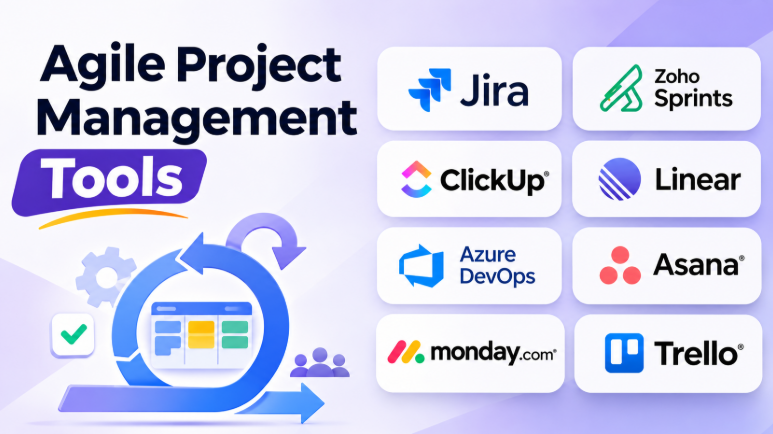
Agile teams need software that helps them plan, track, and deliver work without slowing them down. The right project management tool can make sprint planning easier, improve team communication, and help everyone understand what needs attention.
But not every Agile tool serves the same purpose. Some focus on software development and Scrum workflows. Others help marketing, product, operations, and business teams manage work using Agile principles.
Choosing the right platform depends on your team’s workflow, project size, technical needs, and budget. A simple Kanban board may work for a small team. A software development team may need advanced backlog management, sprint reports, and code integrations.
This guide explores 10 Agile project management tools, their key features, advantages, limitations, and best uses. It also compares their strengths to help you choose a platform that fits your team’s needs.
What Are Agile Project Management Tools?
Agile project management tools help teams organize work into smaller tasks and deliver results in regular steps. They support methods such as Scrum, Kanban, and hybrid Agile workflows.
These platforms help teams manage project backlogs, plan sprints, assign tasks, track progress, and respond to changing priorities.
Instead of creating one large project plan and following it from start to finish, Agile teams review their work regularly. They adjust plans based on feedback, progress, and new requirements.
Most Agile project management tools offer features such as:
- Scrum and Kanban boards
- Product and project backlogs
- Sprint planning
- Task and issue tracking
- Team collaboration
- Work prioritization
- Project reporting
- Workflow automation
- Roadmaps
- Integrations with development and communication tools
Agile software is useful for software development teams, product managers, startups, marketing teams, design teams, and organizations that need flexible project planning.
Top 10 Agile Project Management Tools
The following tools offer different approaches to Agile project management. Some are designed specifically for software teams, while others support Agile workflows across multiple departments.
1. Jira
Jira is one of the most widely used platforms for software development and Agile project management. It supports Scrum, Kanban, backlog management, issue tracking, and customizable workflows.
Teams can create epics, stories, tasks, and bugs. They can organize work into sprints and track progress through boards and reports.
Jira also connects with development tools such as Bitbucket, GitHub, GitLab, and many other applications.
Key Features
- Scrum and Kanban boards
- Backlog management
- Sprint planning
- Issue and bug tracking
- Custom workflows
- Agile reporting
- Roadmaps
- Development integrations
- Automation rules
Pros
- Strong Agile and Scrum functionality
- Suitable for software development teams
- Supports complex workflows
- Large integration ecosystem
- Scales from small teams to large organizations
Cons
- Can feel complex for beginners
- Configuration may require dedicated administration
- Some advanced features require higher plans
Best Uses: Software development teams, technical product teams, and organizations managing complex Agile workflows.
2. Zoho Sprints
Zoho Sprints is an Agile project management platform built around Scrum and iterative development. It helps teams manage backlogs, plan sprints, track work, and review progress.
Its interface focuses on Agile activities rather than general project management. This makes it useful for teams that want a structured Scrum environment.
Zoho Sprints also connects with other Zoho applications and development tools.
Key Features
- Product backlog management
- Sprint planning
- Scrum boards
- Work item tracking
- Release management
- Time tracking
- Agile reports
- Team collaboration
- Integration with Zoho products
Pros
- Designed specifically for Agile teams
- Supports Scrum workflows
- Useful backlog and sprint management
- Integrates with the Zoho ecosystem
- Suitable for growing development teams
Cons
- May be less flexible for non-Scrum workflows
- Advanced capabilities may require higher plans
- Teams outside the Zoho ecosystem may need additional integrations
Best Uses: Scrum teams, software development teams, startups, and organizations already using Zoho applications.
3. ClickUp
ClickUp combines Agile project management, task management, documentation, goals, and collaboration in one workspace.
Teams can organize work using lists, boards, calendars, timelines, and other views. Its sprint features help software teams manage backlogs, plan iterations, and track progress.
ClickUp also supports custom workflows. Teams can adjust statuses and project structures according to their working methods.
Key Features
- Sprint management
- Backlog organization
- Kanban boards
- Task dependencies
- Goals and dashboards
- Project documentation
- Time tracking
- Workflow automation
- Multiple project views
Pros
- Flexible workspace
- Combines tasks and documentation
- Supports Agile and general project management
- Many customization options
- Useful for cross-functional teams
Cons
- Large feature set can feel overwhelming
- Workspace setup requires planning
- Teams may need time to learn the platform
Best Uses: Teams that want Agile project management, documentation, and collaboration in one platform.
4. Linear
Linear is a modern project management platform designed mainly for product and engineering teams.
It focuses on speed, clear workflows, and organized issue tracking. Teams can create projects, manage issues, plan cycles, and monitor development progress.
Linear’s interface is designed to reduce unnecessary steps. This makes it attractive to teams that prefer a focused development environment.
Key Features
- Issue tracking
- Projects and roadmaps
- Cycles
- Product backlog
- Team workflows
- GitHub and GitLab integrations
- Project updates
- Reporting
- Keyboard-focused navigation
Pros
- Clean and fast interface
- Designed for product and engineering workflows
- Strong issue organization
- Supports iterative planning
- Useful development integrations
Cons
- Less suitable for general business project management
- Some teams may need external documentation tools
- Customization is less extensive than highly configurable platforms
Best Uses: Product development teams, engineering teams, startups, and software companies that value speed and simplicity.
5. Azure DevOps
Azure DevOps provides project management and development tools for teams building software.
Its Boards feature supports Agile planning through backlogs, work items, Kanban boards, and sprint management. Teams can also connect their project planning with repositories and CI/CD pipelines.
This connection helps developers track work from planning through coding, testing, and deployment.
Key Features
- Agile boards
- Product backlogs
- Sprint planning
- Work item tracking
- Git repositories
- CI/CD pipelines
- Test management
- Development reporting
- Microsoft ecosystem integration
Pros
- Strong development workflow integration
- Supports Agile and Scrum
- Connects planning with coding and deployment
- Useful for Microsoft-based organizations
- Offers several development tools in one ecosystem
Cons
- Can be complex for nontechnical teams
- The interface may require learning
- Some organizations may not need its full development ecosystem
Best Uses: Software development teams, Microsoft-focused organizations, DevOps teams, and companies managing software delivery.
6. Asana
Asana is a general project management platform that supports Agile workflows across different departments.
Teams can organize projects using boards, lists, timelines, and calendars. They can assign tasks, set priorities, define dependencies, and connect project work with goals.
Asana is especially useful when technical and nontechnical teams need to work together.
Key Features
- Kanban boards
- Task management
- Project timelines
- Work dependencies
- Goals
- Workflow automation
- Team dashboards
- Project templates
- Collaboration tools
Pros
- Easy for cross-functional teams to adopt
- Supports different project views
- Good task and workflow management
- Useful for team coordination
- Helps connect projects with organizational goals
Cons
- Less specialized for software development
- Advanced features may require paid plans
- Some Scrum teams may need more detailed sprint reporting
Best Uses: Marketing teams, product teams, operations teams, and organizations managing Agile projects across departments.
7. monday.com
monday.com provides a visual workspace for project management and team collaboration.
Its boards allow teams to organize work using columns, statuses, owners, dates, and other information. Teams can create workflows that match their processes.
The monday dev product offers capabilities focused on software development and Agile planning.
Key Features
- Customizable boards
- Sprint management
- Task tracking
- Workflow automation
- Dashboards
- Project timelines
- Team workload management
- Integrations
- Visual project reporting
Pros
- Highly visual interface
- Flexible workflow customization
- Useful for cross-functional teams
- Supports automation
- Easy to understand project status
Cons
- Advanced workflows may require configuration
- Pricing may increase as teams grow
- Some Agile features depend on the product or plan selected
Best Uses: Product teams, business teams, visual project planning, and organizations that need customizable workflows.
8. Trello
Trello is a simple visual project management tool based on boards, lists, and cards.
Its Kanban-style interface helps teams see work at different stages. Users can move cards between lists as tasks progress.
Trello is easy to understand and requires little setup. Teams can extend it with automation and Power-Ups.
Key Features
- Kanban boards
- Task cards
- Custom lists
- Labels
- Checklists
- Due dates
- Automation
- Power-Ups
- Team collaboration
Pros
- Easy to learn
- Quick setup
- Clear visual workflow
- Suitable for small teams
- Useful for simple Kanban processes
Cons
- Limited native Scrum capabilities
- Advanced reporting may require additional features
- Complex projects may become difficult to manage
Best Uses: Small teams, startups, simple project workflows, content teams, and organizations using Kanban.
9. Shortcut
Shortcut is a project management platform designed for software development teams.
It organizes work around stories, epics, iterations, and milestones. Teams can plan development cycles and track progress without managing an overly complicated workspace.
Shortcut combines issue tracking with product planning and team collaboration.
Key Features
- Story and issue tracking
- Iterations
- Epics
- Milestones
- Roadmaps
- Team workflows
- Development integrations
- Project reporting
Pros
- Designed for software development
- Clear issue and story management
- Supports iterative planning
- Useful for product teams
- Less complex than some enterprise platforms
Cons
- May not fit general business project management
- Smaller ecosystem than larger platforms
- Teams requiring advanced enterprise governance may need alternatives
Best Uses: Software startups, product development teams, and engineering teams that want focused Agile planning.
10. Wrike
Wrike is a work management platform that supports Agile workflows and cross-functional project planning.
It helps teams manage tasks, projects, dependencies, timelines, and reporting. Teams can customize workflows and create dashboards for different departments.
Wrike is particularly useful for organizations managing several projects across multiple teams.
Key Features
- Agile boards
- Task management
- Project timelines
- Workflow customization
- Workload management
- Reporting dashboards
- Automation
- Team collaboration
- Project templates
Pros
- Suitable for complex projects
- Supports cross-functional work
- Strong project visibility
- Flexible workflows
- Useful reporting capabilities
Cons
- Setup may require planning
- Some features can feel complex
- Smaller teams may not need its full functionality
Best Uses: Large teams, cross-functional organizations, agencies, and companies managing multiple projects.
Agile Project Management Tools Comparison
| Tool | Best For | Agile Strength | Main Advantage | Potential Limitation |
|---|---|---|---|---|
| Jira | Software teams | Scrum and Kanban | Deep Agile capabilities | Learning curve |
| Zoho Sprints | Scrum teams | Sprint management | Agile-focused workflow | Less suitable for unrelated work |
| ClickUp | Cross-functional teams | Flexible Agile workspace | Many tools in one platform | Complexity |
| Linear | Product and engineering | Cycles and issue tracking | Fast, focused interface | Limited general business use |
| Azure DevOps | Microsoft development teams | Boards and DevOps | Planning-to-deployment connection | Technical learning curve |
| Asana | Business and product teams | Agile task workflows | Easy cross-team coordination | Less developer-focused |
| monday.com | Visual teams | Custom boards and workflows | Flexible visual planning | Configuration needs |
| Trello | Small teams | Kanban | Simple and easy to use | Limited Scrum reporting |
| Shortcut | Software startups | Stories and iterations | Focused development planning | Smaller ecosystem |
| Wrike | Larger organizations | Cross-team project management | Reporting and workflow flexibility | May be excessive for small teams |
How to Choose the Right Agile Project Management Tool
The best platform depends on how your team works.
Choose Jira for structured software development
Jira is a strong choice when your team needs detailed backlogs, Scrum boards, issue tracking, and development integrations.
It is particularly useful for teams managing complex software projects.
Choose Zoho Sprints for Scrum-focused workflows
Zoho Sprints is worth considering when your team follows Scrum and wants a platform designed around sprint planning and Agile activities.
It may be especially convenient for organizations already using Zoho applications.
Choose ClickUp for an all-in-one workspace
ClickUp is useful when your team wants project management, documentation, goals, and collaboration in one place.
It offers flexibility but requires thoughtful setup.
Choose Linear for focused product development
Linear is suitable for teams that want a fast, organized workspace for issues, projects, and development cycles.
It works well when teams prefer simplicity over extensive customization.
Choose Azure DevOps for connected development workflows
Azure DevOps is a good option when software planning, source code, testing, and deployment need to work together.
It is particularly relevant to organizations using Microsoft development technologies.
Choose Asana for cross-functional Agile work
Asana works well when product, marketing, operations, and other teams need to coordinate projects.
Its general-purpose design makes it easier for nontechnical teams to participate.
Choose monday.com for visual workflows
monday.com is useful for teams that prefer customizable boards and clear visual project tracking.
It can support different workflows across departments.
Choose Trello for simple Kanban
Trello is ideal when teams need a simple board without complicated sprint management.
It is a good starting point for small teams.
Choose Shortcut for software startups
Shortcut offers focused project and issue management for development teams.
It provides a practical option for teams that want Agile planning without a large enterprise platform.
Choose Wrike for complex cross-team projects
Wrike can help larger organizations manage multiple projects, workflows, and teams.
It is worth considering when reporting and project visibility matter across departments.
Important Features to Look for in Agile Software
Sprint and backlog management
Scrum teams need a backlog that helps them organize future work. They also need sprint planning tools that make it easy to select tasks and define goals.
Look for clear backlog views, prioritization options, and sprint tracking.
Kanban boards
Kanban boards provide a visual view of work.
Teams can see what is waiting, what is in progress, and what is complete.
A useful board should support custom stages and make blockers easy to identify.
Reporting and analytics
Reports help teams understand how work moves through their process.
Useful reports may include:
- Burndown charts
- Velocity reports
- Cycle-time reports
- Work-in-progress reports
- Sprint completion reports
- Project dashboards
Reports should help teams improve their process. They should not encourage unrealistic productivity targets.
Workflow automation
Automation can reduce repetitive work.
For example, a team may automatically assign a task when it enters a review stage. Another workflow may notify a manager when an important deadline approaches.
Automation should reduce manual effort without creating confusing rules.
Collaboration
Agile teams need regular communication.
Look for comments, notifications, file sharing, project updates, and connections with communication tools.
Good collaboration features help teams keep project information in one place.
Integrations
The right integrations can connect project management with development and business tools.
Common integrations include:
- GitHub
- GitLab
- Bitbucket
- Slack
- Microsoft Teams
- Google Workspace
- CI/CD platforms
- Documentation tools
Integration needs vary by team. A software team may prioritize code repositories, while a marketing team may need calendar and communication connections.
Common Mistakes When Selecting Agile Tools
Choosing the most feature-rich platform
More features do not always improve teamwork.
A small team may struggle with a platform designed for enterprise project management.
Start with the features your team actually needs.
Ignoring team adoption
A powerful tool is useless when team members do not update their tasks.
Choose an interface that your team can understand and use regularly.
Confusing Agile software with Agile practices
Software cannot make a team Agile by itself.
Teams still need communication, regular feedback, clear goals, and a willingness to improve.
Over-customizing workflows
Too many custom statuses and rules can make a project difficult to manage.
Start with a simple workflow. Add complexity only when a real need appears.
Ignoring total cost
The subscription price is only one part of the cost.
Consider:
- Number of users
- Required plan
- Automation limits
- Storage
- Integrations
- Training
- Administration
- Additional products
A free plan may be enough for a small team. Larger teams may need paid features as their workflows grow.
Frequently Asked Questions
What is the best Agile project management tool?
There is no single best tool for every team.
Jira is suitable for structured software development. Linear works well for focused product teams. ClickUp provides a flexible all-in-one workspace. Asana supports cross-functional projects, while Trello offers simple Kanban management.
Which Agile tool is best for beginners?
Trello is one of the easiest platforms to learn because it uses simple boards, lists, and cards.
Asana and monday.com can also work well for teams that want visual project management without a technical setup.
Which Agile tool is best for software development?
Jira, Linear, Azure DevOps, Zoho Sprints, and Shortcut are strong options for software development teams.
The best choice depends on your development workflow, integrations, reporting needs, and team preferences.
Are Agile project management tools free?
Many Agile platforms offer free plans or limited free versions.
However, free plans may restrict users, automation, reporting, storage, or advanced features.
Teams should review these limits before choosing a platform.
Can Agile tools support Kanban?
Yes. Many Agile project management tools support Kanban boards.
Trello is especially focused on visual Kanban. Jira, ClickUp, Asana, monday.com, and other platforms also provide board-based workflows.
What is the difference between Scrum and Kanban tools?
Scrum tools support work organized into fixed sprints. They often include sprint planning, backlogs, and sprint reports.
Kanban tools focus on continuous work flow. They use boards and work-in-progress controls to help teams manage ongoing tasks.
Some platforms support both approaches.
Conclusion
Agile project management tools help teams organize work, improve visibility, and respond to changes. However, the right platform depends on the way your team operates.
Jira and Azure DevOps are useful for technical development workflows. Linear and Shortcut offer focused environments for product and engineering teams. Zoho Sprints supports Scrum-based planning. ClickUp, Asana, and monday.com provide flexible options for cross-functional work. Trello works well for simple Kanban processes, while Wrike supports larger and more complex project environments.
Before selecting a tool, identify your workflow, required features, integrations, and budget. Then test the platform with a real project.
The best Agile tool is not necessarily the one with the most features. It is the one your team can use consistently to plan, communicate, improve, and deliver valuable work.










Leave a Reply
You must be logged in to post a comment.